





Question: Need help with code in C#, thank you. In this exercise, you'll modify the Score Calculator form of Homework 3 so the scores are stored

Need help with code in C#, thank you.
Need help with code in C#, thank you. In this exercise, you'll
modify the Score Calculator form of Homework 3 so the scores are

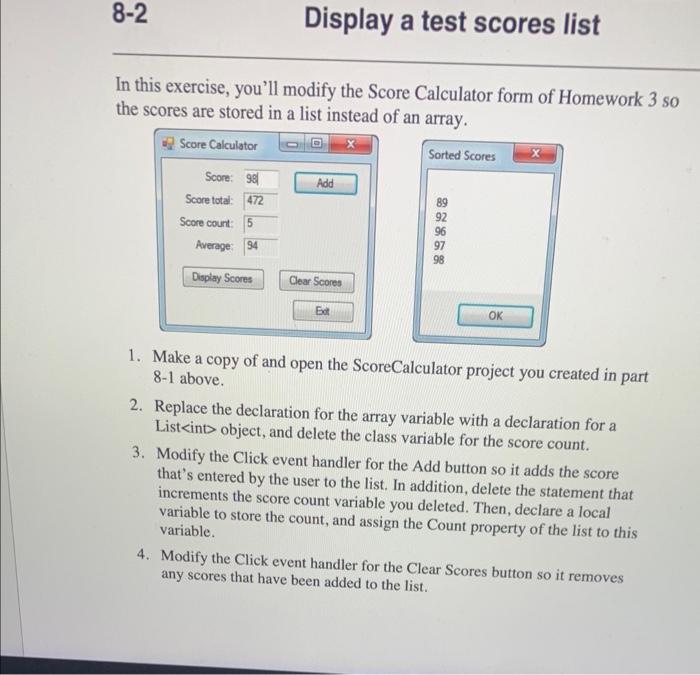
In this exercise, you'll modify the Score Calculator form of Homework 3 so the scores are stored in a list instead of an array. 1. Make a copy of and open the ScoreCalculator project you created in part 8-1 above. 2. Replace the declaration for the array variable with a declaration for a List object, and delete the class variable for the score count. 3. Modify the Click event handler for the Add button so it adds the score that's entered by the user to the list. In addition, delete the statement that increments the score count variable you deleted. Then, declare a local variable to store the count, and assign the Count property of the list to this variable. 4. Modify the Click event handler for the Clear Scores button so it removes any scores that have been added to the list. 5. Modify the Click event handler for the Display Scores button so it sorts the scores in the list and then displays them in a dialog box. 6. Test the application to be sure it works correctly

Step by Step Solution

There are 3 Steps involved in it

1 Expert Approved Answer
Step: 1 Unlock blur-text-image
Question Has Been Solved by an Expert!

Get step-by-step solutions from verified subject matter experts

Step: 2 Unlock
Step: 3 Unlock

Students Have Also Explored These Related Databases Questions!