







Question: Need help with HTML5 and CSS3 Independent Challege 3 Unit E, need help with the HTML and CSS styles sheet display d pmt in your
Need help with HTML5 and CSS3 Independent Challege 3 Unit E, need help with the HTML and CSS styles sheet
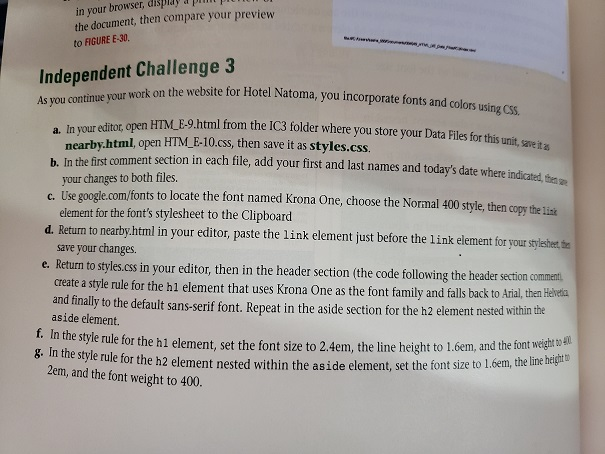
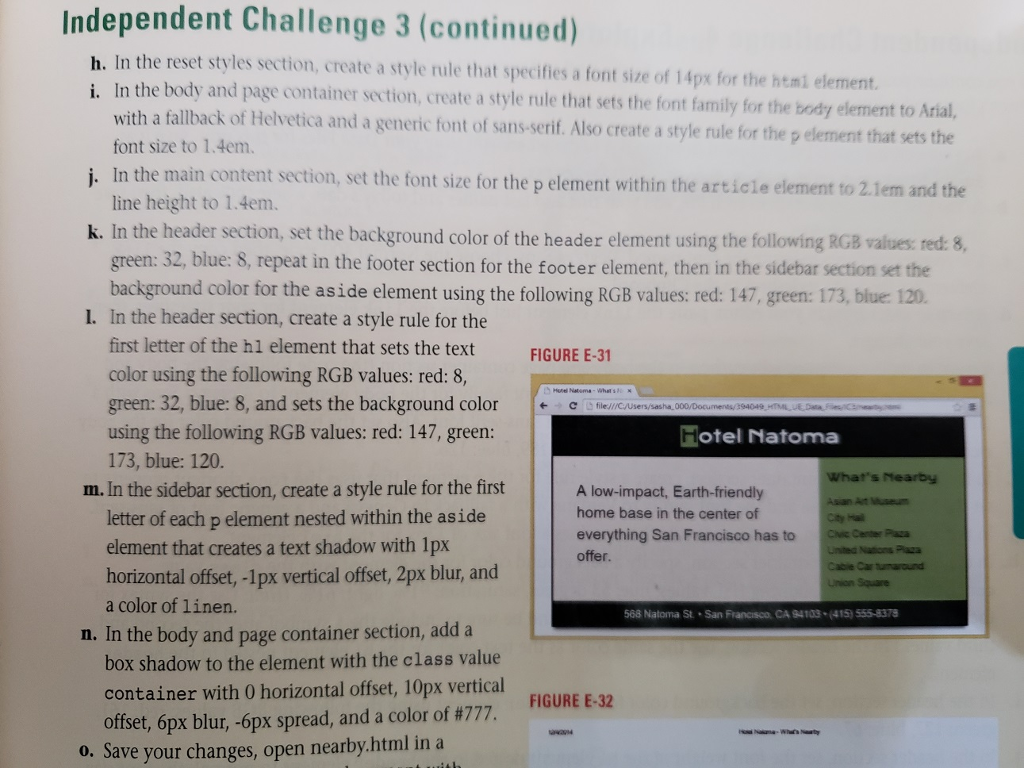
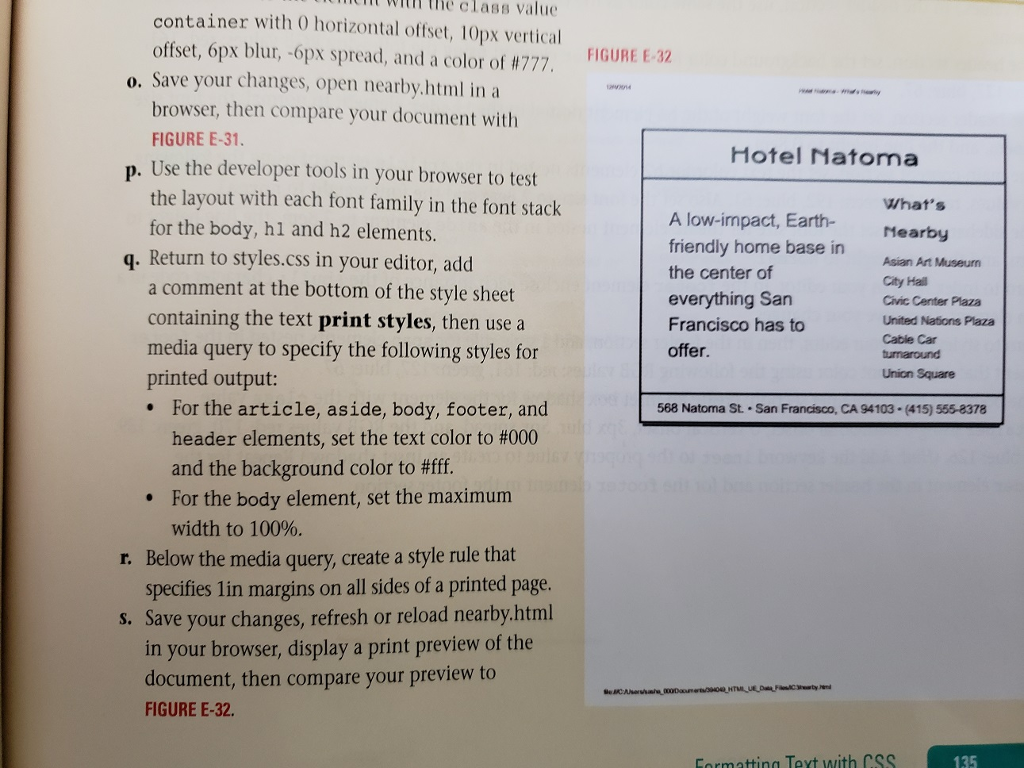
display d pmt in your browser, the document, then compare your preview to FIGURE E-30 Independent Challenge 3 As you continue your work on th ts and colors using CSS te uour editot open HTM E-9.html from the IC3 folder where you store your Data Files for this uni, savet nearby.html, open HTM F-10.css, then save it as styles.css. the fist comment section in each file, add your first and last names and today's date where indicated, he me your changes to both files. c. U se google.com/fonts to locate the font named Krona One, choose the Normal 400 style, then copy the Lisk element for the font's stylesheet to the Clipboard save your changes. create a style rule for the h1 element that uses Krona One as the font family and falls back to Atrial, then Helreia d. Return to nearby.html in your editor, paste the link element just before the link element for your stylsthert th e. Return to styles.css in your editor, then in the header section (the code following the header section comment and finaly to the default sans-serif font. Repeat in the aside section for the h2 element nested within the aside element. style rule for the hi element, set the font size to 2.4em, the line height to l.6em, and th negh l ule for the h2 element nested within the as ide element, set the font size to 1.6em, the line hrigt g. In the style r 2em, and the font weight to 400. display d pmt in your browser, the document, then compare your preview to FIGURE E-30 Independent Challenge 3 As you continue your work on th ts and colors using CSS te uour editot open HTM E-9.html from the IC3 folder where you store your Data Files for this uni, savet nearby.html, open HTM F-10.css, then save it as styles.css. the fist comment section in each file, add your first and last names and today's date where indicated, he me your changes to both files. c. U se google.com/fonts to locate the font named Krona One, choose the Normal 400 style, then copy the Lisk element for the font's stylesheet to the Clipboard save your changes. create a style rule for the h1 element that uses Krona One as the font family and falls back to Atrial, then Helreia d. Return to nearby.html in your editor, paste the link element just before the link element for your stylsthert th e. Return to styles.css in your editor, then in the header section (the code following the header section comment and finaly to the default sans-serif font. Repeat in the aside section for the h2 element nested within the aside element. style rule for the hi element, set the font size to 2.4em, the line height to l.6em, and th negh l ule for the h2 element nested within the as ide element, set the font size to 1.6em, the line hrigt g. In the style r 2em, and the font weight to 400
Step by Step Solution
There are 3 Steps involved in it

Get step-by-step solutions from verified subject matter experts
 Study Help