







Question: Need help with javascript please make it as basic as possible since I know only the basics. How would I implement this to my HTML
Need help with javascript please make it as basic as possible since I know only the basics. How would I implement this to my HTML form
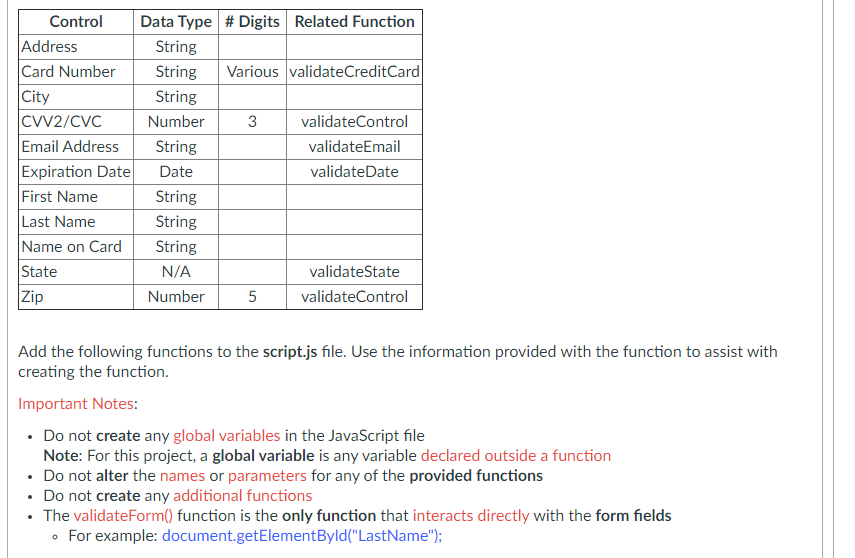
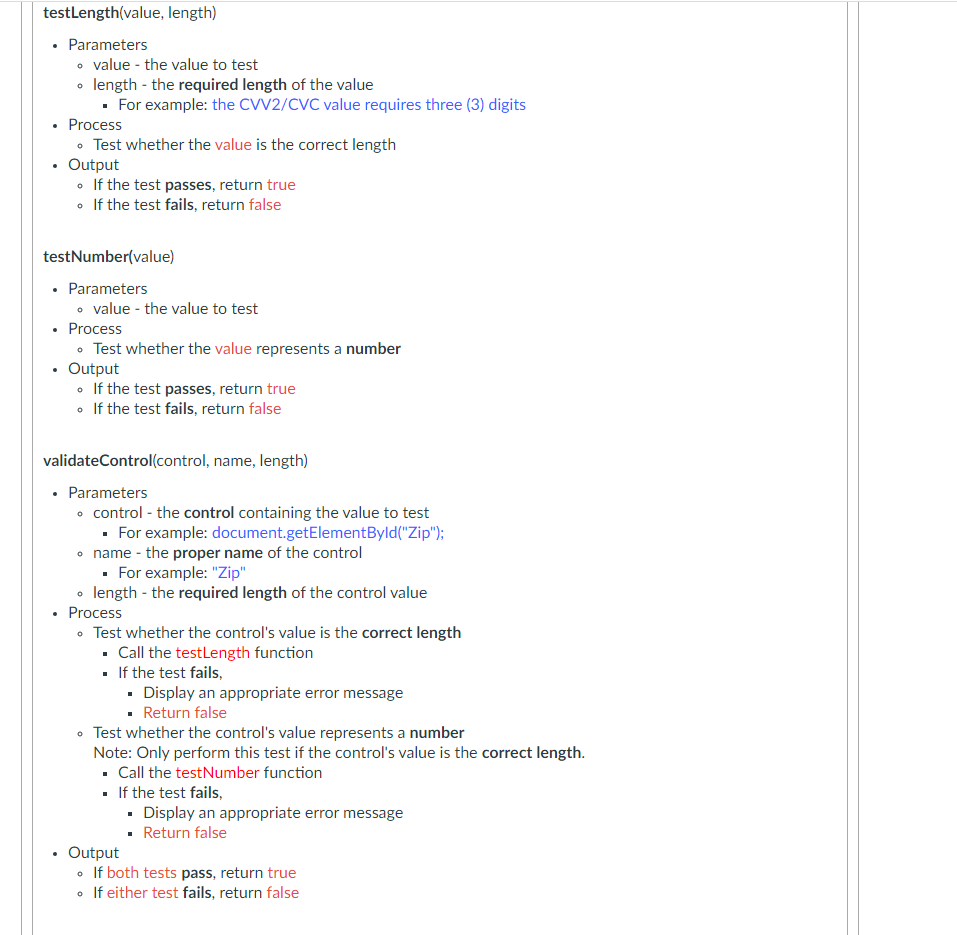
Control Address Card Number |City CWv2/CVC Email Address Expiration Date First Name Last Name Name on Card State Data Type # Digits Related Function String String Various validateCredit Card String Number 3 validateControl String validateEmail Date validateDate String String String N/A validateState Number 5 validateControl Zip Add the following functions to the script.js file. Use the information provided with the function to assist with creating the function. Important Notes: Do not create any global variables in the JavaScript file Note: For this project, a global variable is any variable declared outside a function Do not alter the names or parameters for any of the provided functions Do not create any additional functions The validateForm() function is the only function that interacts directly with the form fields . For example: document.getElementById("LastName"); 0 testLength(value, length) Parameters o value - the value to test length - the required length of the value . For example: the CVV2/CVC value requires three (3) digits Process Test whether the value is the correct length Output . If the test passes, return true . If the test fails, return false . testNumber(value) Parameters value - the value to test Process Test whether the value represents a number . Output . If the test passes, return true . If the test fails, return false validateControl(control, name, length) Parameters o control - the control containing the value to test - For example: document.getElementById("Zip"); name - the proper name of the control . For example: "Zip" length - the required length of the control value Process Test whether the control's value is the correct length Call the testLength function If the test fails, Display an appropriate error message . Return false - Test whether the control's value represents a number Note: Only perform this test if the control's value is the correct length. Call the testNumber function If the test fails, Display an appropriate error message Return false Output If both tests pass, return true . If either test fails, return false O
Step by Step Solution
There are 3 Steps involved in it

Get step-by-step solutions from verified subject matter experts
 Study Help