







Question: Need help with question two and this is all the info i have been given. t Name all cells and ranges used in formulas except
Need help with question two and this is all the info i have been given.
t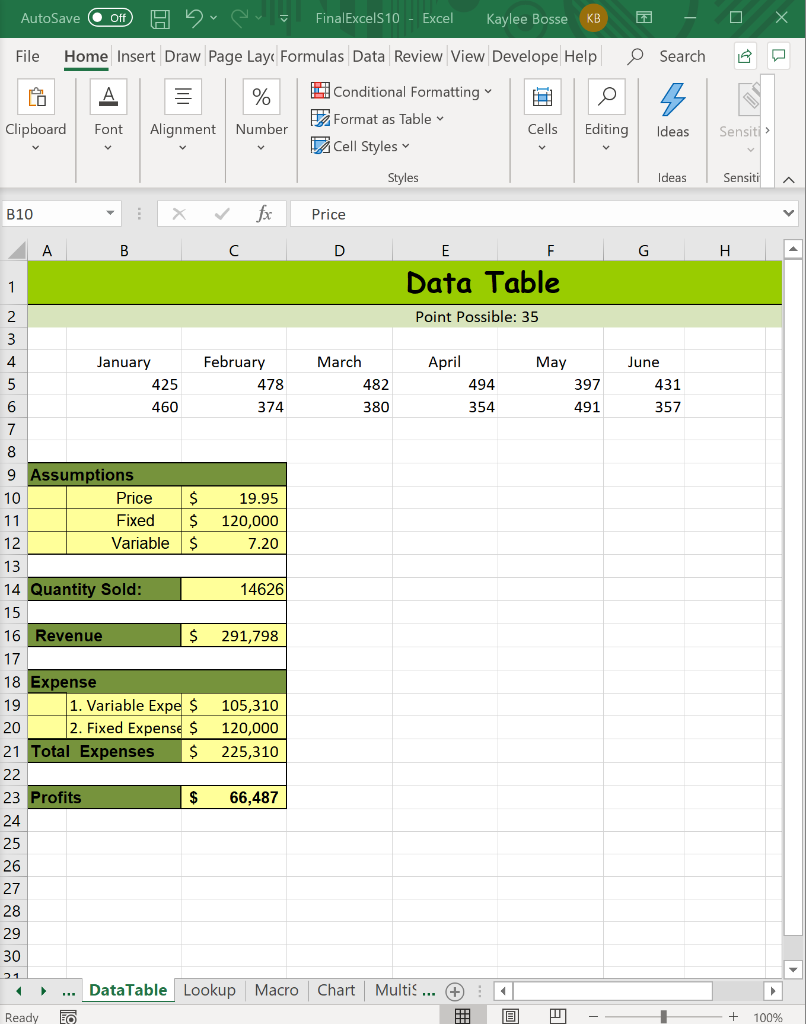
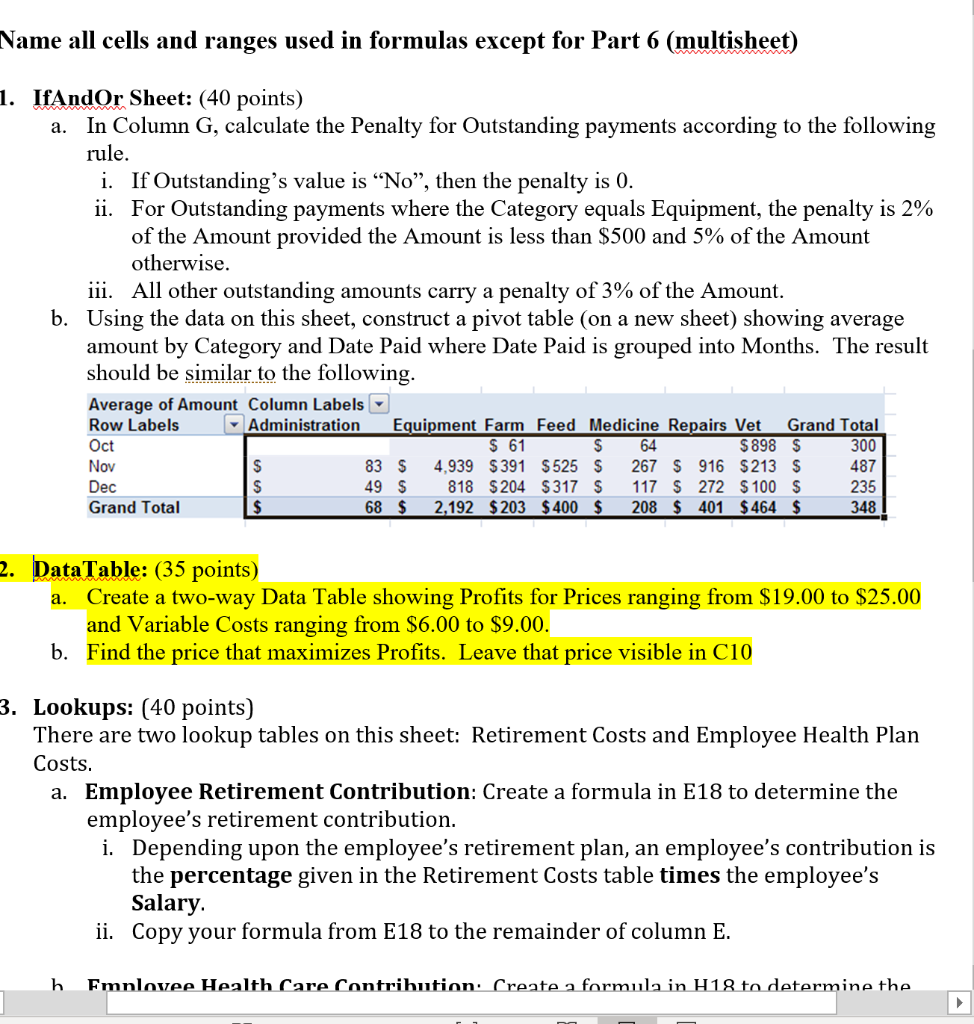
Name all cells and ranges used in formulas except for Part 6 (multisheet) a. 1. IfAndOr Sheet: (40 points) In Column G, calculate the Penalty for Outstanding payments according to the following rule. i. If Outstanding's value is No, then the penalty is 0. ii. For Outstanding payments where the Category equals Equipment, the penalty is 2% of the Amount provided the Amount is less than $500 and 5% of the Amount otherwise. iii. All other outstanding amounts carry a penalty of 3% of the Amount. b. Using the data on this sheet, construct a pivot table (on a new sheet) showing average amount by Category and Date Paid where Date Paid is grouped into Months. The result should be similar to the following. Average of Amount Column Labels Row Labels Administration Equipment Farm Feed Medicine Repairs Vet Grand Total $ 61 $ 898 $ 300 83 $ 4,939 $ 391 $525 $ 267 $ 916 $213 $ 818 $204 $317 S 117 S 272 $ 100 $ 235 Grand Total 2,192 $203 $400 $ 208 $ 401 $ 464 $ 64 Oct Nov Dec 487 $ $ 49 $ 68 $ 348 2. Data Table: (35 points) a. Create a two-way Data Table showing Profits for Prices ranging from $19.00 to $25.00 and Variable Costs ranging from $6.00 to $9.00. b. Find the price that maximizes Profits. Leave that price visible in C10 3. Lookups: (40 points) There are two lookup tables on this sheet: Retirement Costs and Employee Health Plan Costs. a. Employee Retirement Contribution: Create a formula in E18 to determine the employee's retirement contribution. i. Depending upon the employee's retirement plan, an employee's contribution is the percentage given in the Retirement Costs table times the employee's Salary. ii. Copy your formula from E18 to the remainder of column E. h Emnlovee Health Care Contribution: Create a formula in H18 to determine the AutoSave O Off FinalExcelS10 - Excel Kaylee Bosse KB File Home Insert Draw Page Lay Formulas Data Review View Develope Help Search A %
Step by Step Solution
There are 3 Steps involved in it

Get step-by-step solutions from verified subject matter experts
 Study Help