







Question: Need help writing VBA code for the following, and also write a basic error checking for the following : That is how the given CustomerOrders.xlsx
Need help writing VBA code for the following, and also write a basic error checking for the following :
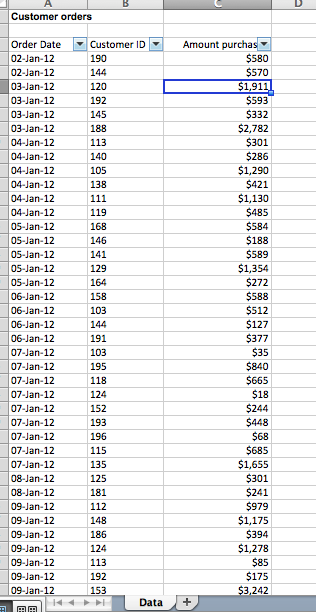
That is how the given CustomerOrders.xlsx looks like:
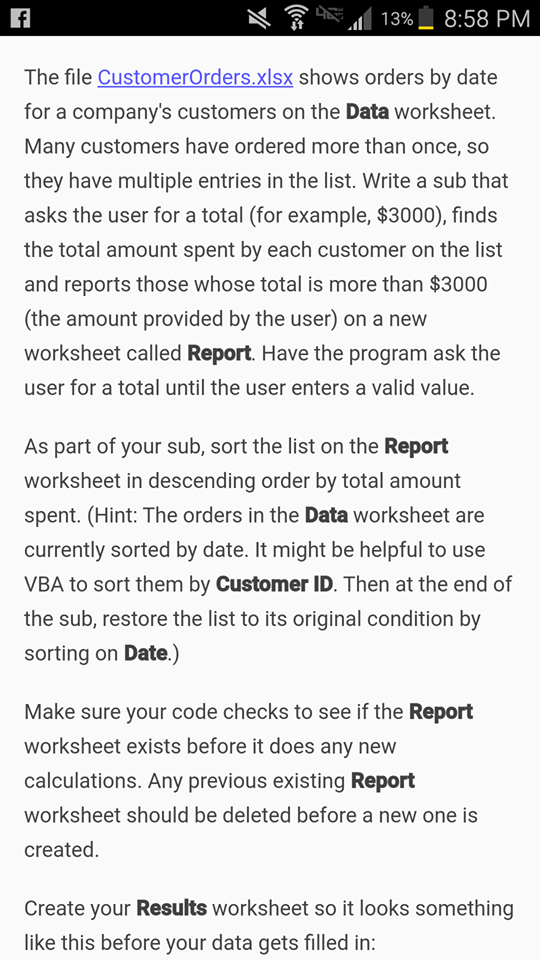
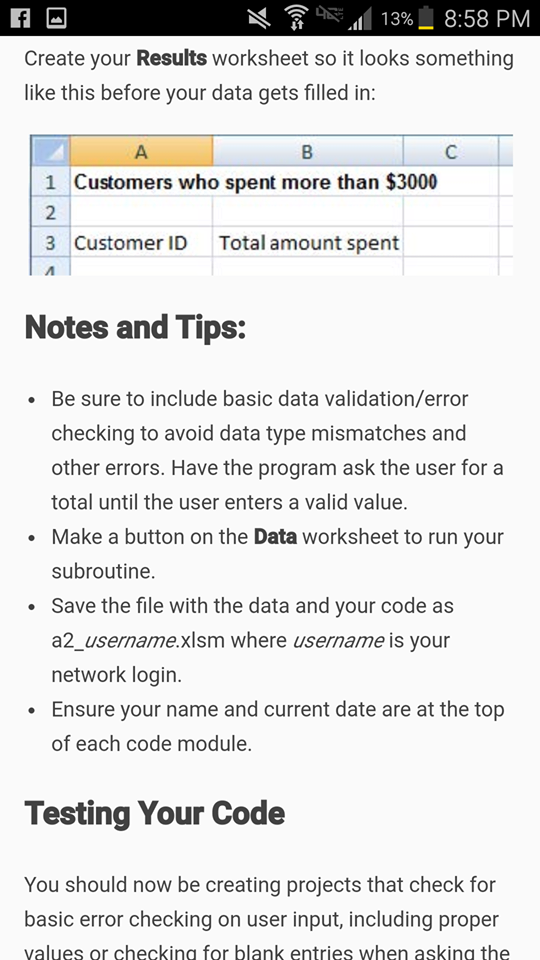
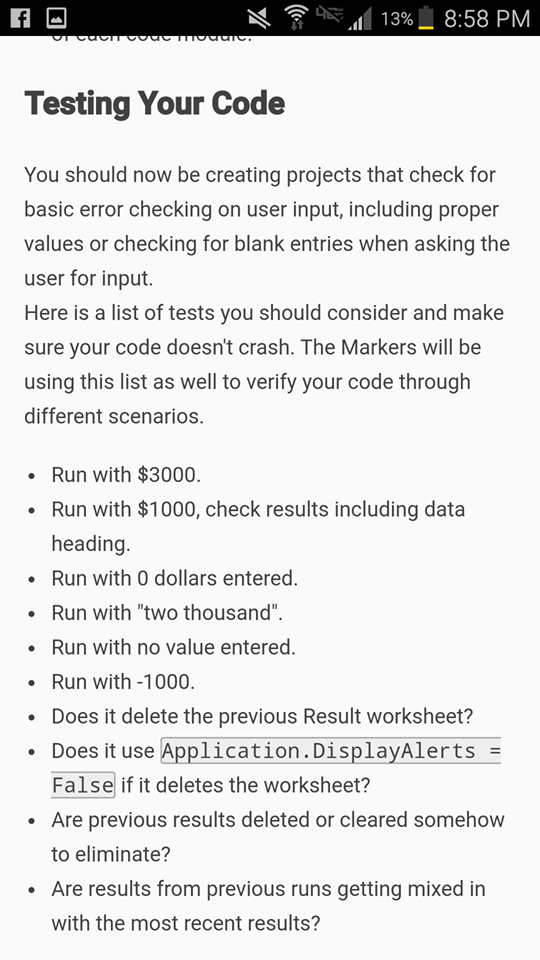
9.11 13%8:58 PM The file CustomerOrders.xlsx shows orders by date for a company's customers on the Data worksheet Many customers have ordered more than once, so they have multiple entries in the list. Write a sub that asks the user for a total (for example, $3000), finds the total amount spent by each customer on the list and reports those whose total is more than $3000 (the amount provided by the user) on a new worksheet called Report. Have the program ask the user for a total until the user enters a valid value. As part of your sub, sort the list on the Report worksheet in descending order by total amount spent. (Hint: The orders in the Data worksheet are currently sorted by date. It might be helpful to use VBA to sort them by Customer ID. Then at the end of the sub, restore the list to its original condition by sorting on Date.) Make sure your code checks to see if the Report worksheet exists before it does any new calculations. Any previous existing Report worksheet should be deleted before a new one is created Create your Results worksheet so it looks something like this before your data gets filled in: 9.11 13%8:58 PM The file CustomerOrders.xlsx shows orders by date for a company's customers on the Data worksheet Many customers have ordered more than once, so they have multiple entries in the list. Write a sub that asks the user for a total (for example, $3000), finds the total amount spent by each customer on the list and reports those whose total is more than $3000 (the amount provided by the user) on a new worksheet called Report. Have the program ask the user for a total until the user enters a valid value. As part of your sub, sort the list on the Report worksheet in descending order by total amount spent. (Hint: The orders in the Data worksheet are currently sorted by date. It might be helpful to use VBA to sort them by Customer ID. Then at the end of the sub, restore the list to its original condition by sorting on Date.) Make sure your code checks to see if the Report worksheet exists before it does any new calculations. Any previous existing Report worksheet should be deleted before a new one is created Create your Results worksheet so it looks something like this before your data gets filled in
Step by Step Solution
There are 3 Steps involved in it

Get step-by-step solutions from verified subject matter experts
 Study Help