







Question: need help writing vba code for the following below is how the students.csv looks like below is how the registrar.mdb Student Marking Application An application
need help writing vba code for the following
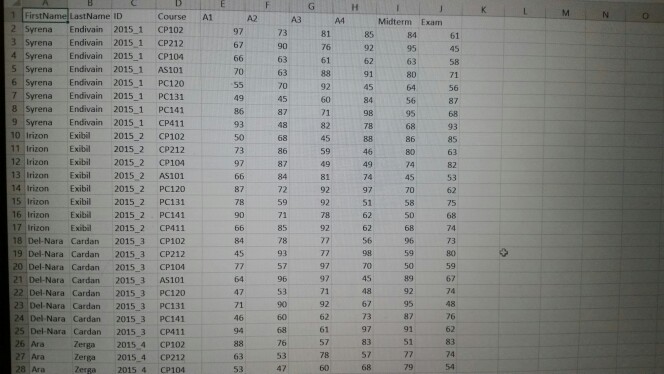
below is how the students.csv looks like
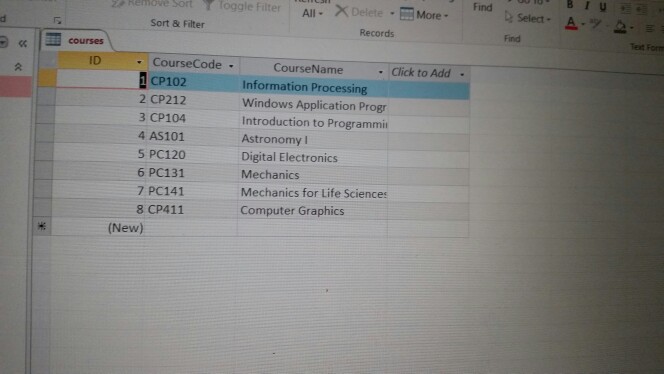
below is how the registrar.mdb
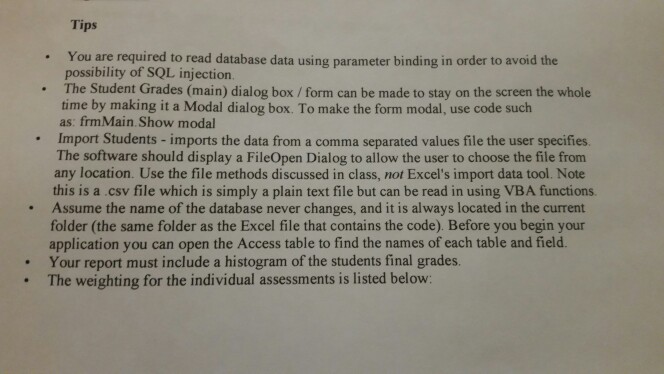
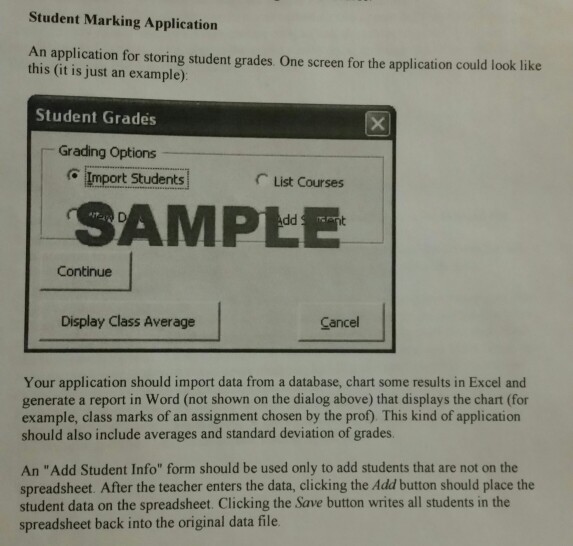
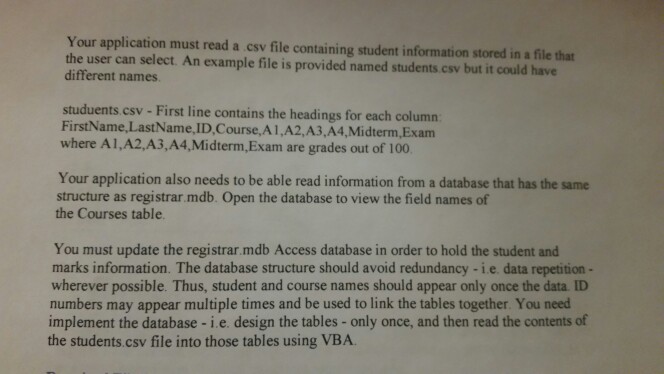
Student Marking Application An application for storing student grades. One screen for the application could look like this (it is just an example) Student Grades Grading Options Import StudentsList Courses SAMPEE Continue Display Class Average Cancel Your application should import data from a database, chart some results in Excel and generate a report in Word (not shown on the dialog above) that displays the chart (for example, class marks of an assignment chosen by the prof). This kind of application should also include averages and standard deviation of grades. An "Add Student Info" form should be used only to add students that are not on the spreadsheet. After the teacher enters the data, clicking the Add button should place the student data on the spreadsheet. Clicking the Save button writes all students in the spreadsheet back into the original data file Student Marking Application An application for storing student grades. One screen for the application could look like this (it is just an example) Student Grades Grading Options Import StudentsList Courses SAMPEE Continue Display Class Average Cancel Your application should import data from a database, chart some results in Excel and generate a report in Word (not shown on the dialog above) that displays the chart (for example, class marks of an assignment chosen by the prof). This kind of application should also include averages and standard deviation of grades. An "Add Student Info" form should be used only to add students that are not on the spreadsheet. After the teacher enters the data, clicking the Add button should place the student data on the spreadsheet. Clicking the Save button writes all students in the spreadsheet back into the original data file
Step by Step Solution
There are 3 Steps involved in it

Get step-by-step solutions from verified subject matter experts
 Study Help