







Question: Need to use: Windows Forms App (NET Framework) Visual C# Exercise 3-2 Create a new form named Exercise_3.2 within the project Ch3_DecisionAndValidat controls and code
Need to use:

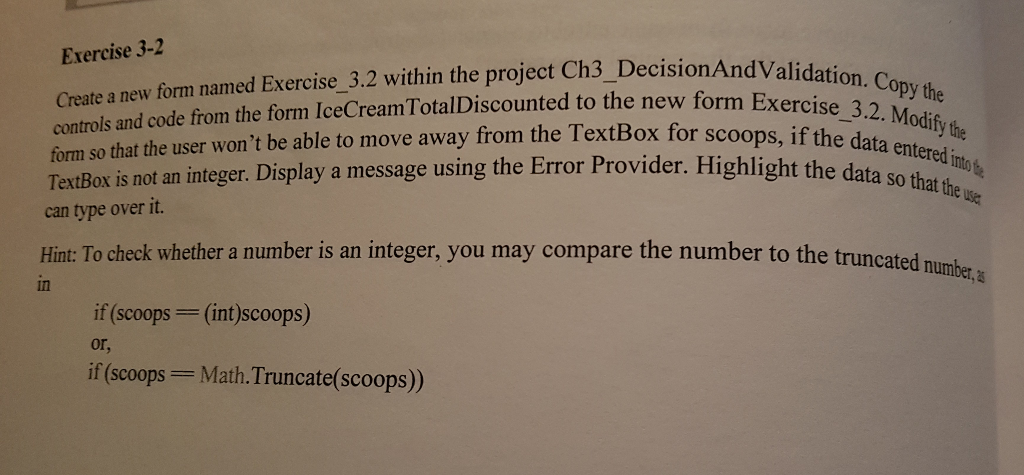
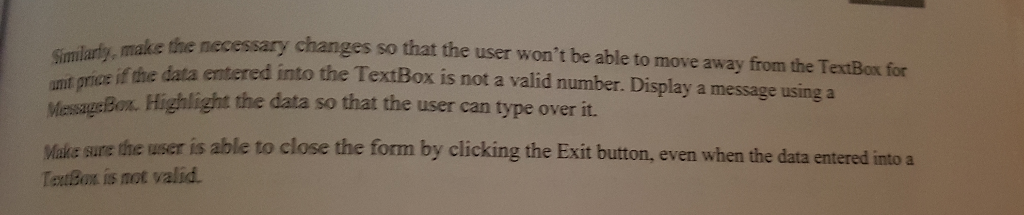
Windows Forms App (NET Framework) Visual C# Exercise 3-2 Create a new form named Exercise_3.2 within the project Ch3_DecisionAndValidat controls and code from the form IceCreamTotalDiscounted to the new form Exer form so that the user won't be able to move away from the TextBox for scoops, if the dat d Copy the 3.2. Modify the TextBox is not an integer. Display a message using the Error Provider. Highlight the data so that the can type over it. Hint: To check whether a number is an integer, you may compare the number to the truncated in if (scoops (int)scoops) or, if (scoops Math. Truncate(scoops) make the necessary changes so that the user won't be able to move away from the TextBox for Simlarty, amt price if the entered MessaueBox. Highlight the data so that the user can type over it. data entered into the TextBox is not a valid number. Display a message using a Malie sure the user is able to close the form by clicking the Exit button, even when the data entered into a Touox is not valid Windows Forms App (NET Framework) Visual C# Exercise 3-2 Create a new form named Exercise_3.2 within the project Ch3_DecisionAndValidat controls and code from the form IceCreamTotalDiscounted to the new form Exer form so that the user won't be able to move away from the TextBox for scoops, if the dat d Copy the 3.2. Modify the TextBox is not an integer. Display a message using the Error Provider. Highlight the data so that the can type over it. Hint: To check whether a number is an integer, you may compare the number to the truncated in if (scoops (int)scoops) or, if (scoops Math. Truncate(scoops) make the necessary changes so that the user won't be able to move away from the TextBox for Simlarty, amt price if the entered MessaueBox. Highlight the data so that the user can type over it. data entered into the TextBox is not a valid number. Display a message using a Malie sure the user is able to close the form by clicking the Exit button, even when the data entered into a Touox is not valid
Step by Step Solution
There are 3 Steps involved in it

Get step-by-step solutions from verified subject matter experts
 Study Help