







Question: need to write sql statements using MySQL workbench using the myguitarshop.sql database Create a view named customer_addresses that shows the shipping and billing addresses for
need to write sql statements using MySQL workbench using the myguitarshop.sql database
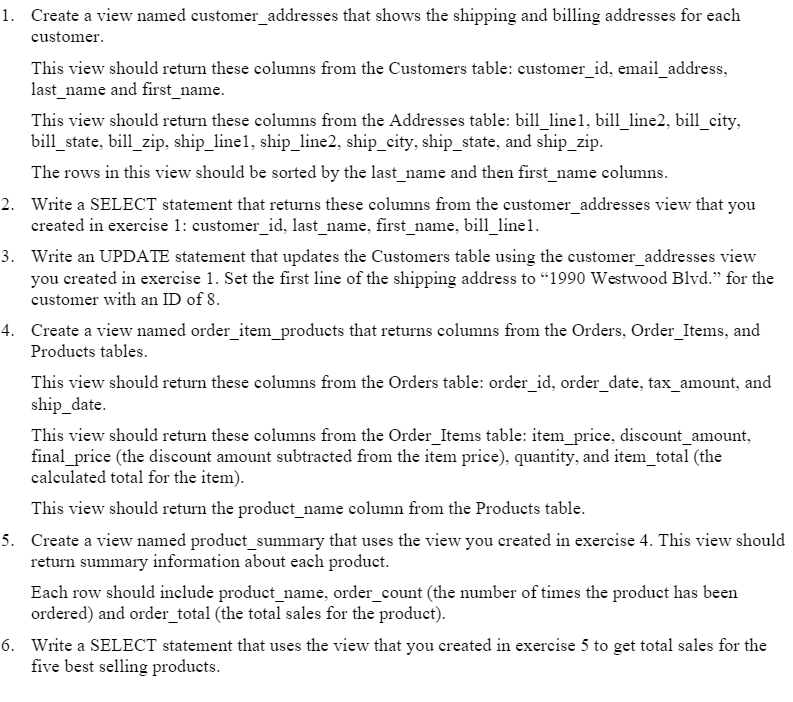
Create a view named customer_addresses that shows the shipping and billing addresses for each customer. This view should return these columns from the Customers table: customer_id, email_address. last_name and first_name. This view should return these columns from the Addresses table: bill_linel. bill_line2. bill_city. bill_state. bill_zip. ship_linel. ship_line2. ship_city. ship_state. and ship_zip. The rows in this view should be sorted by the last_name and then first_name columns. Write a SELECT statement that returns these columns from the customer_addresses view that you created in exercise 1: customer_id. last_name. first_name. bill_line 1. Write an UPDATE statement that updates the Customers table using the customer_addresses view you created in exercise 1. Set the first line of the shipping address to 's1990 Westwood Blvd.s' for the customer with an ID of 8. Create a view named order_item_products that returns columns from the Orders. Order_Items, and Products tables. This view should return these columns from the Orders table: order_id. order_date. tax_amount. and ship_date. This view should return these columns from the Order_Items table: item_price. discount_amount. final_price (the discount amount subtracted from the item price), quantity, and item_total (the calculated total for the item). This view should return the product_name column from the Products table. Create a view named product_summary that uses the view you created in exercise 4. This view should return summary information about each product. Each row should include product_name. order_count (the number of times the product has been ordered) and order_total (the total sales for the product). Write a SELECT statement that uses the view that you created in exercise 5 to get total sales for the five best selling products. Create a view named customer_addresses that shows the shipping and billing addresses for each customer. This view should return these columns from the Customers table: customer_id, email_address. last_name and first_name. This view should return these columns from the Addresses table: bill_linel. bill_line2. bill_city. bill_state. bill_zip. ship_linel. ship_line2. ship_city. ship_state. and ship_zip. The rows in this view should be sorted by the last_name and then first_name columns. Write a SELECT statement that returns these columns from the customer_addresses view that you created in exercise 1: customer_id. last_name. first_name. bill_line 1. Write an UPDATE statement that updates the Customers table using the customer_addresses view you created in exercise 1. Set the first line of the shipping address to 's1990 Westwood Blvd.s' for the customer with an ID of 8. Create a view named order_item_products that returns columns from the Orders. Order_Items, and Products tables. This view should return these columns from the Orders table: order_id. order_date. tax_amount. and ship_date. This view should return these columns from the Order_Items table: item_price. discount_amount. final_price (the discount amount subtracted from the item price), quantity, and item_total (the calculated total for the item). This view should return the product_name column from the Products table. Create a view named product_summary that uses the view you created in exercise 4. This view should return summary information about each product. Each row should include product_name. order_count (the number of times the product has been ordered) and order_total (the total sales for the product). Write a SELECT statement that uses the view that you created in exercise 5 to get total sales for the five best selling products
Step by Step Solution
There are 3 Steps involved in it

Get step-by-step solutions from verified subject matter experts
 Study Help