







Question: Newton's Method in Matlab Preparation: Use help sprintf and help disp in Matlab to understand how to use sprintf and disp to display the data.
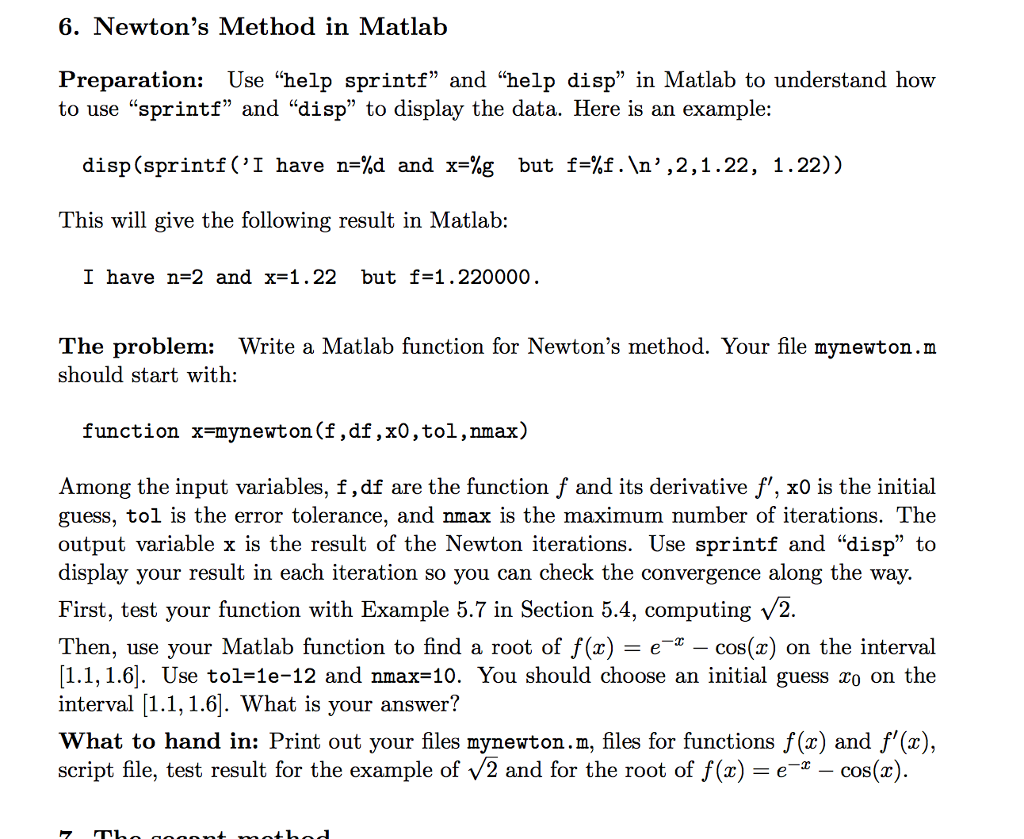
Newton's Method in Matlab Preparation: Use "help sprintf" and "help disp" in Matlab to understand how to use "sprintf" and "disp" to display the data. Here is an example: disp(sprintf('I have n=%d and x=%g but f=%f. ', 2, 1.22, 1.22)) This will give the following result in Matlab: I have n=2 and x=1.22 but f=1.220000. The problem: Write a Matlab function for Newton's method. Your file mynewton.m should start with: function x=mynewton(f, df, x0, tol, nmax) Among the input variables, f, df are the function f and its derivative f'. x0 is the initial guess, tol is the error tolerance, and nmax is the maximum number of iterations. The output variable x is the result of the Newton iterations. Use sprintf and "disp" to display your result in each iteration so you can check the convergence along the way. First, test your function with Example 5.7 in Section 5.4, computing Squareroot 2. Then, use your Matlab function to find a root of f(x) = e^-x - cos(x) on the interval [1.1, 1.6]. Use tol = 1e-12 and nmax=10. You should choose an initial guess x_0 on the interval [1.1, 1.6]. What is your answer? What to hand in: Print out your files mynewton.m, files for functions f(x) and f'(x), script file, test result for the example of Squareroot 2 and for the root of f(x) = e^-x - cos(x)
Step by Step Solution
There are 3 Steps involved in it

Get step-by-step solutions from verified subject matter experts
 Study Help