







Question: newWindow: this function should be called when 'New Window' option is selected from the menu choices. This function should create a new window of size
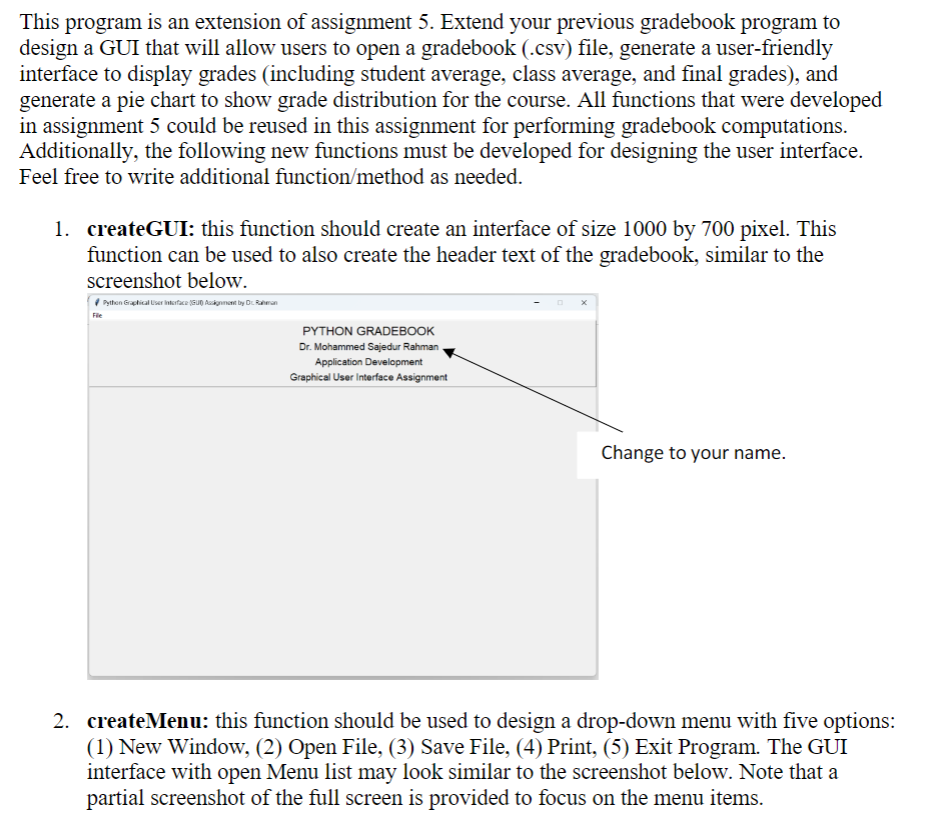
newWindow: this function should be called when 'New Window' option is selected from the menu choices. This function should create a new window of size by pixels with a white background and a window title New Window Created similar to the screenshot below. openFile: this function should open a file selection dialog box to allow users to select a
file from their local directory. Once a file is selected, this function can be used to call all
other functions to process the gradebook, including the legacy functions readFromFile
computeStudentAverage, compute ClassAverage, computeLetterGrade and the new
functions createTable and createGraph createTable: on selection of a csv file, this function should generate a table to display
the gradebook file selected by the user. The gradebook should look similar to the
following screenshot, except that the number of students and grades can vary. Note that
only part of the picture with table is relevant to this function. Feel free to use Tkinter
grid to design table.
createGraph: this function should be used to design a pichart to show grade distribution
for the course. The pichart must use different colors to show grade percentages for
different letter grades A B C D & F This function should also design a legend box to
indicate the color boxes represented for the five different colors. The pichart and the
legend box should look similar to the one shown in the above screenshot.
main: this function should be used to call all other functions.
Selecting 'Exit Program' from the menu option should closedestroydismiss the window
interface.
No implementation is needed for the 'Save File' and 'Print' menu options.Using existing code, design GUI as described
Step by Step Solution
There are 3 Steps involved in it
1 Expert Approved Answer
Step: 1 Unlock

Question Has Been Solved by an Expert!
Get step-by-step solutions from verified subject matter experts
Step: 2 Unlock
Step: 3 Unlock
 Study Help