







Question: Not able to attach piano.wav to the question. Please explain the question what it looking for? 2. Differential PCM: Read in the file piano.wav using
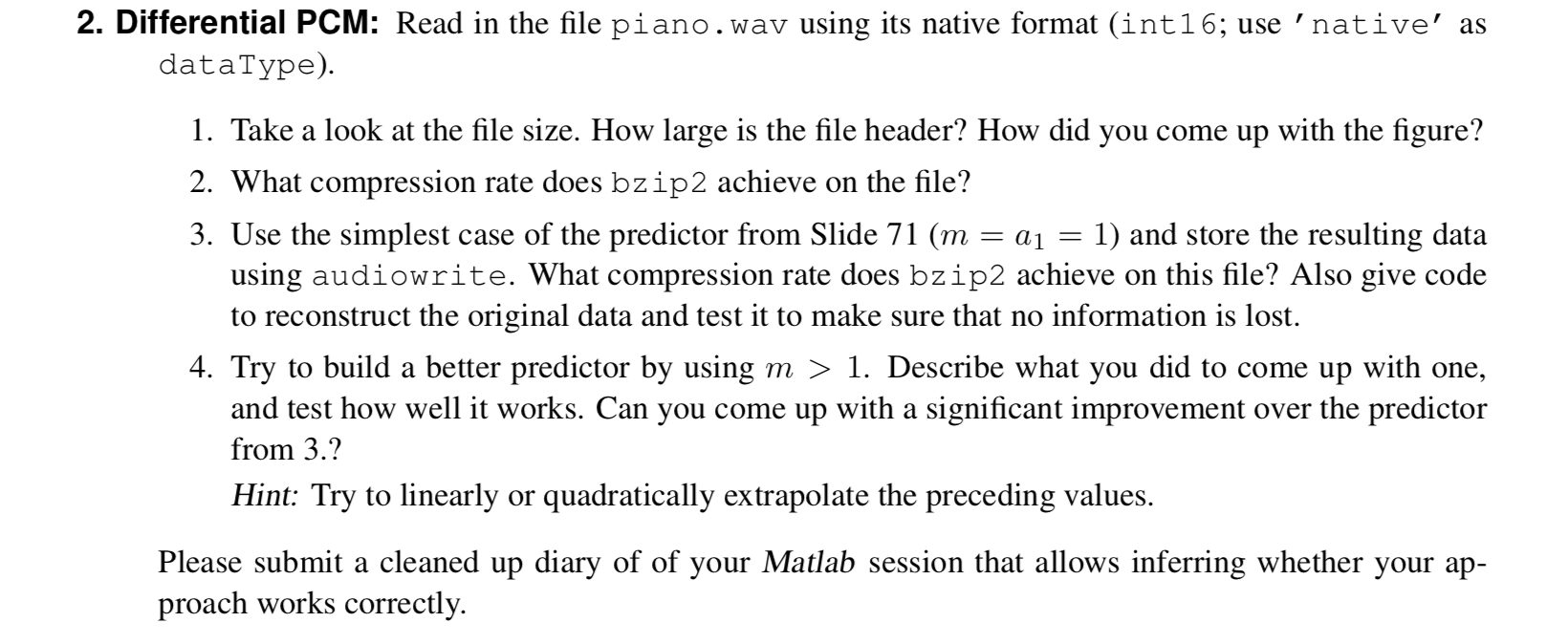
Not able to attach piano.wav to the question. Please explain the question what it looking for?
2. Differential PCM: Read in the file piano.wav using its native format (int16; use 'native' as dataType). 1. Take a look at the file size. How large is the file header? How did you come up with the figure? 2. What compression rate does bzip2 achieve on the file? 3. Use the simplest case of the predictor from Slide 71 (m = a1 = 1) and store the resulting data using audiowrite. What compression rate does bzip2 achieve on this file? Also give code to reconstruct the original data and test it to make sure that no information is lost. 4. Try to build a better predictor by using m > 1. Describe what you did to come up with one, and test how well it works. Can you come up with a significant improvement over the predictor from 3.? Hint: Try to linearly or quadratically extrapolate the preceding values. Please submit a cleaned up diary of of your Matlab session that allows inferring whether your ap- proach works correctly. 2. Differential PCM: Read in the file piano.wav using its native format (int16; use 'native' as dataType). 1. Take a look at the file size. How large is the file header? How did you come up with the figure? 2. What compression rate does bzip2 achieve on the file? 3. Use the simplest case of the predictor from Slide 71 (m = a1 = 1) and store the resulting data using audiowrite. What compression rate does bzip2 achieve on this file? Also give code to reconstruct the original data and test it to make sure that no information is lost. 4. Try to build a better predictor by using m > 1. Describe what you did to come up with one, and test how well it works. Can you come up with a significant improvement over the predictor from 3.? Hint: Try to linearly or quadratically extrapolate the preceding values. Please submit a cleaned up diary of of your Matlab session that allows inferring whether your ap- proach works correctly
Step by Step Solution
There are 3 Steps involved in it

Get step-by-step solutions from verified subject matter experts
 Study Help