







Question: Not sure what's going on here ..in Python In this assignment, you may Make sure your name is in a comment at the top of
Not sure what's going on here ..in Python
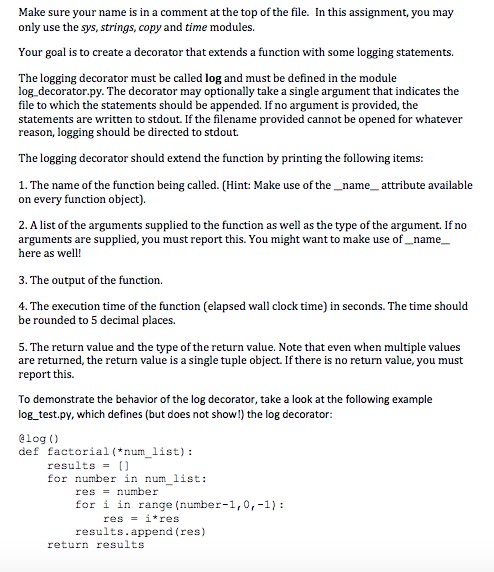
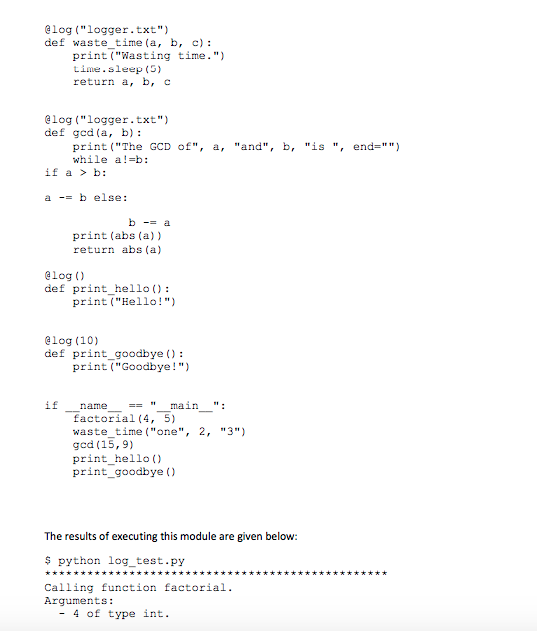
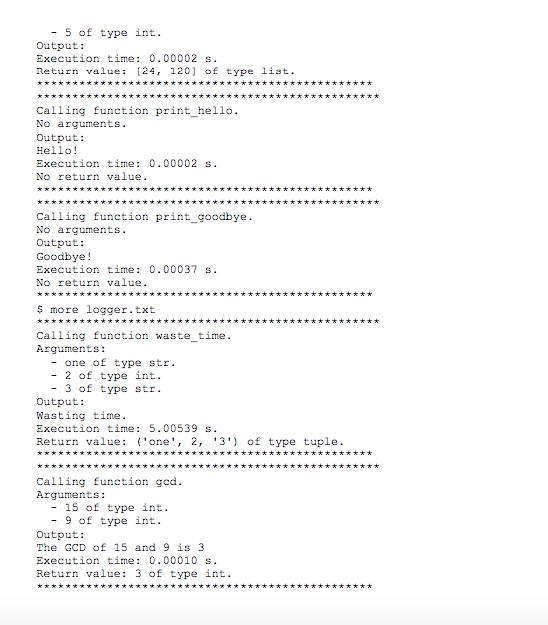
In this assignment, you may Make sure your name is in a comment at the top of the file. only use the sys, strings, copy and time modules. Your goal is to create a decorator that extends a function with some logging statements. The logging decorator must be called log and must be defined in the module log. decorator.py. The decorator may optionally take a single argument that indicates the file to which the statements should be appended. If no argument is provided, the statements are written to stdout. If the filename provided cannot be opened for whatever reason, logging should be directed to stdout. The logging decorator should extend the function by printing the following items: 1. The name of the function being called. (Hint: Make use of the_nameattribute available on every function object). 2. A list of the arguments supplied to the function as well as the type of the argument. If no arguments are supplied, you must report this. You might want to make use of_name here as well! 3. The output of the function. 4. The execution time of the function (elapsed wall clock time) in seconds. The time should be rounded to 5 decimal places. 5. The return value and the type of the return value. Note that even when multiple values are returned, the return value is a single tuple object. If there is no return value, you must report this. To demonstrate the behavior of the log decorator, take a look at the following example log test.py, which defines (but does not show) the log decorator alog () def factorial(*num list) results- for number in num list: res-number for i in range (number-1,0,-1) resi*res results.append (res) return results
Step by Step Solution
There are 3 Steps involved in it

Get step-by-step solutions from verified subject matter experts
 Study Help