





Question: Note: For exercises 11 through 17 , team up with another group. 11. Grant another user access to your DEPARTMENTS table. Have the user grant
Note: For exercises 11 through 17 , team up with

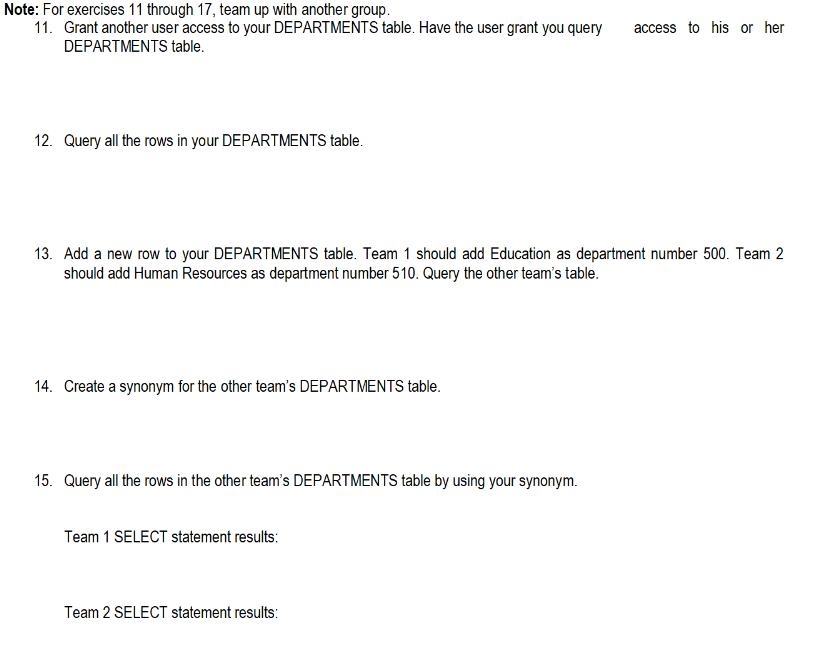
Note: For exercises 11 through 17 , team up with another group. 11. Grant another user access to your DEPARTMENTS table. Have the user grant you query access to his or her DEPARTMENTS table. 12. Query all the rows in your DEPARTMENTS table. 13. Add a new row to your DEPARTMENTS table. Team 1 should add Education as department number 500 . Team 2 should add Human Resources as department number 510. Query the other team's table. 14. Create a synonym for the other team's DEPARTMENTS table. 15. Query all the rows in the other team's DEPARTMENTS table by using your synonym. Team 1 SELECT statement results: Team 2 SELECT statement results

Step by Step Solution

There are 3 Steps involved in it

1 Expert Approved Answer
Step: 1 Unlock blur-text-image

Question Has Been Solved by an Expert!

Get step-by-step solutions from verified subject matter experts

Step: 2 Unlock
Step: 3 Unlock

Students Have Also Explored These Related General Management Questions!