







Question: NOTE : Is learning Python programming (currently on chapter 5) with the following textbook: Book Starting Out With Python 3rd Edition by Gaddis
NOTE: Is learning "Python programming" (currently on chapter 5) with the following textbook:
Book "Starting Out With Python" 3rd Edition by Gaddis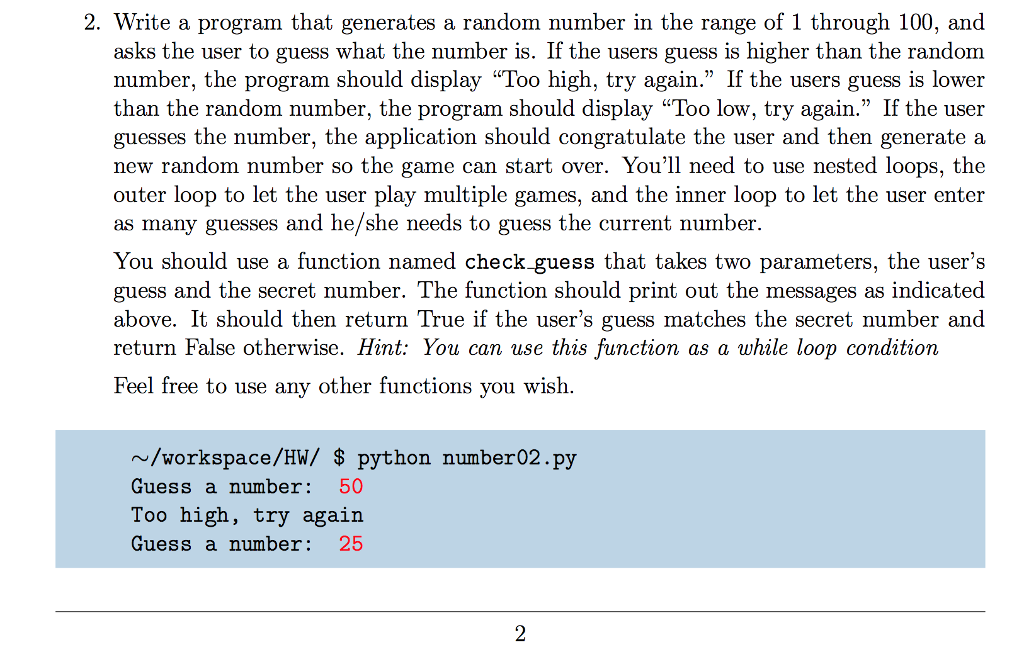
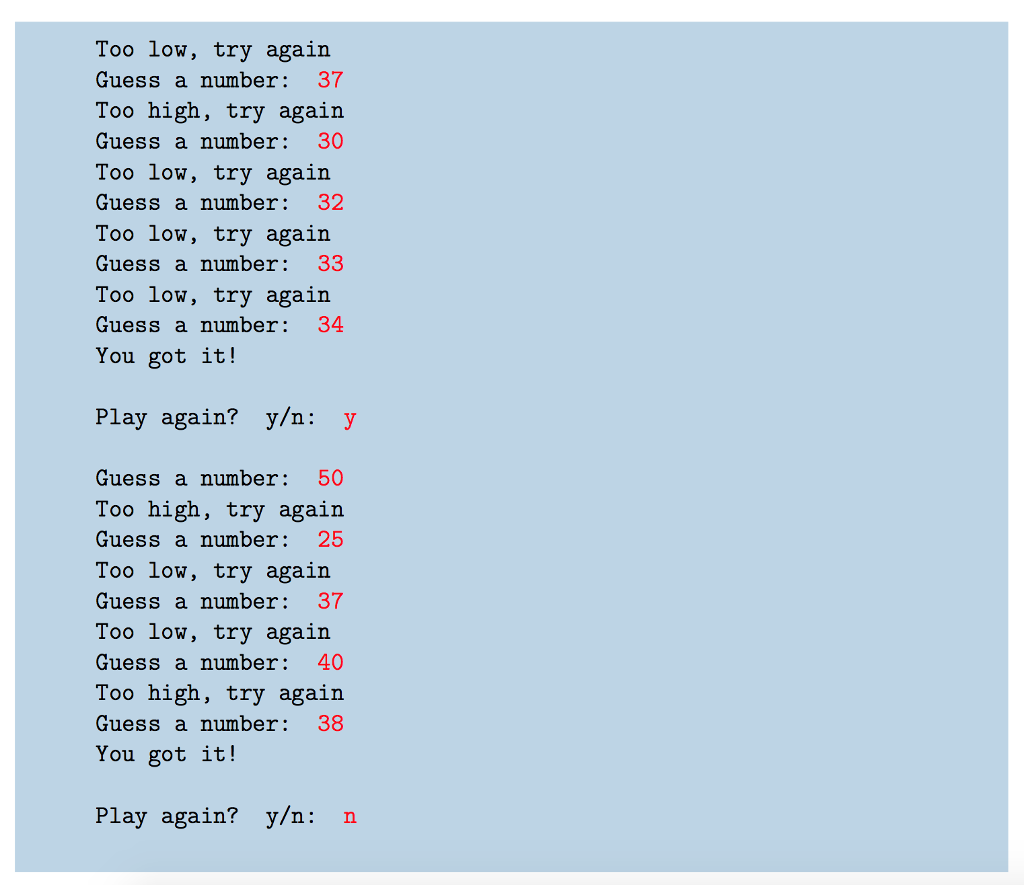
2. Write a program that generates a random number in the range of 1 through 100, and asks the user to guess what the number is. If the users guess is higher than the random number, the program should display "Too high, try again." If the users guess is lower than the random number, the program should display "Too low, try again." If the user guesses the number, the application should congratulate the user and then generate a new random number so the game can start over. You'll need to use nested loops, the outer loop to let the user play multiple games, and the inner loop to let the user enter as many guesses and he/she needs to guess the current number. You should use a function named check guess that takes two parameters, the user's guess and the secret number. The function should print out the messages as indicated above. It should then return True if the user's guess matches the secret number and return False otherwise. Hint: You can use this function as a while loop condition Feel free to use any other functions vou wish. /workspace/HW/ $ python number02.py Guess a number 50 Too high, try again Guess a number 25
Step by Step Solution
There are 3 Steps involved in it

Get step-by-step solutions from verified subject matter experts
 Study Help