



Question: Now that the simulator and its dependencies have been installed, you can import the modules you'll need for this assignment: [ 4 ] import gymnasium
Now that the simulator and its dependencies have been installed, you can import the modules you'll need for this assignment:
import gymnasium
import numpy as np
import gymneuracing
from gymnasium import spaces
from gymneuracing.envs.wrappers import StateFeedbackWrapper
import matplotlib.pyplot as plt
from typing import Callable
import
matplotlib.cm as
import matplotlib.colors as colors
from gymneuracing import motionmodels
import cvxpy as
a MPPI to move toward a goal coordinate
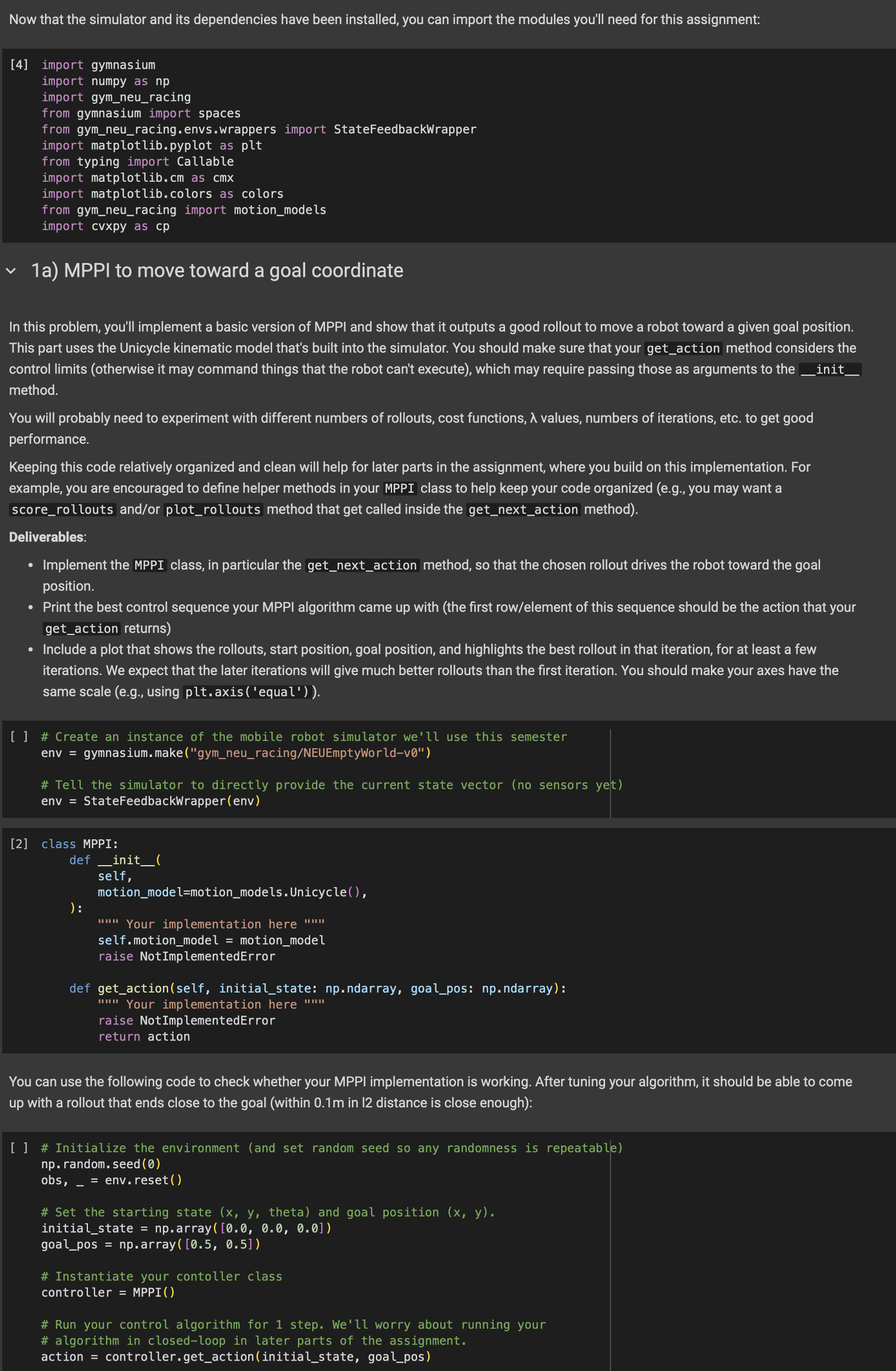
In this problem, you'll implement a basic version of MPPI and show that it outputs a good rollout to move a robot toward a given goal position.
This part uses the Unicycle kinematic model that's built into the simulator. You should make sure that your getaction method considers the
control limits otherwise it may command things that the robot can't execute which may require passing those as arguments to the
method.
You will probably need to experiment with different numbers of rollouts, cost functions, values, numbers of iterations, etc. to get good
performance.
Keeping this code relatively organized and clean will help for later parts in the assignment, where you build on this implementation. For
example, you are encouraged to define helper methods in your MPPI class to help keep your code organized eg you may want a
scorerollouts andor plotrollouts method that get called inside the getnextaction method
Deliverables:
Implement the MPPI class, in particular the getnextaction method, so that the chosen rollout drives the robot toward the goal
position.
Print the best control sequence your MPPI algorithm came up with the first rowelement of this sequence should be the action that your
getaction returns
Include a plot that shows the rollouts, start position, goal position, and highlights the best rollout in that iteration, for at least a few
iterations. We expect that the later iterations will give much better rollouts than the first iteration. You should make your axes have the
same scale eg using pltaxisequal
# Create an instance of the mobile robot simulator we'll use this semester
env gymnasium.makegymneuracingNEUEmptyWorldv
# Tell the simulator to directly provide the current state vector no sensors yet
env StateFeedbackWrapperenv
class MPPI:
def
self,
motionmodelmotionmodels.Unicycle
:
Your implementation here
self.motionmodel motionmodel
raise NotImplementedError
def getactionself initialstate: npndarray, goalpos: npndarray:
u Your implementation here
raise NotImplementedError
return action
You can use the following code to check whether your MPPI implementation is working. After tuning your algorithm, it should be able to come
up with a rollout that ends close to the goal within in distance is close enough:
# Initialize the environment and set random seed so any randomness is repeatable
np random. seed
obs, env. reset
# Set the starting state theta and goal position
initialstate array
goalpos nparray
# Instantiate your contoller class
controller MPPI
# Run your control algorithm for step. We'll worry about running your
# algorithm in closedloop in later parts of the assignment.
action controller.getactioninitialstate, goalpos
Step by Step Solution
There are 3 Steps involved in it
1 Expert Approved Answer
Step: 1 Unlock

Question Has Been Solved by an Expert!
Get step-by-step solutions from verified subject matter experts
Step: 2 Unlock
Step: 3 Unlock