







Question: Now that we are able to process a string we can do more complicated stuff. All the fun stuff is in the example.py file. Instructions
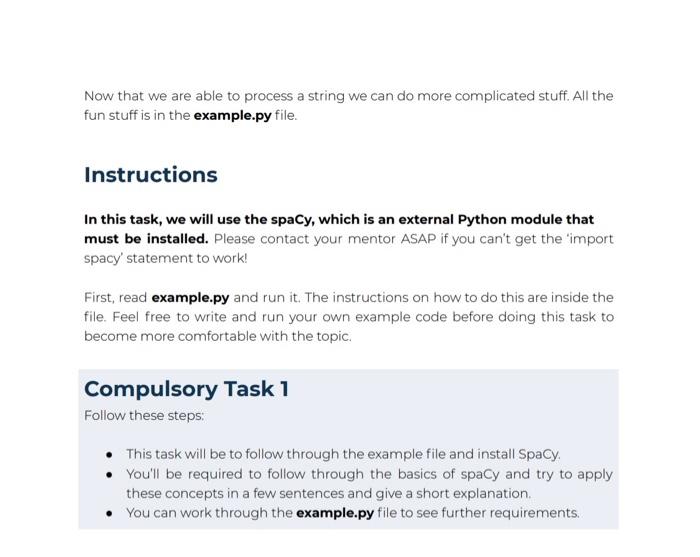
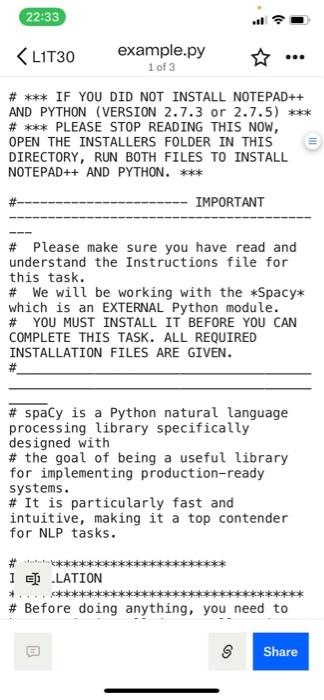
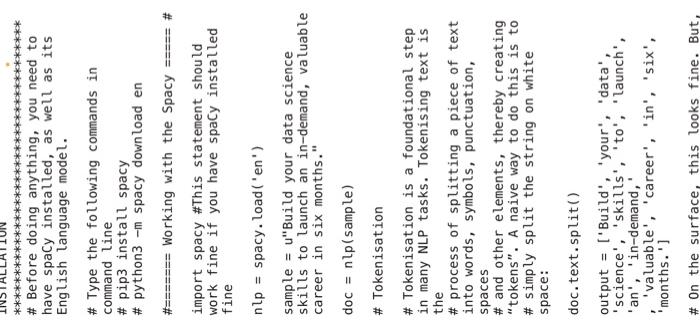
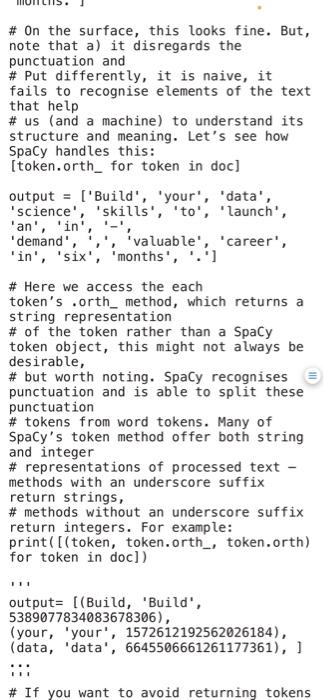
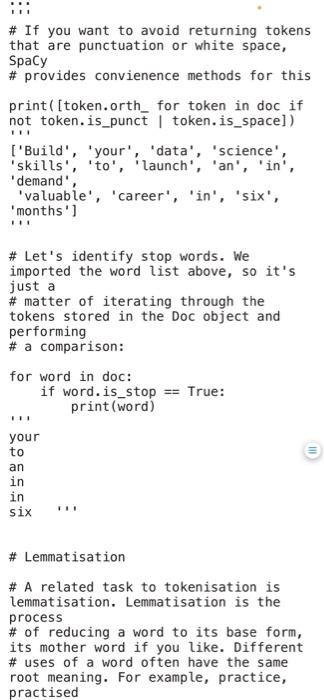
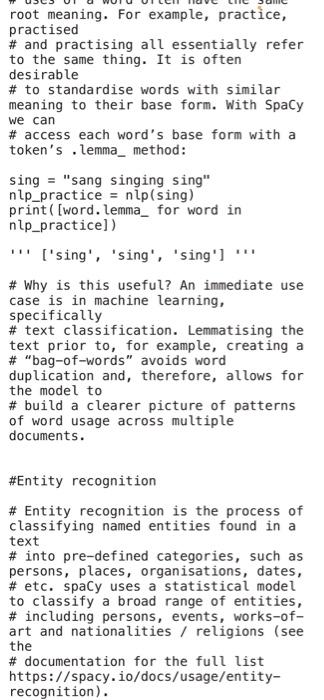
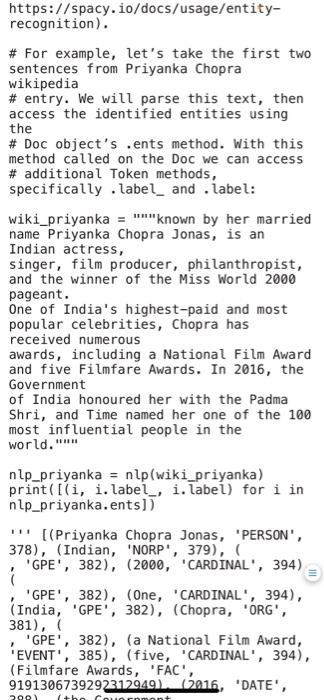
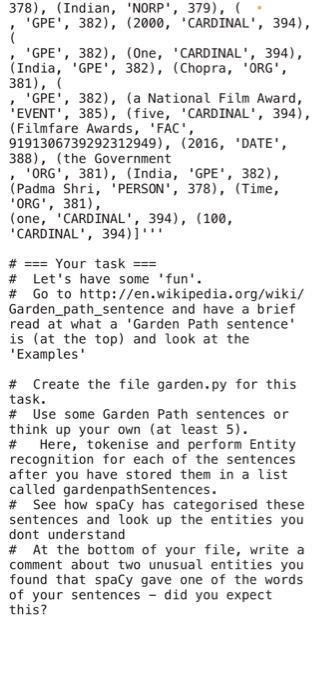
Now that we are able to process a string we can do more complicated stuff. All the fun stuff is in the example.py file. Instructions In this task, we will use the spaCy, which is an external Python module that must be installed. Please contact your mentor ASAP if you can't get the 'import spacy' statement to work! First, read example.py and run it. The instructions on how to do this are inside the file. Feel free to write and run your own example code before doing this task to become more comfortable with the topic. Compulsory Task 1 Follow these steps: - This task will be to follow through the example file and install Spacy. - You'll be required to follow through the basics of spacy and try to apply these concepts in a few sentences and give a short explanation. - You can work through the example.py file to see further requirements. \# Please make sure you have read and understand the Instructions file for this task. \# We will be working with the Spacy* which is an EXTERNAL Python module. \# YOU MUST INSTALL IT BEFORE YOU CAN COMPLETE THIS TASK. ALL REQUIRED INSTALLATION FILES ARE GIVEN. \# \# spaCy is a Python natural language processing library specifically designed with \# the goal of being a useful library for implementing production-ready systems. \# It is particularly fast and intuitive, making it a top contender for NLP tasks. [] -LATION \# Before doing anything, you need to \# Before doing anything, you need to have spaCy installed, as well as its English language model. \# Type the following commands in command line \# pip3 install spacy \# python3 -m spacy download en \#======= Working with the Spacy ==e==" \# import spacy \#This statement should work fine if you have spaCy installed fine nlp= spacy. load('en') sample = u"Build your data science skills to launch an in-demand, valuable career in six months." doc =nlp( sample ) \# Tokenisation \# Tokenisation is a foundational step in many NLP tasks. Tokenising text is the \# process of splitting a piece of text into words, symbols, punctuation, spaces \# and other elements, thereby creating "tokens". A naive way to do this is to \# simply split the string on white space: doc.text.split() output = ['Build', "your', 'data', 'science', 'skills', 'to', 'launch', 'an', 'in-demand,' ' 'valuable', 'career', 'in', 'six', 'months.'] \# On the surface, this looks fine. But, \# On the surface, this looks fine. But, note that a) it disregards the punctuation and \# Put differently, it is naive, it fails to recognise elements of the text that help \# us (and a machine) to understand its structure and meaning. Let's see how SpaCy handles this: [token.orth_ for token in doc] output = ['Build', 'your', 'data', 'science', 'skills', "to', "launch', 'an', 'in', '-', 'in', 'six', 'months', '. '] \# Here we access the each token's .orth_method, which returns a string representation \# of the token rather than a SpaCy token object, this might not always be desirable, \# but worth noting. SpaCy recognises \# punctuation and is able to split these punctuation \# tokens from word tokens. Many of SpaCy's token method offer both string and integer \# representations of processed text - methods with an underscore suffix return strings, \# methods without an underscore suffix return integers. For example: print( [(token, token.orth,, token.orth) for token in doc]) output = [(Build, 'Build', 5389077834083678306), (your, 'your', 1572612192562026184), (data, 'data', 6645506661261177361), ] ii \# If you want to avoid returning tokens root meaning. For example, practice, practised \# and practising all essentially refer to the same thing. It is often desirable \# to standardise words with similar meaning to their base form. With SpaCy we can \# access each word's base form with a token's. lemma_method: sing = "sang singing sing" nlp_practice =nlp( sing ) print([word. lemma_ for word in nlp_practice]) "' [sing', 'sing', 'sing'] "' \# Why is this useful? An immediate use case is in machine learning, specifically \# text classification. Lemmatising the text prior to, for example, creating a \# "bag-of-words" avoids word duplication and, therefore, allows for the model to \# build a clearer picture of patterns of word usage across multiple documents. \#Entity recognition \# Entity recognition is the process of classifying named entities found in a text \# into pre-defined categories, such as persons, places, organisations, dates, \# etc. spaCy uses a statistical model to classify a broad range of entities, \# including persons, events, works-ofart and nationalities / religions (see the \# documentation for the full list https://spacy.io/docs/usage/entityrecognition)
Step by Step Solution
There are 3 Steps involved in it

Get step-by-step solutions from verified subject matter experts
 Study Help