







Question: Objective: Create a CSS file to turn the provided HTML files into separate top and side navigation bars. Process: Create a repository using provided html
Objective: Create a CSS file to turn the provided HTML files into separate top and side navigation bars.
Process:
Create a repository using provided html file (index.html, page2.html, page3.html).
Create a CSS folder and style.css file inside it.
Do not change the structure of the HTML at all.
Write css code to do the following things
a. Turn
into a centered navigation list at the top of the page. i. A background color should stretch the entire length of the page.
Turn
into a side navigation bar on the left side of the page. i. The side navigation should scroll with the page (hint: fixed position).
Both navigation bars should have not bullet points or underlines.
5. The following css declarations are all you need. Just find the right id to place them:
For Navigation:
background-color: blue; overflow: hidden; float: left; width: 100%;
position: relative; list-style-type: none; margin: 0; padding: 0;
position: relative; left: 50%; float: left; float: left; position: relative; right: 50%; display: block; display: block; padding: 10px 20px; color: #fff; text-decoration: none; background-color: #000; text-decoration: underline overline;
For Sidebar:
position: fixed; right:0%; background-color: red; height: 100%;
width: 20%; list-style-type: none; text-align: center; padding: 0; display: block; padding: 15px 0; color: #fff; text-decoration: none; background-color: #000;
MUST PASS CSS VALIDATOR! 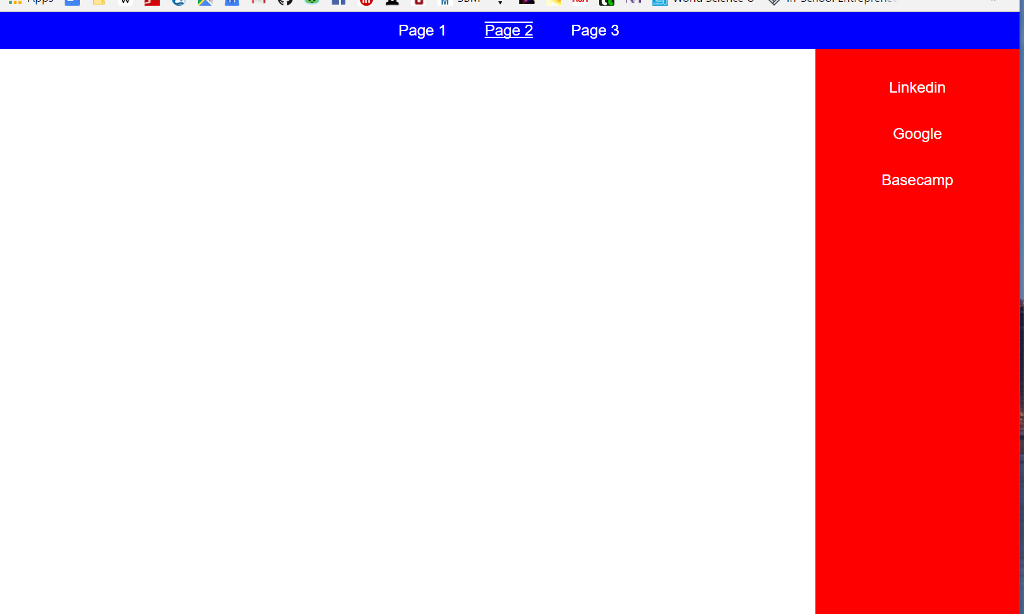
Page 1 Page 2 Page 3 Linkedin Google Basecamp Page 1 Page 2 Page 3 Linkedin Google Basecamp
Step by Step Solution
There are 3 Steps involved in it

Get step-by-step solutions from verified subject matter experts
 Study Help