







Question: Objective: To become familiar with JavaScript, EDP, DOM, and Dynamic HTML Requirements: (A) Use your creativity and artistry to create an interactive web page using
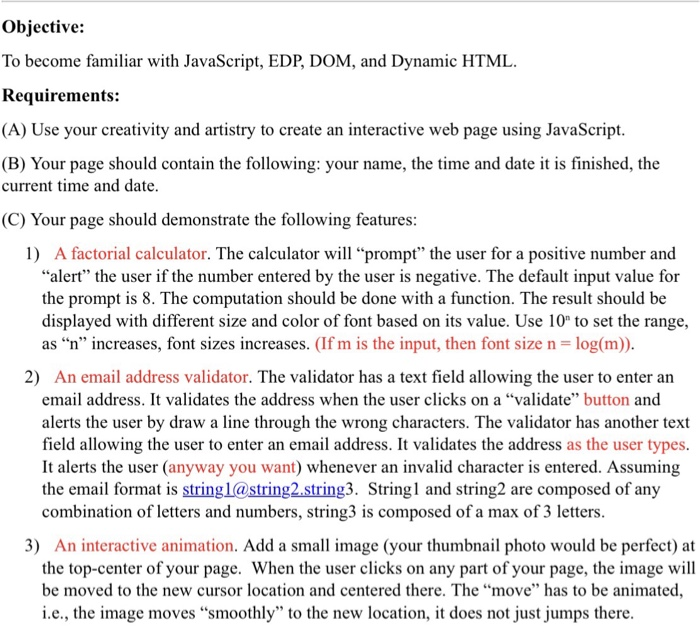
Objective: To become familiar with JavaScript, EDP, DOM, and Dynamic HTML Requirements: (A) Use your creativity and artistry to create an interactive web page using JavaScript (B) Your page should contain the following: your name, the time and date it is finished, the current time and date (C) Your page should demonstrate the following features 1) A factorial calculator. The calculator will "prompt" the user for a positive number and "alert" the user if the number entered by the user is negative. The default input value for the prompt is 8. The computation should be done with a function. The result should be displayed with different size and color of font based on its value. Use 10 to set the range, as "n" increases, font sizes increases. (If m is the input, then font size n log(m)) 2) An email address validator. The validator has a text field allowing the user to enter an email address. It validates the address when the user clicks on a "validate" button and alerts the user by draw a line through the wrong characters. The validator has another text field allowing the user to enter an email address. It validates the address as the user types It alerts the user (anyway you want) whenever an invalid character is entered. Assuming the email format is string1@string2 string3. Stringl and string2 are composed of any combination of letters and numbers, string3 is composed of a max of 3 letters 3) An interactive animation. Add a small image (your thumbnail photo would be perfect) at the top-center of your page. When the user clicks on any part of your page, the image will be moved to the new cursor location and centered there. The move" has to be animated i.e., the image moves "smoothly" to the new location, it does not just jumps there
Step by Step Solution
There are 3 Steps involved in it

Get step-by-step solutions from verified subject matter experts
 Study Help