







Question: Objective: To explore Linux file system security Task: 1. 2. Create two text files in your home directory. The first file should be named
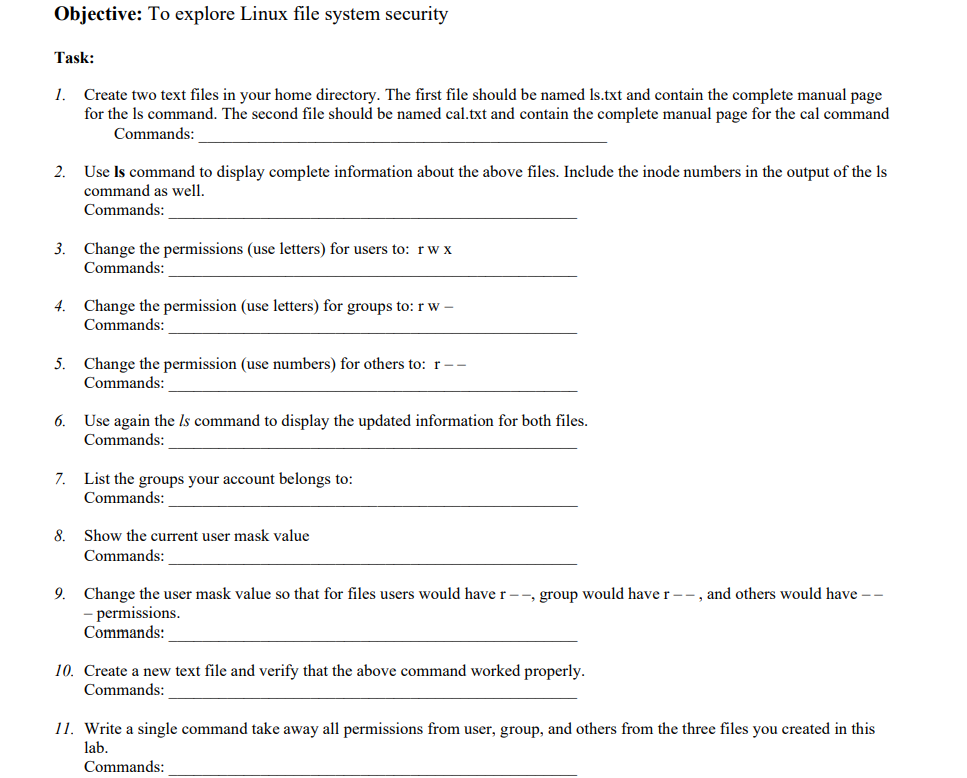
Objective: To explore Linux file system security Task: 1. 2. Create two text files in your home directory. The first file should be named Is.txt and contain the complete manual page for the Is command. The second file should be named cal.txt and contain the complete manual page for the cal command Commands: Use Is command to display complete information about the above files. Include the inode numbers in the output of the Is command as well. Commands: 3. Change the permissions (use letters) for users to: rwx Commands: 4. Change the permission (use letters) for groups to: rw - Commands: 5. Change the permission (use numbers) for others to: r-- Commands: 6. Use again the Is command to display the updated information for both files. Commands: 8. 7. List the groups your account belongs to: Commands: Show the current user mask value Commands: 9. Change the user mask value so that for files users would have r--, group would have r--, and others would have -- - permissions. Commands: 10. Create a new text file and verify that the above command worked properly. Commands: 11. Write a single command take away all permissions from user, group, and others from the three files you created in this lab. Commands:
Step by Step Solution
There are 3 Steps involved in it
It appears youre looking for commands to execute various file system securityrelated tasks in a Linu... View full answer

Get step-by-step solutions from verified subject matter experts
 Study Help