







Question: Objective To learn GUI programming using JavaFX. Problem Description You are asked to provide GUI support for creating Triangle (from Assignment 1) objects and rendering
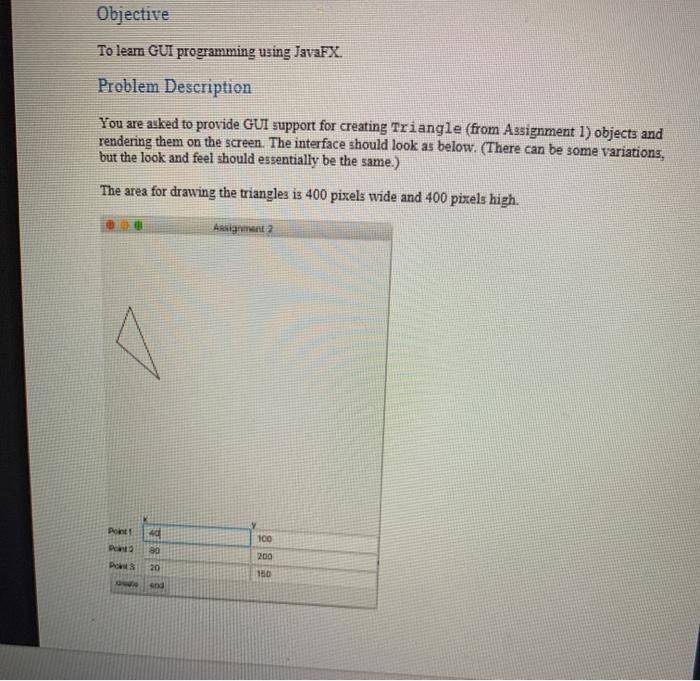
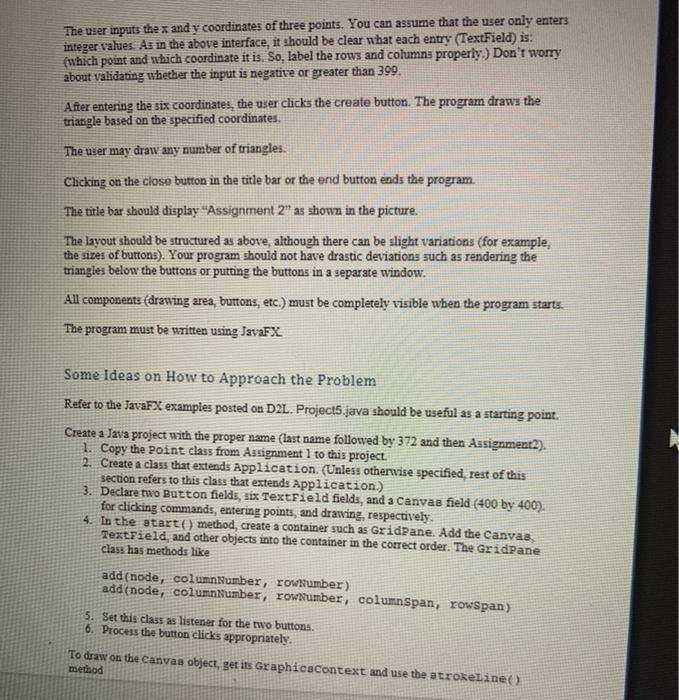
Objective To learn GUI programming using JavaFX. Problem Description You are asked to provide GUI support for creating Triangle (from Assignment 1) objects and rendering them on the screen. The interface should look as below. (There can be some variations, but the look and feel should essentially be the same.) The area for drawing the triangles is 400 pixels wide and 400 pixels high. Ardita 40 Point Data 100 80 200 Pos 20 150 sna The user inputs the x and y coordinates of three points. You can assume that the user only enters integer values. As in the above interface, it should be clear what each entry (TextField) is: (which point and which coordinate it is. So, label the rows and columns properly.) Don't worry about validating whether the input is negative or greater than 399. After entering the six coordinates, the user clicks the create button. The program draws the triangle based on the specified coordinates. The user may draw any number of triangles. Clicking on the close button in the title bar or the end button ends the program The title bar should display "Assignment 2" as shown in the picture. The layout should be structured as above, although there can be slight variations (for example, the sizes of buttons). Your program should not have drastic deviations such as rendering the triangles below the buttons or putting the buttons in a separate window. All components (drawing area, buttons, etc.) must be completely visible when the program starts The program must be written using JavaFX Some ideas on How to Approach the Problem Refer to the JavaFX examples posted on D2L. Project5.java should be useful as a starting point. Create a Java project with the proper name (last name followed by 372 and then Assignment2). 1. Copy the point class from Assignment 1 to this project. 2. Create a class that extends Application. (Unless otherwise specified, rest of this section refers to this class that extends Application.) 3. Declare two Button fields, six TextField fields, and a Canvas field (400 by 400). for clicking commands, entering points, and drawing, respectively. 4. In the start() method, create a container such as GridPane. Add the Canvas, TextField, and other objects into the container in the correct order. The GridPane class has methods like add(node, columnNumber, rowtumber) add(node, columnNumber, rowumber, columnSpan, rowSpan) 5. Set this class as listener for the two buttons 6. Process the button clicks appropriately. To draw on the Canvaa object, get its Graphicacontext and use the strokeline() method
Step by Step Solution
There are 3 Steps involved in it

Get step-by-step solutions from verified subject matter experts
 Study Help