







Question: Objectives: - Learn how to create, compile, and run programs usin - Write programs with input/output statements - Learn how to write pseudocode statements Program
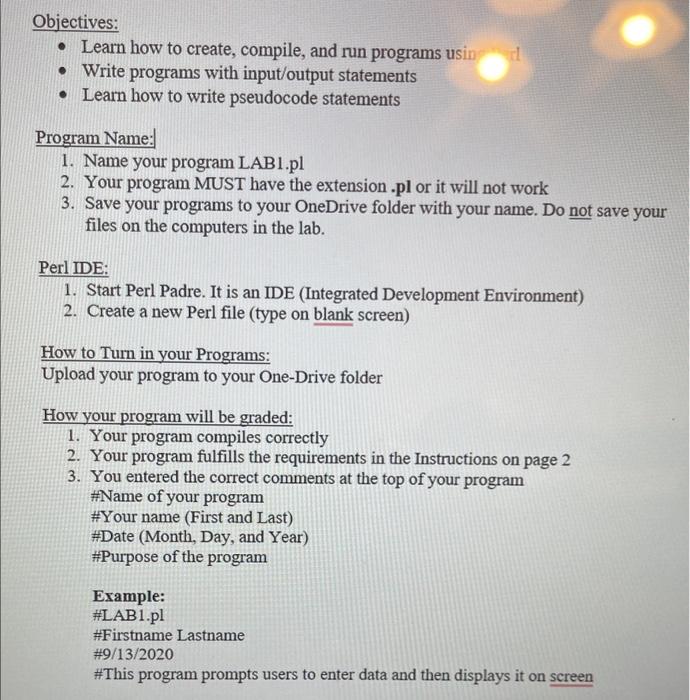
Objectives: - Learn how to create, compile, and run programs usin - Write programs with input/output statements - Learn how to write pseudocode statements Program Name: 1. Name your program LAB1.pl 2. Your program MUST have the extension .pl or it will not work 3. Save your programs to your OneDrive folder with your name. Do not save your files on the computers in the lab. Perl IDE: 1. Start Perl Padre. It is an IDE (Integrated Development Environment) 2. Create a new Perl file (type on blank screen) How to Turn in your Programs: Upload your program to your One-Drive folder How your program will be graded: 1. Your program compiles correctly 2. Your program fulfills the requirements in the Instructions on page 2 3. You entered the correct comments at the top of your program \#Name of your program \#Your name (First and Last) \#Date (Month, Day, and Year) \#Purpose of the program Example: \#LAB1.pl \#Firstname Lastname #9/13/2020 \#This program prompts users to enter data and then displays it on screen
Step by Step Solution
There are 3 Steps involved in it

Get step-by-step solutions from verified subject matter experts
 Study Help