



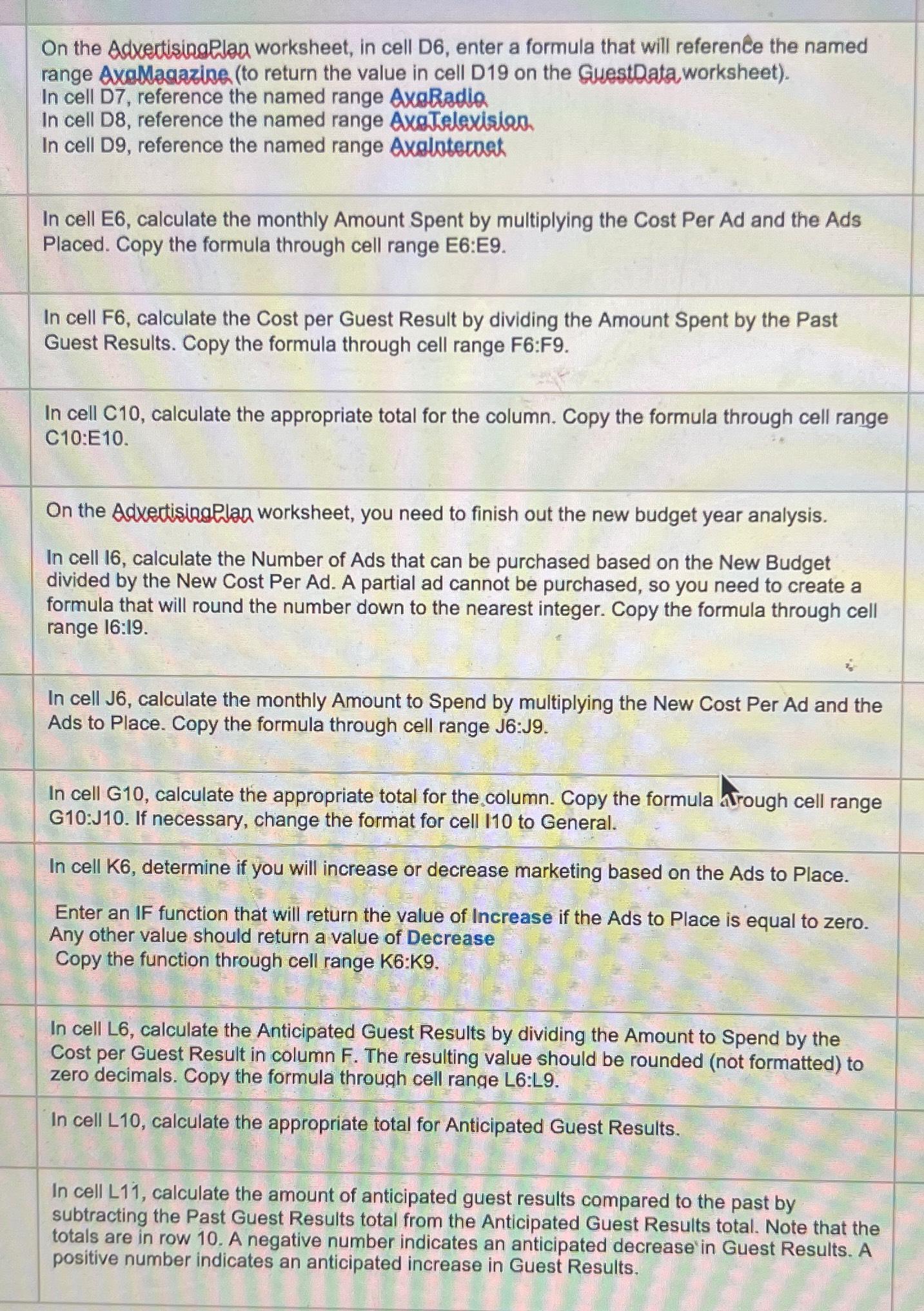
Question: On the Adxectisingelan worksheet, in cell D 6 , enter a formula that will reference the named range Avallagazine ( to return the value in
On the Adxectisingelan worksheet, in cell D enter a formula that will reference the named range Avallagazine to return the value in cell D on the Guestlata, worksheet
In cell D reference the named range AxaRadla
In cell D reference the named range AxaTelexision.
In cell D reference the named range Avalotecoet
In cell E calculate the monthly Amount Spent by multiplying the Cost Per Ad and the Ads Placed. Copy the formula through cell range E:E
In cell F calculate the Cost per Guest Result by dividing the Amount Spent by the Past Guest Results. Copy the formula through cell range F:F
In cell calculate the appropriate total for the column. Copy the formula through cell range C:E
On the Adxectisingelan worksheet, you need to finish out the new budget year analysis.
In cell calculate the Number of Ads that can be purchased based on the New Budget divided by the New Cost Per Ad A partial ad cannot be purchased, so you need to create a formula that will round the number down to the nearest integer. Copy the formula through cell range :
In cell J calculate the monthly Amount to Spend by multiplying the New Cost Per Ad and the Ads to Place. Copy the formula through cell range J:J
In cell G calculate the appropriate total for the column. Copy the formula Arough cell range G:J If necessary, change the format for cell to General.
In cell K determine if you will increase or decrease marketing based on the Ads to Place.
Enter an IF function that will return the value of Increase if the Ads to Place is equal to zero. Any other value should return a value of Decrease Copy the function through cell range :
In cell L calculate the Anticipated Guest Results by dividing the Amount to Spend by the Cost per Guest Result in column F The resulting value should be rounded not formatted to zero decimals. Copy the formula through cell range L:L
In cell L calculate the appropriate total for Anticipated Guest Results.
In cell L calculate the amount of anticipated guest results compared to the past by subtracting the Past Guest Results total from the Anticipated Guest Results total. Note that the totals are in row A negative number indicates an anticipated decrease in Guest Results. A positive number indicates an anticipated increase in Guest Results.
Step by Step Solution
There are 3 Steps involved in it
1 Expert Approved Answer
Step: 1 Unlock

Question Has Been Solved by an Expert!
Get step-by-step solutions from verified subject matter experts
Step: 2 Unlock
Step: 3 Unlock