



Question: On the Gantt Chart, what is a visual cue that you have overallocations in your project? a.Red stick man icons in the indicators column b.Asterisks
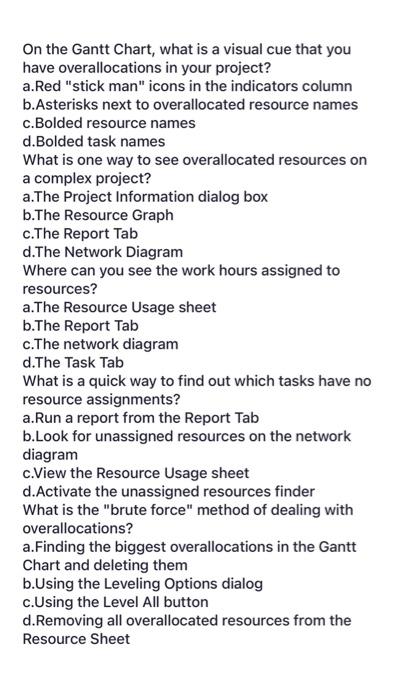
On the Gantt Chart, what is a visual cue that you have overallocations in your project? a.Red "stick man" icons in the indicators column b.Asterisks next to overallocated resource names c.Bolded resource names d.Bolded task names What is one way to see overallocated resources on a complex project? a.The Project Information dialog box b.The Resource Graph c.The Report Tab d.The Network Diagram Where can you see the work hours assigned to resources? a.The Resource Usage sheet b.The Report Tab c.The network diagram d. The Task Tab What is a quick way to find out which tasks have no resource assignments? a.Run a report from the Report Tab b.Look for unassigned resources on the network diagram c.View the Resource Usage sheet d.Activate the unassigned resources finder What is the "brute force" method of dealing with overallocations? a.Finding the biggest overallocations in the Gantt Chart and deleting them b.Using the Leveling Options dialog c. Using the Level All button d.Removing all overallocated resources from the Resource Sheet
Step by Step Solution
There are 3 Steps involved in it

Get step-by-step solutions from verified subject matter experts