







Question: Once a table is created using Data Definition Language (DDL), the data can be inserted, viewed, updated and deleted using Data Manipulation Language (DML)
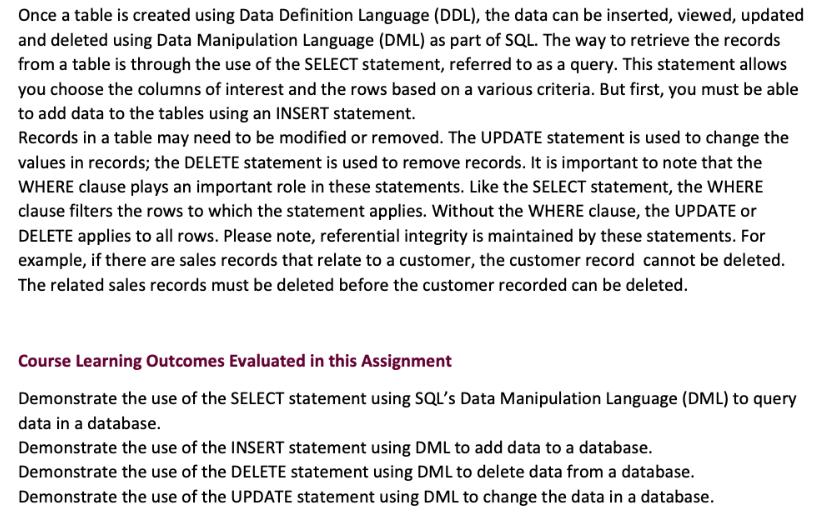
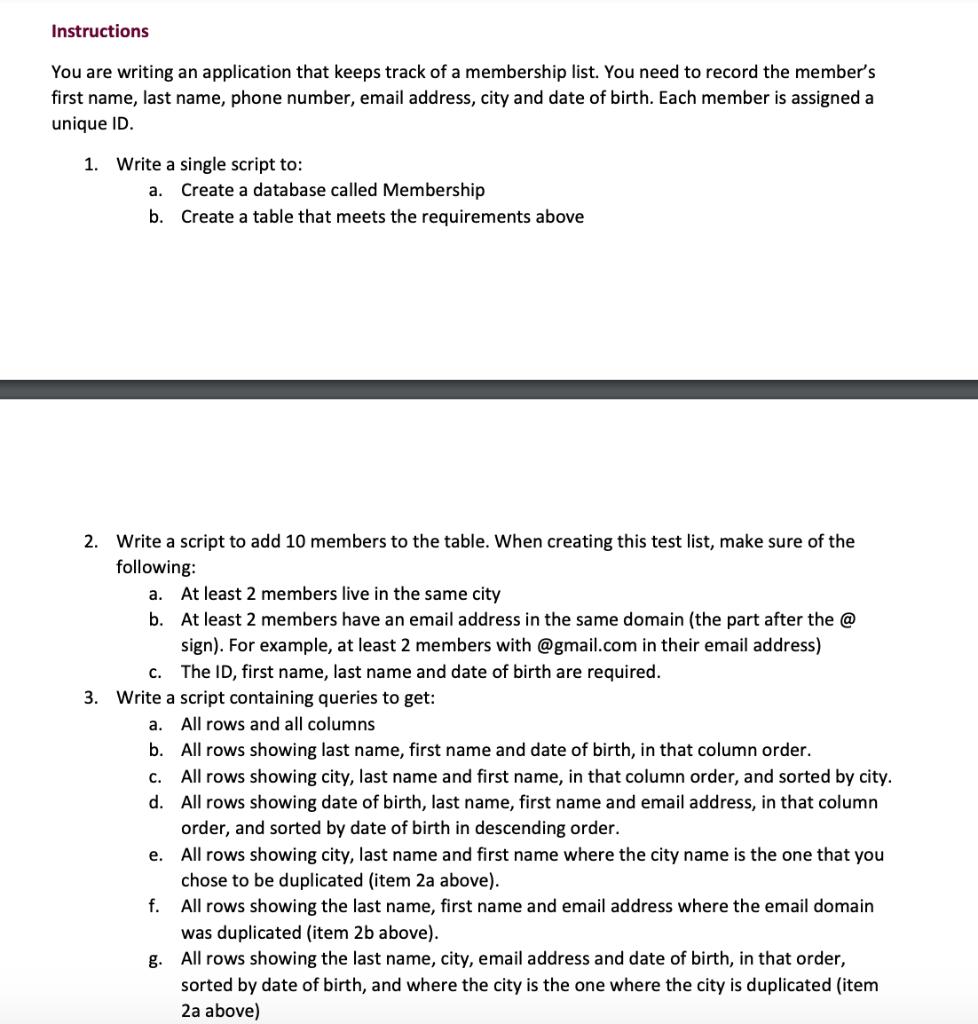
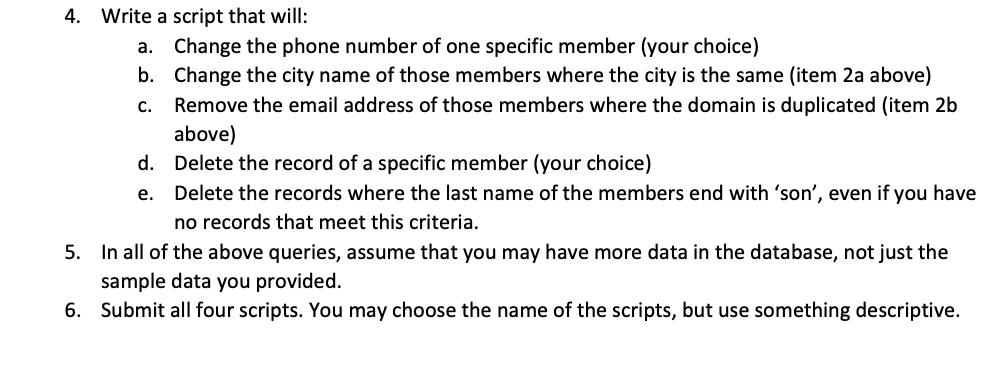
Once a table is created using Data Definition Language (DDL), the data can be inserted, viewed, updated and deleted using Data Manipulation Language (DML) as part of SQL. The way to retrieve the records from a table is through the use of the SELECT statement, referred to as a query. This statement allows you choose the columns of interest and the rows based on a various criteria. But first, you must be able to add data to the tables using an INSERT statement. Records in a table may need to be modified or removed. The UPDATE statement is used to change the values in records; the DELETE statement is used to remove records. It is important to note that the WHERE clause plays an important role in these statements. Like the SELECT statement, the WHERE clause filters the rows to which the statement applies. Without the WHERE clause, the UPDATE or DELETE applies to all rows. Please note, referential integrity is maintained by these statements. For example, if there are sales records that relate to a customer, the customer record cannot be deleted. The related sales records must be deleted before the customer recorded can be deleted. Course Learning Outcomes Evaluated in this Assignment Demonstrate the use of the SELECT statement using SQL's Data Manipulation Language (DML) to query data in a database. Demonstrate the use of the INSERT statement using DML to add data to a database. Demonstrate the use of the DELETE statement using DML to delete data from a database. Demonstrate the use of the UPDATE statement using DML to change the data in a database. Instructions You are writing an application that keeps track of a membership list. You need to record the member's first name, last name, phone number, email address, city and date of birth. Each member is assigned a unique ID. 1. Write a single script to: a. Create a database called Membership b. Create a table that meets the requirements above 2. Write a script to add 10 members to the table. When creating this test list, make sure of the following: a. At least 2 members live in the same city b. At least 2 members have an email address in the same domain (the part after the @ sign). For example, at least 2 members with @gmail.com in their email address) The ID, first name, last name and date of birth are required. c. 3. Write a script containing queries to get: a. All rows and all columns b. All rows showing last name, first name and date of birth, in that column order. All rows showing city, last name and first name, in that column order, and sorted by city. All rows showing date of birth, last name, first name and email address, in that column order, and sorted by date of birth in descending order. e. All rows showing city, last name and first name where the city name is the one that you chose to be duplicated (item 2a above). f. All rows showing the last name, first name and email address where the email domain was duplicated (item 2b above). g. All rows showing the last name, city, email address and date of birth, in that order, sorted by date of birth, and where the city is the one where the city is duplicated (item 2a above) C. d. 4. Write a script that will: a. Change the phone number of one specific member (your choice) b. Change the city name of those members where the city is the same (item 2a above) C. Remove the email address of those members where the domain is duplicated (item 2b above) d. Delete the record of a specific member (your choice) e. Delete the records where the last name of the members end with 'son', even if you have no records that meet this criteria. 5. In all of the above queries, assume that you may have more data in the database, not just the sample data you provided. 6. Submit all four scripts. You may choose the name of the scripts, but use something descriptive.
Step by Step Solution
3.45 Rating (158 Votes )
There are 3 Steps involved in it
Step 1 1a script to create a database called Membe... View full answer

Get step-by-step solutions from verified subject matter experts
 Study Help