







Question: Oneway ANOVA with multiple comparisons Retrieve the student admission data used in assignment 1. Perform the appropriate statistical test to examine whether pre-test scores differ
Oneway ANOVA with multiple comparisons
Retrieve the student admission data used in assignment 1.
Perform the appropriate statistical test to examine whether pre-test scores differ by level of SES.
Include at least one pre-planned comparison and one post-hoc test in your analysis.
- Use SPSS to perform the appropriate statistical-test(s) - 4 pts.
- State the hypotheses below - 2 pts.
Null hypothesis _____________________________________
Alternative Hypothesis _____________________________________
- Describe the appropriate statistical test - 3 pts
(Statistical test, Degrees of freedom)
- Define the critical region for the rejection of the null hypothesis - 3 pts
(you can draw this if you prefer)
- Results - 8 pts.
- Can the assumption of homogeneity of variance be maintained? Report the appropriate results to support your answer. (2 pts.)
- Results from primary statistical test (oneway ANOVA) (2pts.)
- Results from pre-planned comparison(s). Describe the comparison(s) used and the statistical significance of the results pertaining to each.
- Results from post-hoc tests.
- Decision about overall null hypothesis (from primary statistical test) - 2 pts.
- What verbal conclusions can be made? Be sure to report these based of all results reported above. - 3 pts.
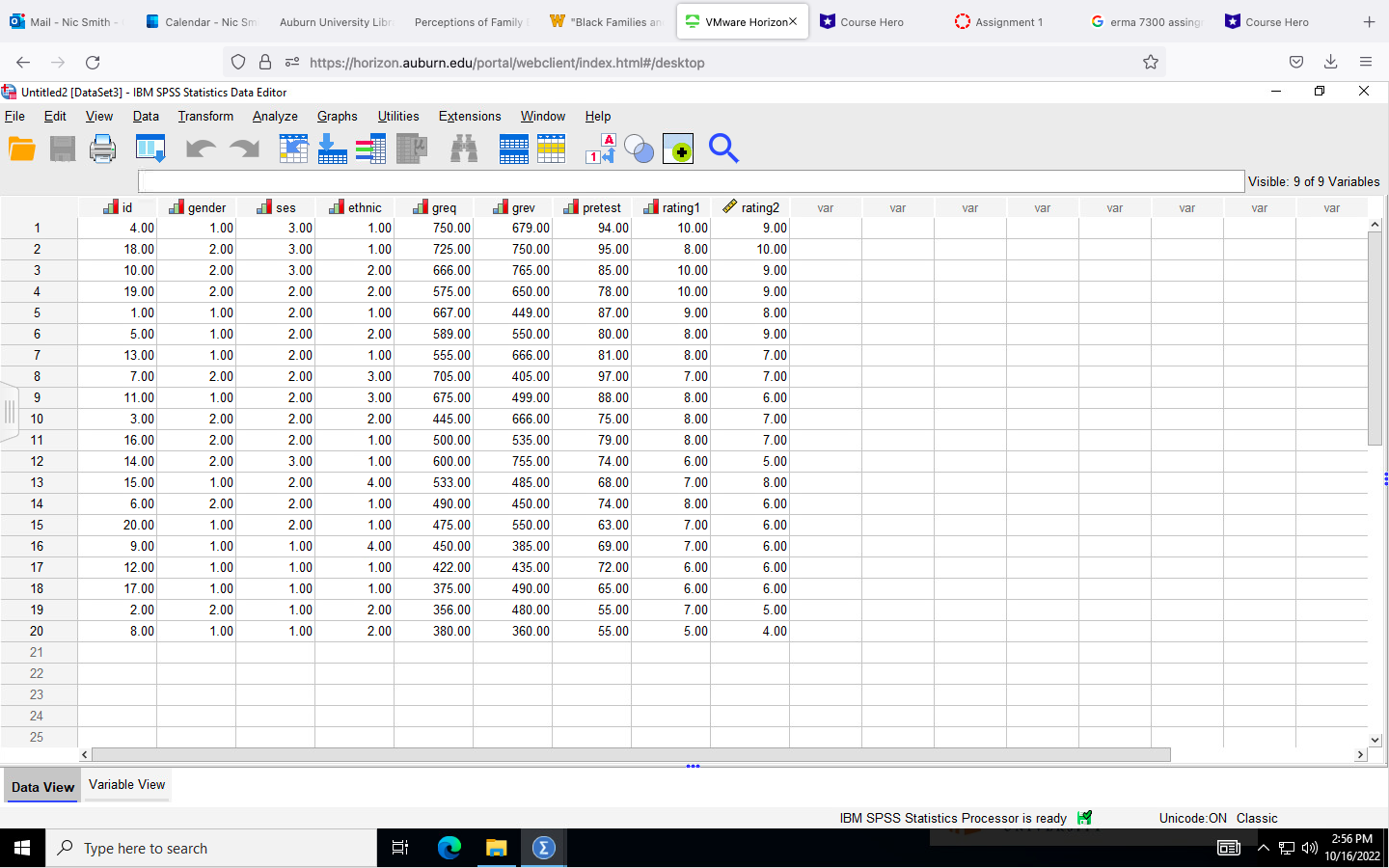
*Course Hero Mail - Nic Smith- Calendar - Nic Sm Auburn University Libra Perceptions of Family W "Black Families an VMware HorizonX Course Hero Assignment 1 G erma 7300 assing + C O 8 59 https://horizon.auburn.edu/portal/webclient/index.html#/desktop X Untitled2 [DataSet3] - IBM SPSS Statistics Data Editor File Edit View Data Transform Analyze Graphs Utilities Extensions Window Help 9 A Q Visible: 9 of 9 Variables did gender dises ethnic greq grev pretest rating 1 rating2 var var var var var var var var 4.00 1.00 3.00 1.00 750.00 679.00 94.00 10.00 9.00 18.00 2.00 3.0 1.00 725.00 750.00 95.00 8.0 10.00 10.00 2.00 3.00 2.00 666.00 765.00 85.00 10.00 9.00 19.00 2.00 2.00 2.00 575.00 650.00 78.00 10.00 9.00 1.00 1.00 2.00 1.00 667.00 449.00 87.00 9.00 8.00 5.00 1.00 2.00 2.00 589.00 550.00 80.00 8.00 9.00 13.00 1.00 2.00 1.00 555.00 666.00 81.00 8.00 7.00 7.00 2.00 2.00 3.00 705.00 405.00 97.00 7.0 7.00 11.00 1.00 2.00 3.00 675.00 499.00 88.00 8.00 6.00 3.00 2.00 2.00 2.00 445.00 666.00 75.00 8.00 7.00 11 16.0 2.00 2.00 1.00 500.00 535.00 79.00 8.00 7.00 12 14.00 2.00 3.00 1.00 600.00 755.00 74 00 6.00 5.00 13 15.00 1.00 2.00 4.00 533.00 485.00 68.00 7.00 8.00 14 6.00 2.00 2.00 1.00 490.00 450.00 74.00 8.00 6.00 15 20.00 1.00 2.00 1.00 475.00 550.00 63.00 7.00 6.00 16 9.00 1.00 1.00 4.00 450.00 385.00 69.00 7.00 6.00 17 12.00 1.00 1.00 1.00 422.00 435.00 72.00 6.00 6.00 18 17.00 1.00 1.00 1.00 375.00 490.00 65.00 5.00 6.00 19 2.00 2.00 1.00 2.00 356.00 480.00 55.00 7.00 5.00 20 8.00 1.00 1.00 2.00 380.00 360.00 55.00 5.00 4.00 21 22 23 24 25 Data View Variable View IBM SPSS Statistics Processor is ready by Unicode:ON Classic 2:56 PM Type here to search 10/16/2022
Step by Step Solution
There are 3 Steps involved in it

Get step-by-step solutions from verified subject matter experts
 Study Help