







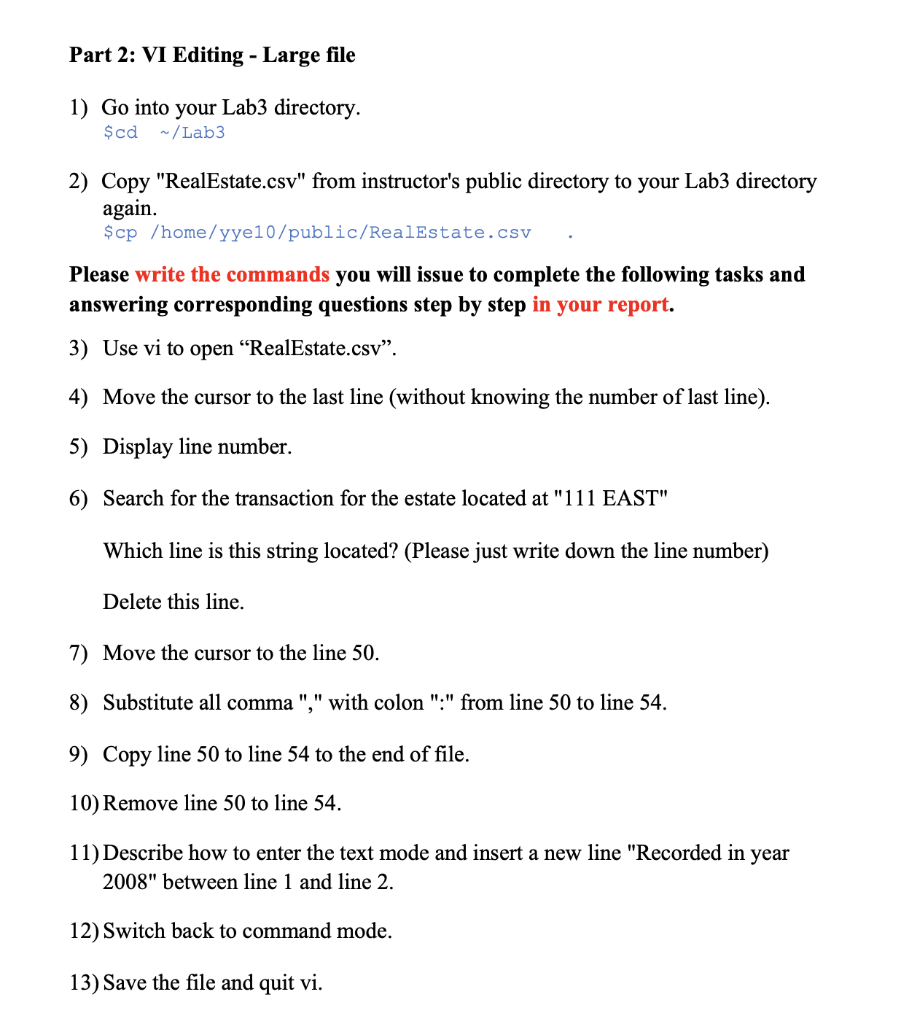
Question: Only answer 7, 8, 9,10,11 Part 2: VI Editing - Large file 1) Go into your Lab3 directory. $cd /Lab3 2) Copy RealEstate.csv from instructor's
Only answer 7, 8, 9,10,11
Part 2: VI Editing - Large file 1) Go into your Lab3 directory. $cd /Lab3 2) Copy "RealEstate.csv" from instructor's public directory to your Lab3 directory again. $cp /home/yye10/public/RealEstate.csv Please write the commands you will issue to complete the following tasks and answering corresponding questions step by step in your report. 3) Use vi to open RealEstate.csv. 4) Move the cursor to the last line (without knowing the number of last line). 5) Display line number. 6) Search for the transaction for the estate located at "111 EAST" Which line is this string located? (Please just write down the line number) Delete this line. 7) Move the cursor to the line 50. 8) Substitute all comma "," with colon ":" from line 50 to line 54. 9) Copy line 50 to line 54 to the end of file. 10) Remove line 50 to line 54. 11) Describe how to enter the text mode and insert a new line "Recorded in year 2008" between line 1 and line 2. 12) Switch back to command mode. 13) Save the file and quit vi. Part 2: VI Editing - Large file 1) Go into your Lab3 directory. $cd /Lab3 2) Copy "RealEstate.csv" from instructor's public directory to your Lab3 directory again. $cp /home/yye10/public/RealEstate.csv Please write the commands you will issue to complete the following tasks and answering corresponding questions step by step in your report. 3) Use vi to open RealEstate.csv. 4) Move the cursor to the last line (without knowing the number of last line). 5) Display line number. 6) Search for the transaction for the estate located at "111 EAST" Which line is this string located? (Please just write down the line number) Delete this line. 7) Move the cursor to the line 50. 8) Substitute all comma "," with colon ":" from line 50 to line 54. 9) Copy line 50 to line 54 to the end of file. 10) Remove line 50 to line 54. 11) Describe how to enter the text mode and insert a new line "Recorded in year 2008" between line 1 and line 2. 12) Switch back to command mode. 13) Save the file and quit vi
Step by Step Solution
There are 3 Steps involved in it

Get step-by-step solutions from verified subject matter experts
 Study Help