







Question: ONLY ANSWER ON LABVIEW 1.1. Use LABVIEW to simulate sensors. In a mission critical facility there are four (4) sensors (temperature, humidity, airflow, and water),
ONLY ANSWER ON LABVIEW
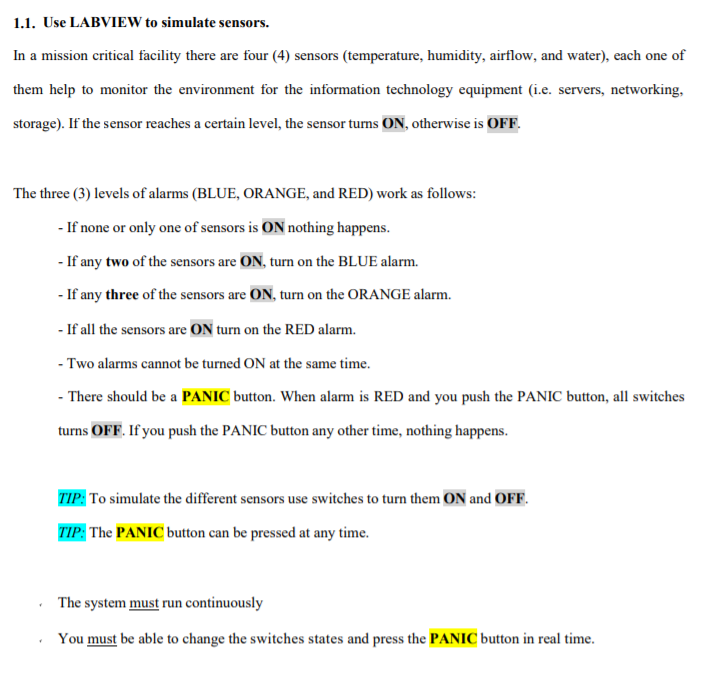
1.1. Use LABVIEW to simulate sensors. In a mission critical facility there are four (4) sensors (temperature, humidity, airflow, and water), each one of them help to monitor the environment for the information technology equipment (i.e. servers, networking, storage). If the sensor reaches a certain level, the sensor turns ON, otherwise is OFF. The three (3) levels of alarms (BLUE, ORANGE, and RED) work as follows: - If none or only one of sensors is ON nothing happens. - If any two of the sensors are ON, turn on the BLUE alarm. - If any three of the sensors are ON, turn on the ORANGE alarm. - If all the sensors are ON turn on the RED alarm. - Two alarms cannot be turned ON at the same time. - There should be a PANIC button. When alarm is RED and you push the PANIC button, all switches turns OFF. If you push the PANIC button any other time, nothing happens. TIP: To simulate the different sensors use switches to turn them ON and OFF. TIP: The PANIC button can be pressed at any time. The system must run continuously You must be able to change the switches states and press the PANIC button in real time. 1.1. Use LABVIEW to simulate sensors. In a mission critical facility there are four (4) sensors (temperature, humidity, airflow, and water), each one of them help to monitor the environment for the information technology equipment (i.e. servers, networking, storage). If the sensor reaches a certain level, the sensor turns ON, otherwise is OFF. The three (3) levels of alarms (BLUE, ORANGE, and RED) work as follows: - If none or only one of sensors is ON nothing happens. - If any two of the sensors are ON, turn on the BLUE alarm. - If any three of the sensors are ON, turn on the ORANGE alarm. - If all the sensors are ON turn on the RED alarm. - Two alarms cannot be turned ON at the same time. - There should be a PANIC button. When alarm is RED and you push the PANIC button, all switches turns OFF. If you push the PANIC button any other time, nothing happens. TIP: To simulate the different sensors use switches to turn them ON and OFF. TIP: The PANIC button can be pressed at any time. The system must run continuously You must be able to change the switches states and press the PANIC button in real time
Step by Step Solution
There are 3 Steps involved in it

Get step-by-step solutions from verified subject matter experts
 Study Help