







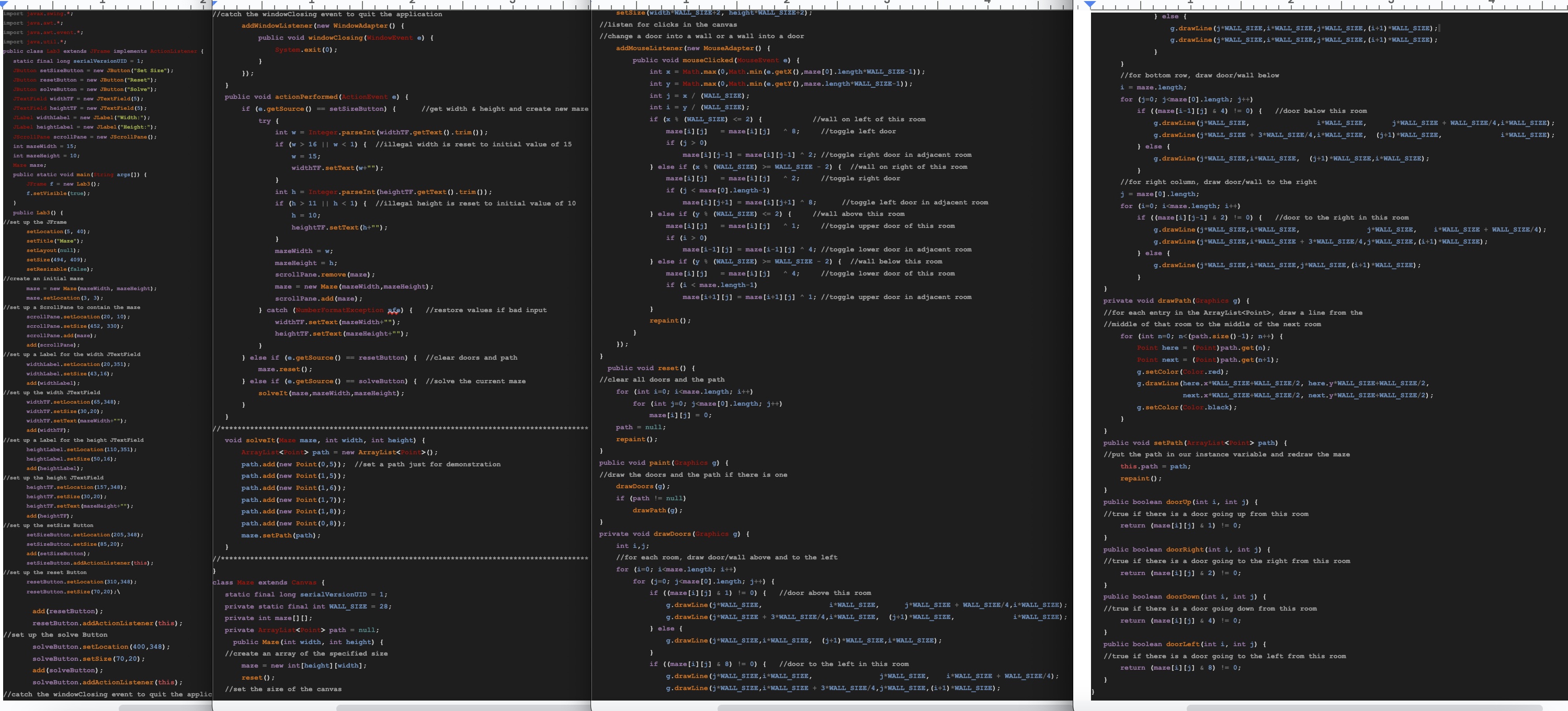
Question: ONLY CHANGE THE solveIt METHOD. NOTHING ELSE. USE THE CODE FROM PICTURE. please ONLY change the solveIt method, to find and display a path from
ONLY CHANGE THE solveIt METHOD. NOTHING ELSE. USE THE CODE FROM PICTURE. please ONLY change the solveIt method, to find and display a path from one exterior door to another. you can add other variables and helper methods, but don't change any other code. You will be given a Java application which provides a user interface for creating and solving a maze. When the program starts, click the Set Size button and you will see the following frame:
The width and height are the number of rooms horizontally and vertically x max
The Set Size button creates a new maze with the specified number of rooms. Clicking on a wall creates or deletes a door in that wall.
The Reset button deletes all doors and any path that is displayed.
The Solve button should find a path from one exterior door to another. A sample solution is shown in the following:
In the code that you are given, the path shown above is fixed. No matter where the doors are, the same path is drawn. Your assignment is to rewrite the solveIt method to find and display a path from one exterior door to any other exterior door for any valid door configuration. You may add variables and any additional helper methods that you want, but you must not change any existing code other than the solveIt method.
Your code will use the doorLeft, doorRight, doorUp and doorDown methods in the Maze class to determine where the doors are in a room. After finding a path ie creating an ArrayList of Points that are the rooms that must be traversed use the setPath method to display the path. You will not need to invoke any other methods in the Maze class.
For extra credit, find and display the shortest path.table
Step by Step Solution
There are 3 Steps involved in it
1 Expert Approved Answer
Step: 1 Unlock

Question Has Been Solved by an Expert!
Get step-by-step solutions from verified subject matter experts
Step: 2 Unlock
Step: 3 Unlock
 Study Help