







Question: only part C and D Note: Here are a couple of easy ways to create a Python file in windows (a) Open Notepad in your
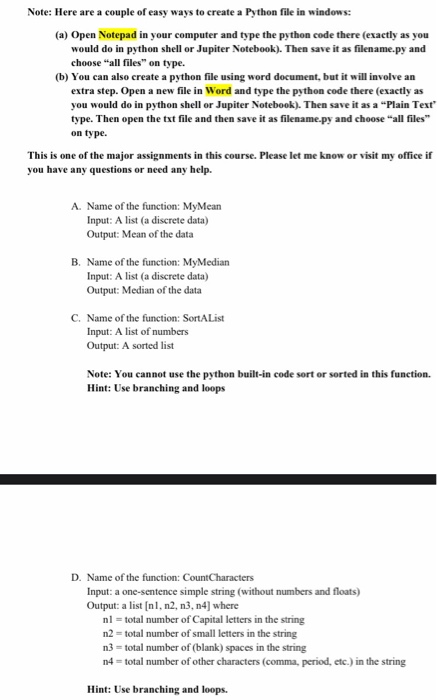
Note: Here are a couple of easy ways to create a Python file in windows (a) Open Notepad in your computer and type the python code there (exactly as you would do in python shell or Jupiter Notebook). Then save it as filename.py and choose "all files on type. (b) You can also create a python file using word document, but it will involve an extra step. Open a new file in Word and type the python code there (exactly as you would do in python shell or Jupiter Notebook). Then save it as a "Plain Text type. Then open the txt file and then save it as filename.py and choose "all files on type. This is one of the major assignments in this course. Please let me know or visit my office in you have any questions or need any help. A. Name of the function: MyMean Input: A list (a discrete data) Output: Mean of the data B. Name of the function: MyMedian Input: A list (a discrete data) Output: Median of the data C. Name of the function: Sort A List Input: A list of numbers Output: A sorted list Note: You cannot use the python built-in code sort or sorted in this function. Hint: Use branching and loops D. Name of the function: CountCharacters Input: a one-sentence simple string (without numbers and floats) Output: a list[nl, n2, n3, n4] where nl = total number of Capital letters in the string n2 total number of small letters in the string n3 = total number of (blank) spaces in the string n4 = total number of other characters (comma, period, etc.) in the string Hint: Use branching and loops
Step by Step Solution
There are 3 Steps involved in it

Get step-by-step solutions from verified subject matter experts
 Study Help