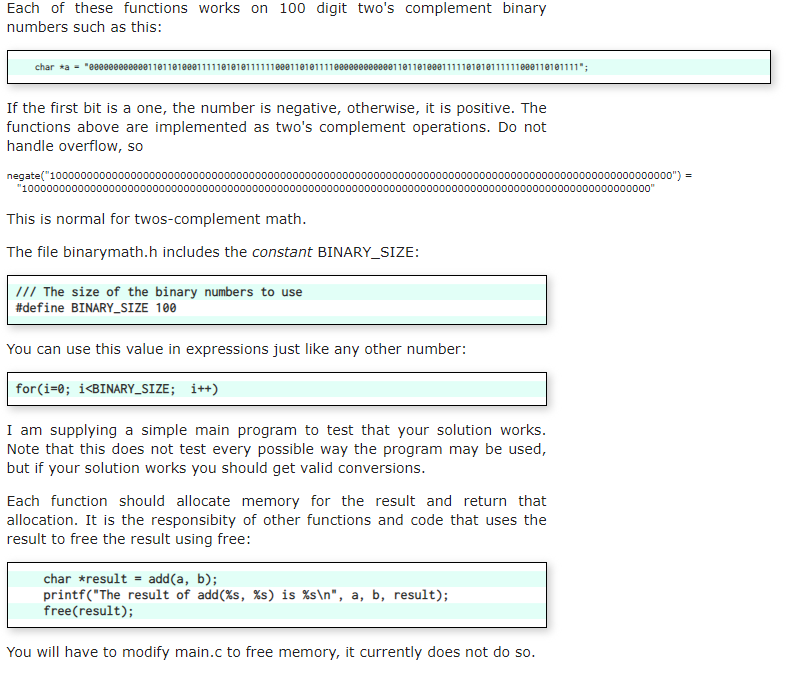
Question: Only the add function. #include #include #include binarymath.h /** * Increment a BINARY_SIZE binary number expressed as a * character string. * @param number The

Only the add function.
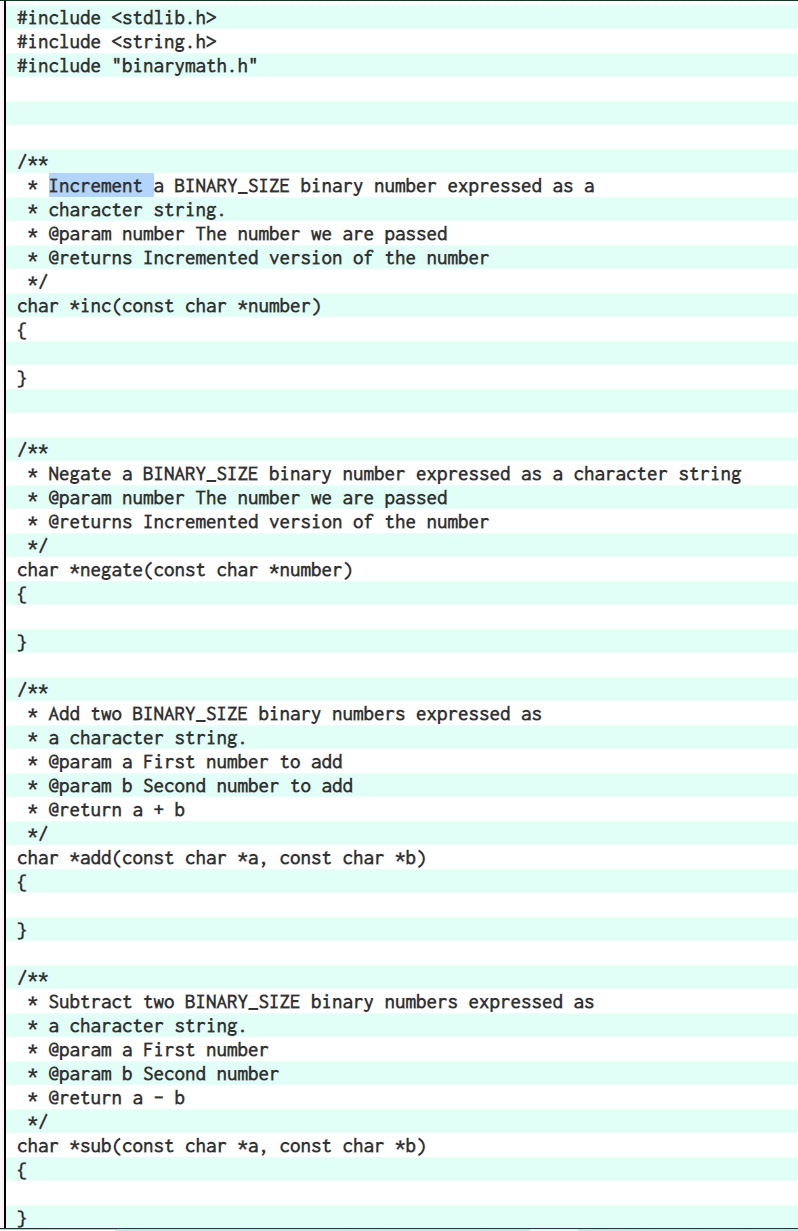
Only the add function. #include #include #include "binarymath.h" /** * Increment aBINARY_SIZE binary number expressed as a * character string. * @param number

#include #include #include "binarymath.h" /** * Increment a BINARY_SIZE binary number expressed as a * character string. * @param number The number we are passed * @returns Incremented version of the number */ char *inc(const char *number) { /** * Negate a BINARY_SIZE binary number expressed as a character string * @param number The number we are passed * @returns Incremented version of the number */ char *negate(const char *number) { /** * Add two BINARY_SIZE binary numbers expressed as * a character string. * @param a First number to add * @param b Second number to add * @return a + b */ char *add(const char *a, const char *b) { /** * Subtract two BINARY_SIZE binary numbers expressed as * a character string. * @param a First number * @param b Second number * @return a - b */ char *sub(const char *a, const char *b) { Each of these functions works on 100 digit two's complement binary numbers such as this: char ta "eeeee0eeeee110110100011111010101111110e0110101111e00e0000eeee11011010e01111101010111111800110101111"; If the first bit is a one, the number is negative, otherwise, it is positive. The functions above are implemented as two's complement operations. Do not handle overflow, so negate("1000000000000000000000000000000000000000000000000000000000000000000000o000000000000000000000000000000") = "10000000000000000000000000000000000000000000000000000000000000000000000000000000000000000000000000000" This is normal for twos-complement math. The file binarymath.h includes the constant BINARY_SIZE: /// The size of the binary numbers to use #define BINARY_SIZE 100 You can use this value in expressions just like any other number: for(i=0; i

Step by Step Solution

There are 3 Steps involved in it

1 Expert Approved Answer
Step: 1 Unlock blur-text-image
Question Has Been Solved by an Expert!

Get step-by-step solutions from verified subject matter experts

Step: 2 Unlock
Step: 3 Unlock

Students Have Also Explored These Related Databases Questions!