







Question: Only the js needs to be edited! HTML must not be changed. The assignment is in the photo This is the html starter: Title content=width=device-width,
Only the js needs to be edited! HTML must not be changed.
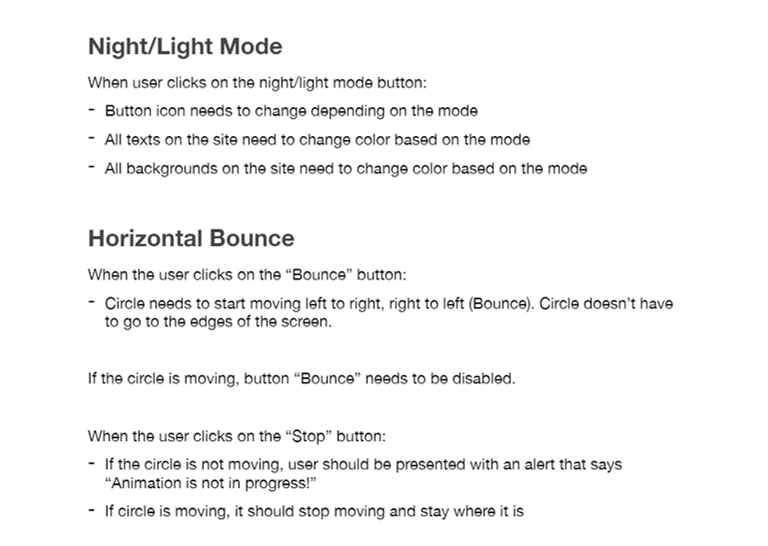
The assignment is in the photo
This is the html starter:
content="width=device-width, initial-scale=1, shrink-to-fit=no">
href="https://stackpath.bootstrapcdn.com/bootstrap/4.3.1/css/bootstrap.min.css"
integrity="sha384-ggOyR0iXCbMQv3Xipma34MD+dH/1fQ784/j6cY/iJTQUOhcWr7x9JvoRxT2MZw1T"
crossorigin="anonymous">
rel="stylesheet">
body {
padding: 16px;
}
#card {
width: 100%;
}
#move-me {
height: 100px;
width: 100px;
border-radius: 100%;
margin: 16px;
border: 6px solid gray;
}
Change Night/Light mode
Programming Joke
Q: What did the Java code say to the C code?
A: You've got no class.
Horizontal Bounce
class="bg-light">
crossorigin="anonymous">
crossorigin="anonymous">
crossorigin="anonymous">
This is the js starter:
(function () {
function init() {
// Initialize your elements
exampleFunction();
}
// No need to change this
window.onload = function () {
// Init is called once window has been loaded
init();
};
})();
This how the final result should look like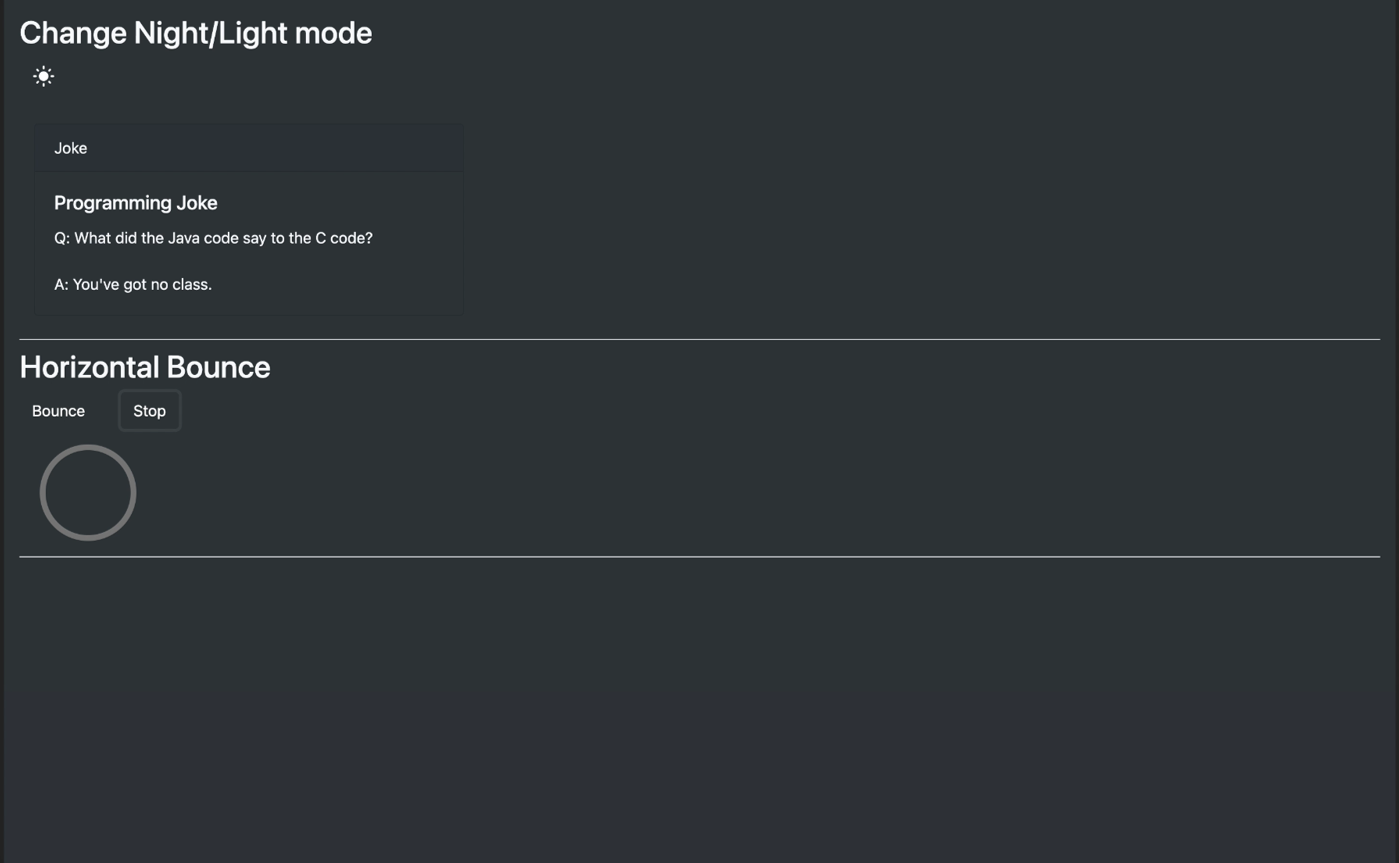
Night/Light Mode When user clicks on the night/light mode button: - Button icon needs to change depending on the mode - All texts on the site need to change color based on the mode All backgrounds on the site need to change color based on the mode Horizontal Bounce When the user clicks on the Bounce" button: Circle needs to start moving left to right, right to left (Bounce). Circle doesn't have to go to the edges of the screen. If the circle is moving, button Bounce needs to be disabled. When the user clicks on the "Stop" button: - If the circle is not moving, user should be presented with an alert that says "Animation is not in progress!" - If circle is moving, it should stop moving and stay where it is Change Night/Light mode Joke Programming Joke Q: What did the Java code say to the C code? A: You've got no class. Horizontal Bounce Bounce Stop
Step by Step Solution
There are 3 Steps involved in it

Get step-by-step solutions from verified subject matter experts
 Study Help