







Question: only using the charAt method and concatenation operator (+) , complete the program with a sequence of commands that will extract characters from inputString =
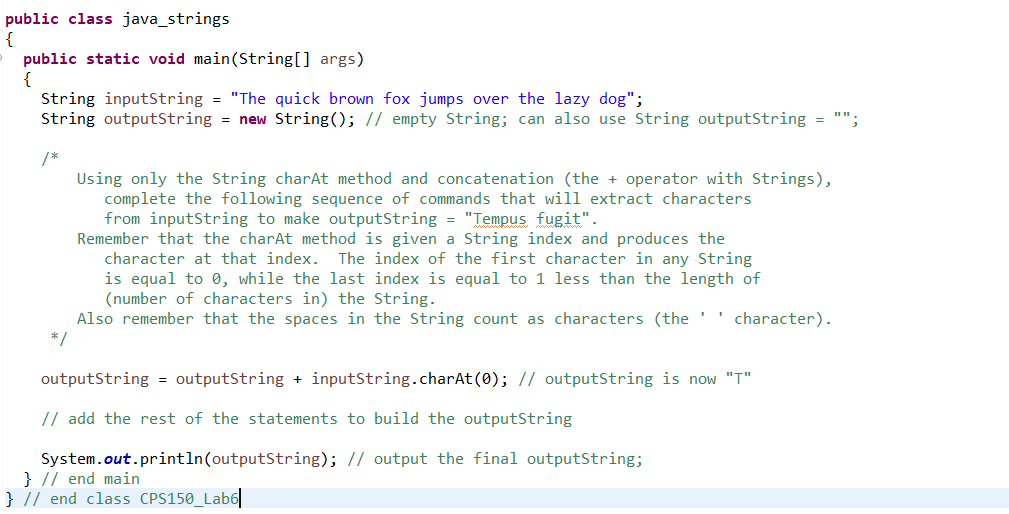
only using the charAt method and concatenation operator (+), complete the program with a sequence of commands that will extract characters from inputString = "The quick brown fox jumps over the lazy dog" to make outputString store the string "Tempus fugit", and then print outputString
public class java_strings { public static void main(String[] args) { String inputString = "The quick brown fox jumps over the lazy dog"; String outputString = new String(); // empty String; can also use String outputString = ""; /* Using only the String charAt method and concatenation (the + operator with Strings), complete the following sequence of commands that will extract characters from inputString to make outputString = "Tempus fugit". Remember that the charAt method is given a String index and produces the character at that index. The index of the first character in any String is equal to 0, while the last index is equal to 1 less than the length of (number of characters in the String. Also remember that the spaces in the String count as characters (the '' character). */ outputString = outputString + inputString.charAt(0); // outputString is now "T" // add the rest of the statements to build the outputString System.out.println(outputString); // output the final outputString; } // end main } // end class CPS150_Lab6||
Step by Step Solution
There are 3 Steps involved in it

Get step-by-step solutions from verified subject matter experts
 Study Help