





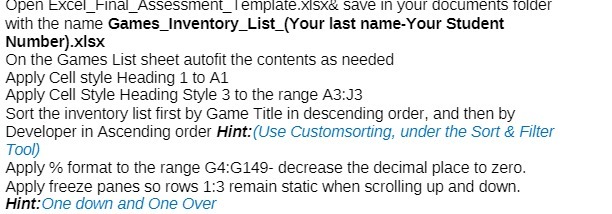
Question: Open Excel_Final_Assessment_Template.xisx& save in your documents folder with the name Games_Inventory_List_(Your last name-Your Student Number).xIsx On the Games List sheet autofit the contents as needed
Open Excel_Final_Assessment_Template.xisx& save
Open Excel_Final_Assessment_Template.xisx& save in your documents folder with the name Games_Inventory_List_(Your last name-Your Student Number).xIsx On the Games List sheet autofit the contents as needed Apply Cell style Heading 1 to Al Apply Cell Style Heading Style 3 to the range A3:J3 Sort the inventory list first by Game Title in descending order, and then by Developer in Ascending order Hint:(Use Customsorting, under the Sort & Filter Tool) Apply % format to the range G4:G149- decrease the decimal place to zero. Apply freeze panes so rows 1:3 remain static when scrolling up and down. Hint:One down and One Over

Step by Step Solution

There are 3 Steps involved in it

1 Expert Approved Answer
Step: 1 Unlock blur-text-image

Question Has Been Solved by an Expert!

Get step-by-step solutions from verified subject matter experts

Step: 2 Unlock
Step: 3 Unlock

Students Have Also Explored These Related Accounting Questions!