







Question: Open Matlab, and create a Live Script called homework_00.mix. Read the documentation on Matlab about Live script. Type your answers to the exercises below in
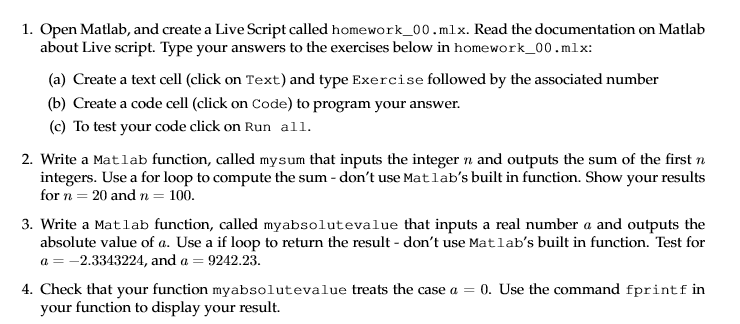
Open Matlab, and create a Live Script called homework_00.mix. Read the documentation on Matlab about Live script. Type your answers to the exercises below in homework_00. mix: (a) Create a text cell (click on Text) and type Exercise followed by the associated number b) Create a code cell (click on Code) to program your answer. (c) To test your code click on Run all. Write a Matlab function, called mysum that inputs the integer n and outputs the sum of the first n integers. Use a for loop to compute the sum - don't use Matlab's built in function. Show your results for n = 20 and n = 100. Write a Matlab function, called myabsolutevalue that inputs a real number a and outputs the absolute value of a. Use a if loop to return the result don't use Matlab's built in function. Test for a = -2.3343224, and a = 9242.23. Check that your function myabsolutevalue treats the case a = 0. Use the command fprintf in your function to display your result
Step by Step Solution
There are 3 Steps involved in it

Get step-by-step solutions from verified subject matter experts
 Study Help