







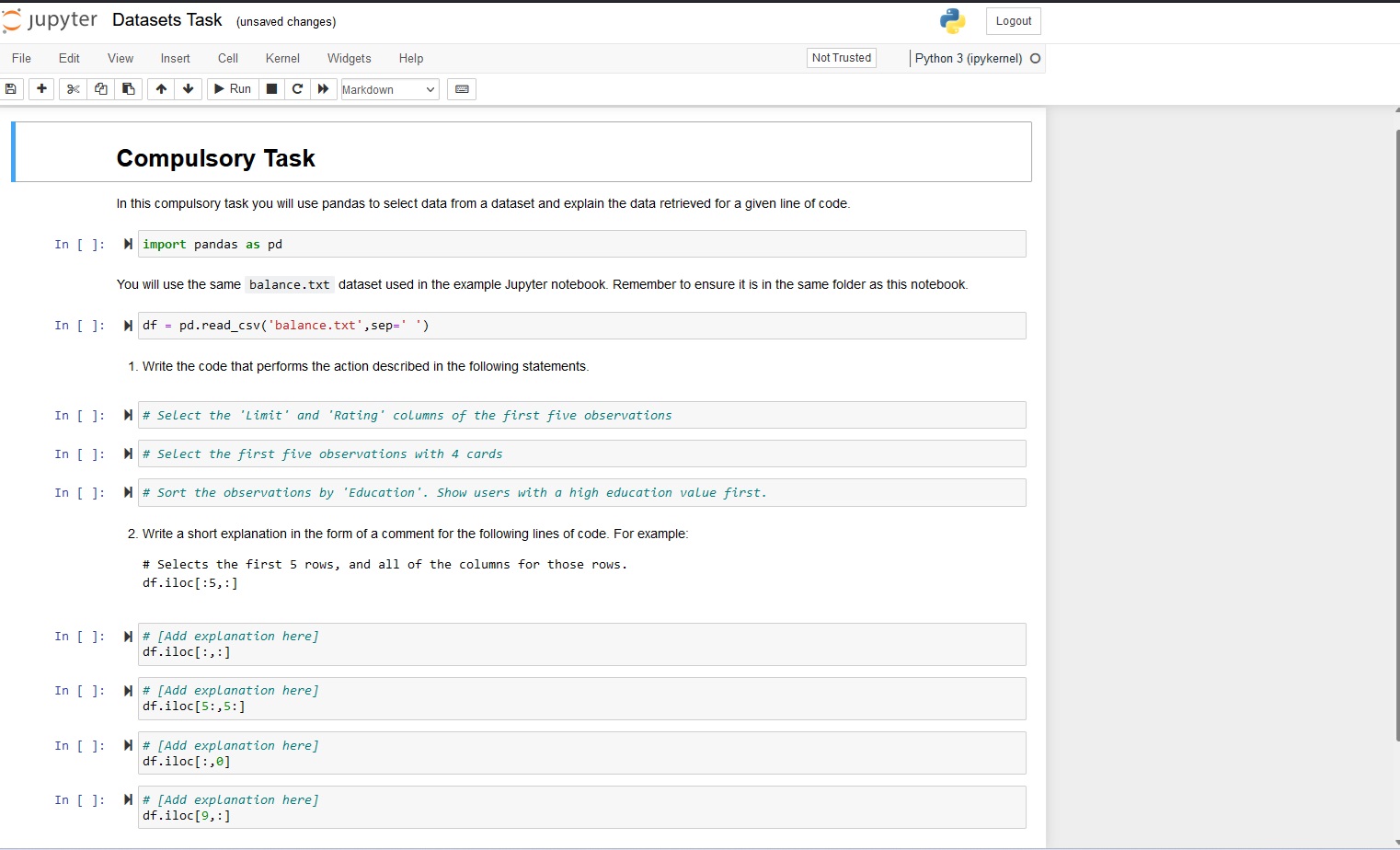
Question: Open the Datasets Task.ipynb file and complete the following tasks in the notebook. Save your notebook to your task folder for submission. 1 . Write
Open the Datasets Task.ipynb file and complete the following tasks in the
notebook. Save your notebook to your task folder for submission.
Write the code that performs the action described in the following
statements.
a Select the 'Limit' and 'Rating' columns of the first five observations
b Select the first five observations with cards
c Sort the observations by 'Education'. Show users with a high
education value first.
Write a short explanation in the form of a comment for the following lines of
code.
a dfiloc::
b dfiloc::
c dfiloc:
d dfiloc:Compulsory Task
In this compulsory task you will use pandas to select data from a dataset and explain the data retrieved for a given line of code.
In : M import pandas as pd
You will use the same balance.txt dataset used in the example Jupyter notebook. Remember to ensure it is in the same folder as this notebook.
: sep
Write the code that performs the action described in the following statements.
:
: Select the 'Limit' and 'Rating' columns the first five observations
: Select the first five observations with cards
Write a short explanation in the form of a comment for the following lines of code. For example:
# Selects the first rows, and all of the columns for those rows.
Step by Step Solution
There are 3 Steps involved in it
1 Expert Approved Answer
Step: 1 Unlock

Question Has Been Solved by an Expert!
Get step-by-step solutions from verified subject matter experts
Step: 2 Unlock
Step: 3 Unlock
 Study Help