







Question: Open the provided Microsoft Excel document and complete the following activity. Save the file on your computer with your last name in the file name.
Open the provided Microsoft Excel document and complete the following activity. Save the file on your computer with your last name in the file name. (Example: Jones_ Cost Estimate). Upload the complete file to the Folio dropbox. Cost Estimates
Create a spreadsheet to calculate your projected total costs, total revenues, and total profits for giving a seminar on cost estimating. I have provided a template to help you get started. (Note: You will need to list your variable costs where designated.) Cost Estimate Template
Make the following assumptions:
- You will charge $600 per person for a two-day class.
- You estimate that 30 people will attend the class, but you want to change this input in case your estimates are off.
- Your fixed costs include $500 total to rent a room for both days, setup fees of $400 for registration, and $300 for designing a postcard for advertising.
- You will not include your labor costs in this estimate, but you expect to spend at least 150 hours developing materials, managing the project, and giving the actual class. You would like to know what your time is worth for each of the scenarios.
- You will order 5,000 postcards, mail 4,000, and distribute the rest to friends and colleagues.
- Your variable costs include the following:
a. $5 per person for registration plus 4 percent of the class fee per person to handle credit card processing; assume that everyone pays by credit card b. $.40 per postcard for printing if you order 5,000 or more c. $.35 per postcard for mailing and postage d. $25 per person for beverages and lunch e. $30 per person for class handouts Be sure to account for any variables that might change based on the number of people, such as the cost of postage and handouts. Calculate your profits based on each of the following numbers of people who might attend: 10, 20, 30, 40, 50, and 60. Try to use the Excel data table feature to show the profits based on the number of students. If you are unfamiliar with data tables, just repeat the calculations for each possibility of 10, 20, 30, 40, 50, and 60 students. Highlight the profits for each scenario.
**You need to use formulas for your calculations; do not just enter the costs in each cell. The formulas in each cell will show when you click on the cell.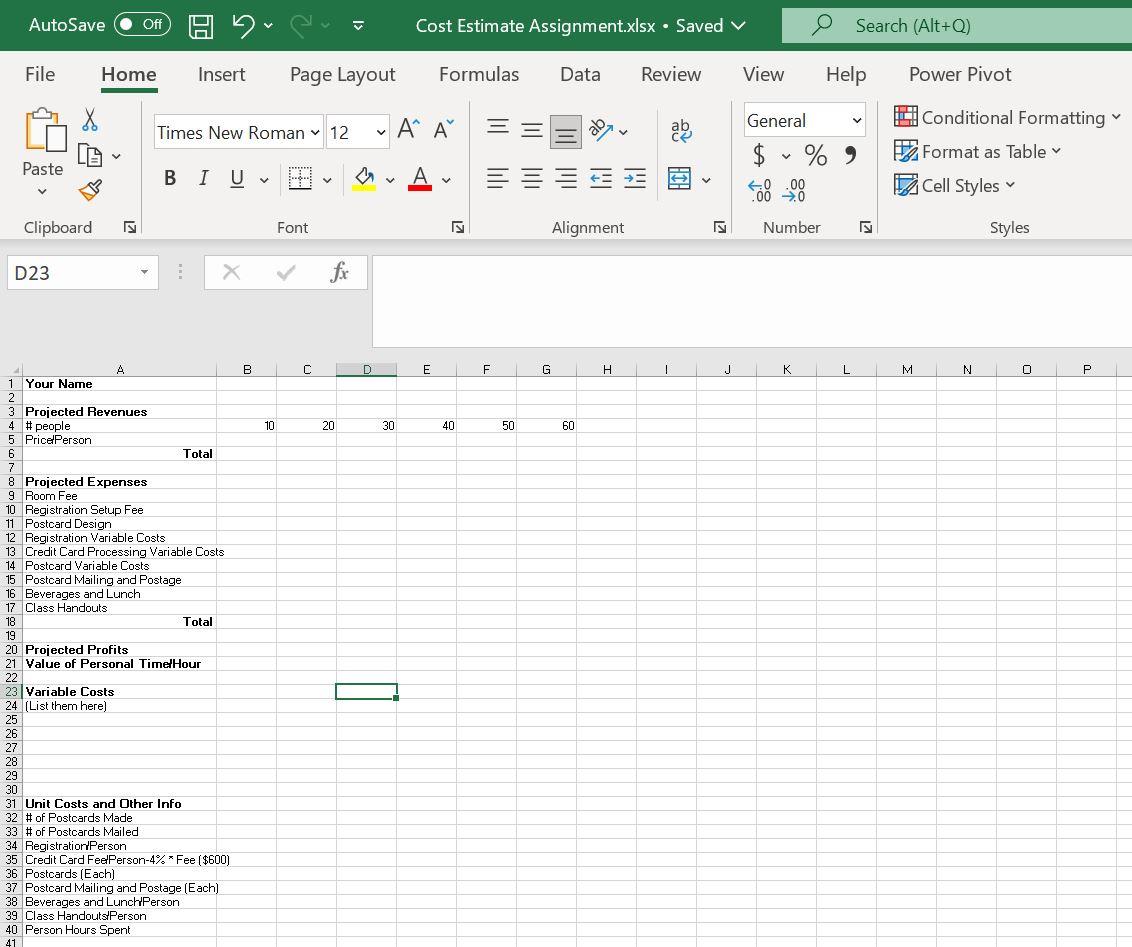
Step by Step Solution
There are 3 Steps involved in it

Get step-by-step solutions from verified subject matter experts
 Study Help