







Question: Open the Text file attached to this assignment, and save the file as Edited List. In the Documentation worksheet, enter your name and the date
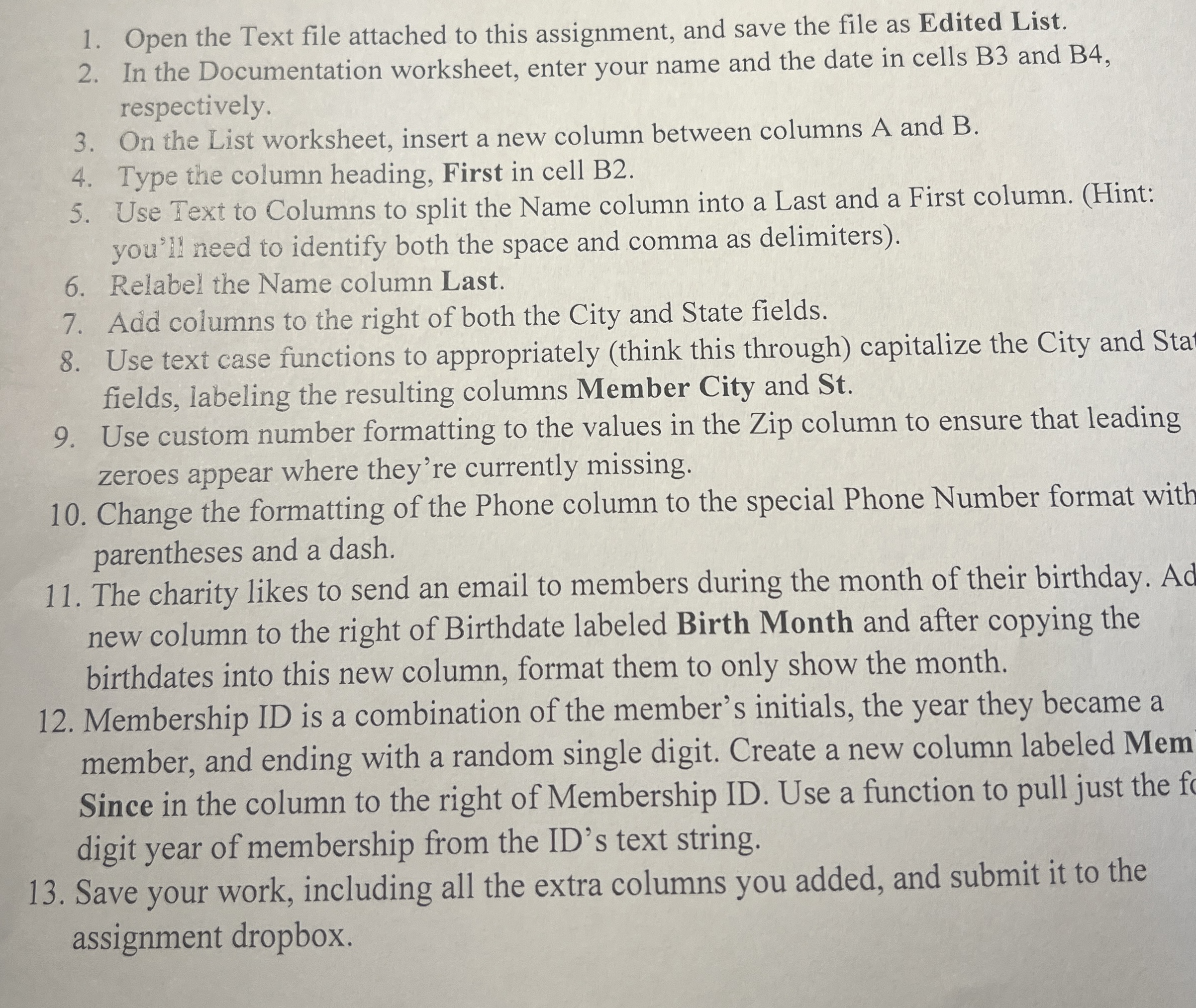
Open the Text file attached to this assignment, and save the file as Edited List.
In the Documentation worksheet, enter your name and the date in cells B and B respectively.
On the List worksheet, insert a new column between columns A and B
Type the column heading, First in cell B
Use Text to Columns to split the Name column into a Last and a First column. Hint: you'l need to identify both the space and comma as delimiters
Relabel the Name column Last.
Add columns to the right of both the City and State fields.
Use text case functions to appropriately think this through capitalize the City and Sta fields, labeling the resulting columns Member City and St
Use custom number formatting to the values in the Zip column to ensure that leading zeroes appear where they're currently missing.
Change the formatting of the Phone column to the special Phone Number format with parentheses and a dash.
The charity likes to send an email to members during the month of their birthday. Ad new column to the right of Birthdate labeled Birth Month and after copying the birthdates into this new column, format them to only show the month.
Membership ID is a combination of the member's initials, the year they became a member, and ending with a random single digit. Create a new column labeled Mem Since in the column to the right of Membership ID Use a function to pull just the fo digit year of membership from the ID's text string.
Save your work, including all the extra columns you added, and submit it to the assignment dropbox.
Step by Step Solution
There are 3 Steps involved in it
1 Expert Approved Answer
Step: 1 Unlock

Question Has Been Solved by an Expert!
Get step-by-step solutions from verified subject matter experts
Step: 2 Unlock
Step: 3 Unlock
 Study Help