







Question: Operation - The user enters text in the first multi - line text box and clicks the Translate button or presses the Enter key. -
Operation
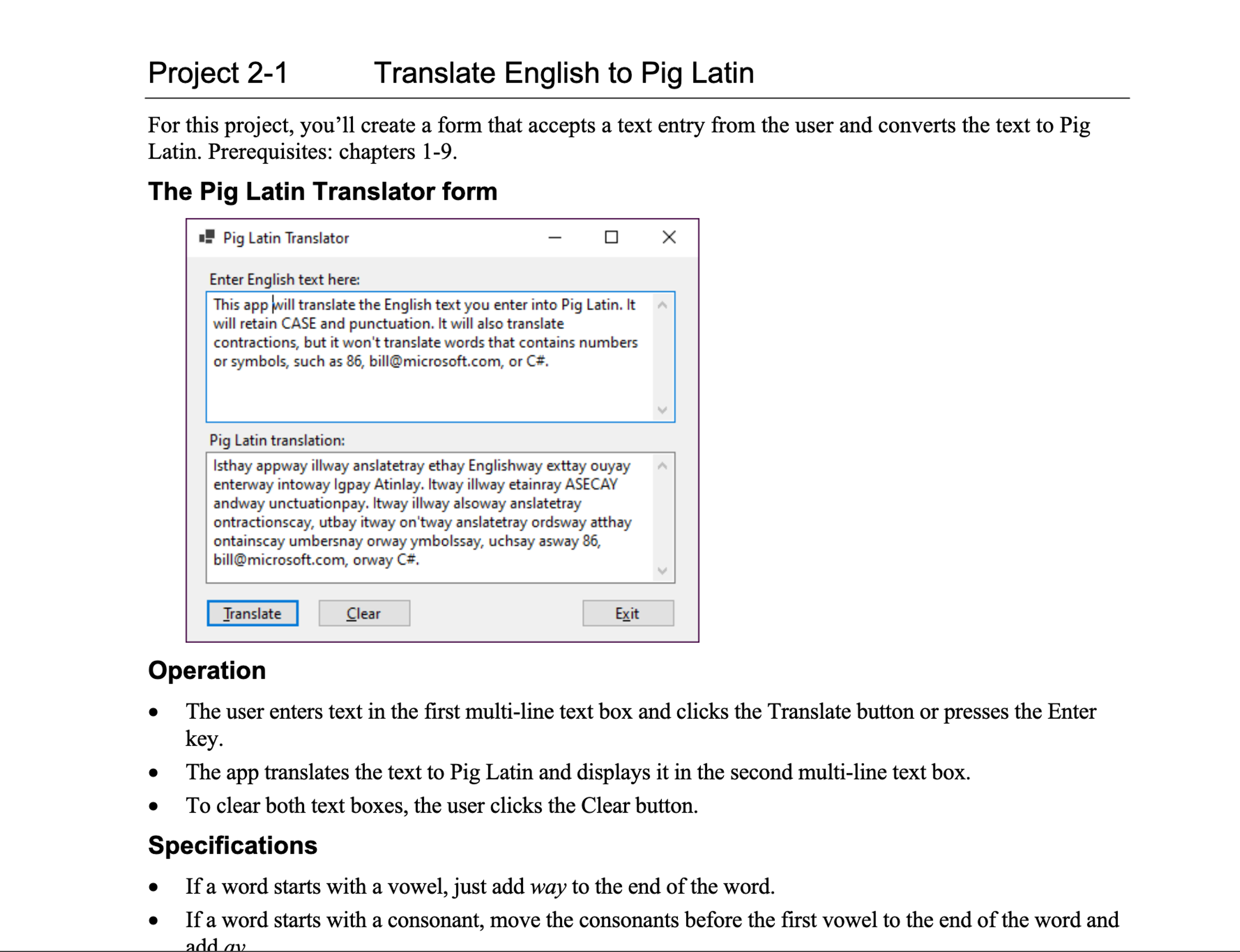
The user enters text in the first multiline text box and clicks the Translate button or presses the Enter key.
The app translates the text to Pig Latin and displays it in the second multiline text box.
To clear both text boxes, the user clicks the Clear button.
Specifications
If a word starts with a vowel, just add way to the end of the word.
If a word starts with a consonant, move the consonants before the first vowel to the end of the word and
Operation
The user enters text in the first multiline text box and clicks the Translate button or presses the Enter key.
The app translates the text to Pig Latin and displays it in the second multiline text box.
To clear both text boxes, the user clicks the Clear button.
Specifications
If a word starts with a vowel, just add way to the end of the word.
If a word starts with a consonant, move the consonants before the first vowel to the end of the word and add a y
If a word starts with the letter Y the Y should be treated as a consonant. If the Y appears anywhere else in the word, it should be treated as a vowel.
Keep the case of the original word whether it's uppercase TEST title case Test or lowercase test
Keep all punctuation at the end of the translated word.
Translate words with contractions. For example, can't should be an'tcay.
Don't translate words that contain numbers or symbols. For example, should be left as and bill@microsoft.com should be left as bill@microsoft.com.
Check that the user has entered text before performing the translation.
Hints
To create a multiline text box, just set the Multiline property of the text box to True and size the text box accordingly.
To add vertical scroll bars to the text box, set the ScrollBars property to Vertical. The integer values for all uppercase letters are to and the integer values for all lowercase letters are to
Step by Step Solution
There are 3 Steps involved in it
1 Expert Approved Answer
Step: 1 Unlock

Question Has Been Solved by an Expert!
Get step-by-step solutions from verified subject matter experts
Step: 2 Unlock
Step: 3 Unlock
 Study Help