







Question: Option #1: Build a 3D Road Network Multiple Linear Regression Model Using SAS Studio - Module 8 I cannot see any variables in my Correlation
Option #1: Build a 3D Road Network Multiple Linear Regression Model Using SAS Studio - Module 8
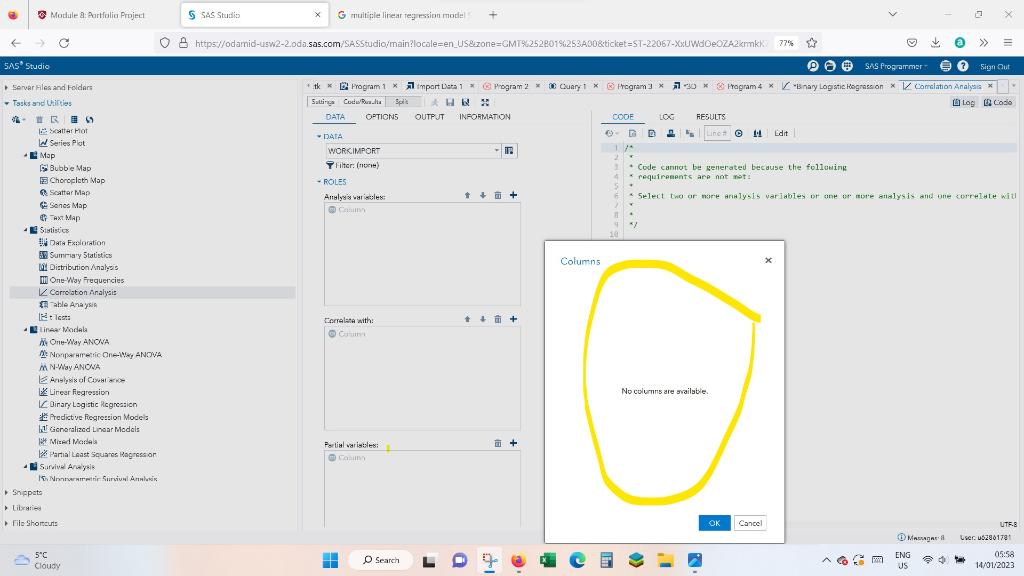
I cannot see any variables in my Correlation Analysis (I am trying to complete multiple linear regression model using SAS STUDIO).
I uploaded the csv data format, I believe I cleansed the data and prepared them but most probably incorrectly. I think I miss the headers/ names of the columns in my data set.
In this Portfolio Project, you will analyze the 3D Road Network data set of the UCI Machine Learning Repository to build a multiple linear regression model using SAS Studio. The data set is available on the Internet.
This data set contains satellite image processing information (e.g. longitude and latitude) about road networks in North Jutland, Denmark.
The project proceeds as follow:
Here, you will build a multiple linear regression model from the data set. Your multiple linear regression model should include the following:
1. A model built using the default model selection method (none).
2. A model built using any one of the model selection methods (forward, backward, or stepwise selection methods) that you chose.
Take screenshots to demonstrate successful completion of your work.
The screenshot should show the actions you took and the results you obtained.
The screenshot should have the current date and time.
Step by Step Solution
There are 3 Steps involved in it

Get step-by-step solutions from verified subject matter experts
 Study Help