







Question: Option D You've been tasked with locking down SSH access to a server to specific users and network. Work out the following settings on
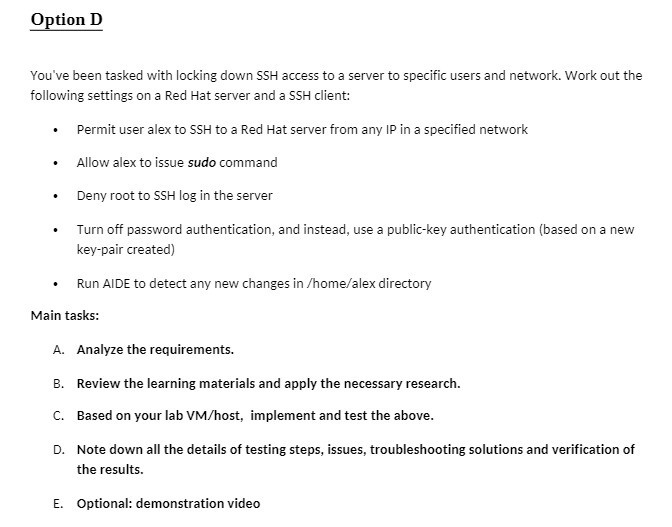

Option D You've been tasked with locking down SSH access to a server to specific users and network. Work out the following settings on a Red Hat server and a SSH client: . Permit user alex to SSH to a Red Hat server from any IP in a specified network Allow alex to issue sudo command Deny root to SSH log in the server Turn off password authentication, and instead, use a public-key authentication (based on a new key-pair created) . . Run AIDE to detect any new changes in /home/alex directory Main tasks: A. Analyze the requirements. B. Review the learning materials and apply the necessary research. C. Based on your lab VM/host, implement and test the above. D. Note down all the details of testing steps, issues, troubleshooting solutions and verification of the results. E. Optional: demonstration video Take Test: Final Test ULI101 - Intro X Rei * Qu Homework Help - Q&A from Onl X ask What is the command to display X + learn.senecacollege.ca/webapps/assessment/take/launch.jsp?course_assessment_id=_453586_1&course_id=_657480_1&content_id=_13448454_1&step=null B I X X P 14C Sunny US Paragraph > < Arial + ABC For the toolbar, press ALT+F10 (PC) or ALT+FN+F10 (Mac). B I US Paragraph Arial X X > < 10pt + V 10pt !!! "" e Click Save and Submit to save and submit. Click Save All Answers to save all answers. V Save All Answers + ENG US I Save and Submit 12:35 PM 2022-04-17
Step by Step Solution
There are 3 Steps involved in it

Get step-by-step solutions from verified subject matter experts
 Study Help