







Question: Output: Welcome to the GradeBook Lab 2 Part D Debugging Another given Program and fixing the error. Class Account (declared in program below Account.cs )
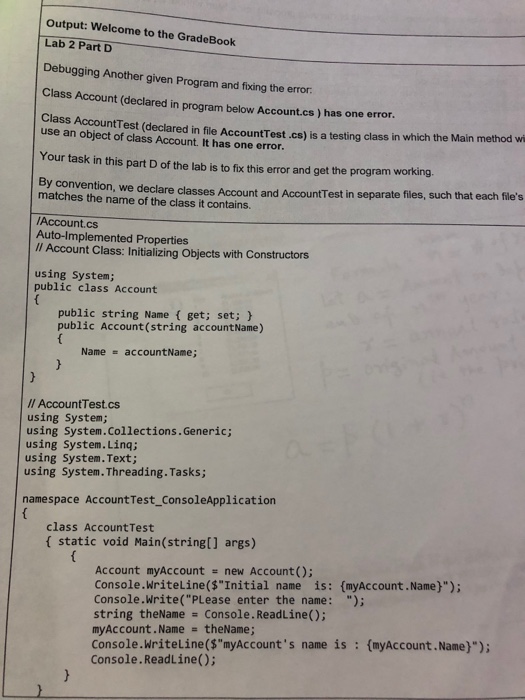
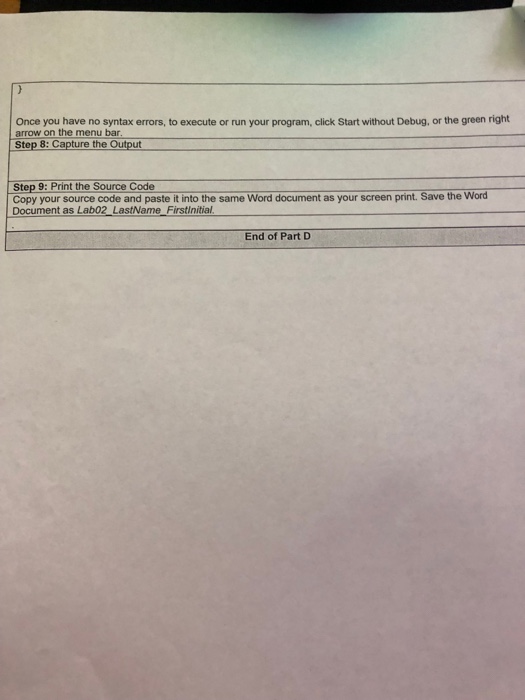
Output: Welcome to the GradeBook Lab 2 Part D Debugging Another given Program and fixing the error. Class Account (declared in program below Account.cs ) has one error Class AccountTest (declared in file AccountTest.cs) is a testing class in which the Main method wi use an object of class Account. It has one error. Your task in this part D of the lab is to fix this error and get the program working. By convention, we declare classes Account and AccountTest in separate files, such that each file's matches the name of the class it contains. Account.cs Auto-Implemented Properties Il Account Class: Initializing Objects with Constructors using System; public class Account public string Name ( get; set; public Account(string accountName) Name accountName; /l AccountTest.cs using System; using System.Collections.Generic; using System.Linq; using System.Text; using System.Threading. Tasks; namespace Account Test_ConsoleApplication class AccountTest f static void Main(stringl] args) Account myAccount new Account): Console.Writeline($"Initial name is: (myAccount.Name)"); Console.Write("PLease enter the name: "); string theName Console.ReadLine); myAccount.Name theName; Console.Writeline($"myAccount's name is: (myAccount.Name)"); Console.ReadLine()
Step by Step Solution
There are 3 Steps involved in it

Get step-by-step solutions from verified subject matter experts
 Study Help