







Question: Overview In this unit, you will craft a PowerPoint presentation that relates to the topic you selected for your Week 7 Word Submission. For this
Overview
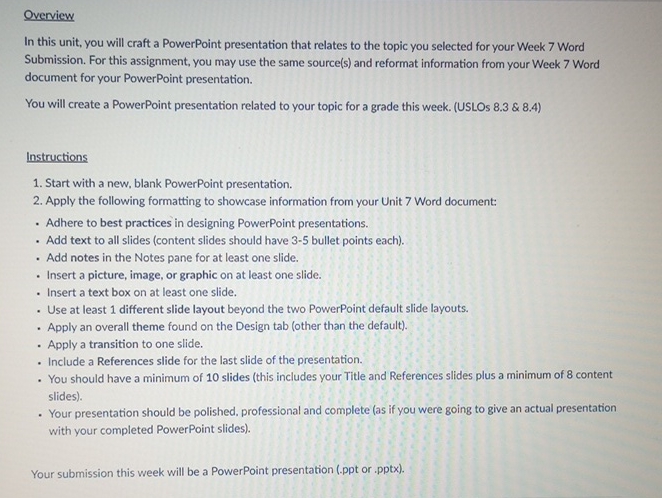
In this unit, you will craft a PowerPoint presentation that relates to the topic you selected for your Week Word Submission. For this assignment, you may use the same sources and reformat information from your Week Word document for your PowerPoint presentation.
You will create a PowerPoint presentation related to your topic for a grade this week. USLOs &
Instructions
Start with a new, blank PowerPoint presentation.
Apply the following formatting to showcase information from your Unit Word document:
Adhere to best practices in designing PowerPoint presentations.
Add text to all slides content slides should have bullet points each
Add notes in the Notes pane for at least one slide.
Insert a picture, image, or graphic on at least one slide.
Insert a text box on at least one slide.
Use at least different slide layout beyond the two PowerPoint default slide layouts.
Apply an overall theme found on the Design tab other than the default
Apply a transition to one slide.
Include a References slide for the last slide of the presentation.
You should have a minimum of slides this includes your Title and References slides plus a minimum of content slides
Your presentation should be polished, professional and complete as if you were going to give an actual presentation with your completed PowerPoint slides
Your submission this week will be a PowerPoint presentation ppt or pptx
Step by Step Solution
There are 3 Steps involved in it
1 Expert Approved Answer
Step: 1 Unlock

Question Has Been Solved by an Expert!
Get step-by-step solutions from verified subject matter experts
Step: 2 Unlock
Step: 3 Unlock
 Study Help