







Question: Overview this exercise, you will write a code which will continue to double the number of steps in a middle Riemann sum while the error
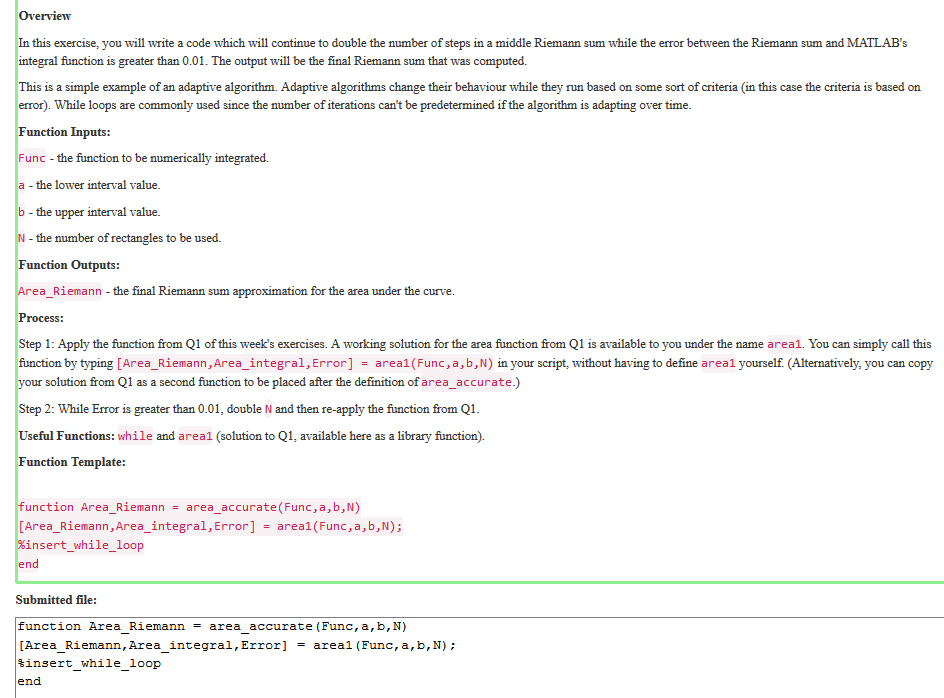
Overview this exercise, you will write a code which will continue to double the number of steps in a middle Riemann sum while the error between the Riemann sum and MATLAB's integral function is greater than 0.01. The output will be the final Riemann sum that was computed. s is a simple example of an adaptive algorithm. Adaptive algorithms change their behaviour while they run based on some sort of criteria (in this case the criteria is based orn error). While loops are commonly used since the number of iterations can't be predetermined if the algorithm is adapting over time Function Inputs Func the function to be numerically integrated. the lower interval value the upper interval value. the number of rectangles to be used. Function Outputs ea_Riemann - the final Riemann sum approximation for the area under the curve. rocesS: Step 1: Apply the function from Q1 of this week's exercises. A working solution for the area function from Q1 is available to you under the name area1. You can simply call this function by typing Area Riemann,Area integral, Error] = areal Func,a,bN)1n your script without having to define areal yourself (Alternatively, you can copy solution from Q1 as a second function to be placed after the definition of area_accurate.) Step 2: While Error is greater than 0.01, double N and then re-apply the function from Q1 Useful Functions: while and areal (solution to Q1, available here as a library function unction Template: unction Area_Riemann-area_accurate(Func,a, b,N) [Area_Riemann,Area_integral,Error]-areal (Func,a, b,N); insert_while_loop Submitted file: function Area Riemann - area accurate (Func, a,b,N) Area Riemann , Area integral, Error] areal (Func, a, b, N) tinsert while loop end
Step by Step Solution
There are 3 Steps involved in it

Get step-by-step solutions from verified subject matter experts
 Study Help