







Question: OVERVIEW This program primarily focuses on the implementation of a ArrayList type interface and the necessary methods to implement the ArrayList. It also includes polymorphism
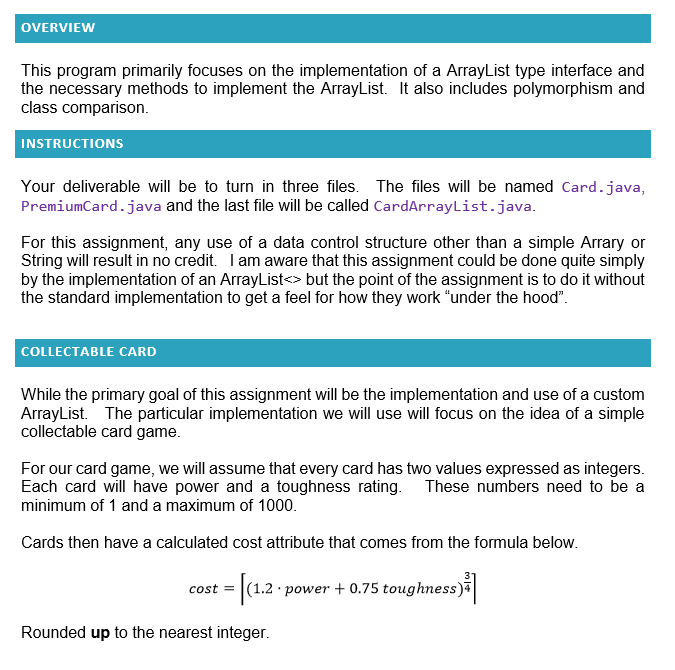
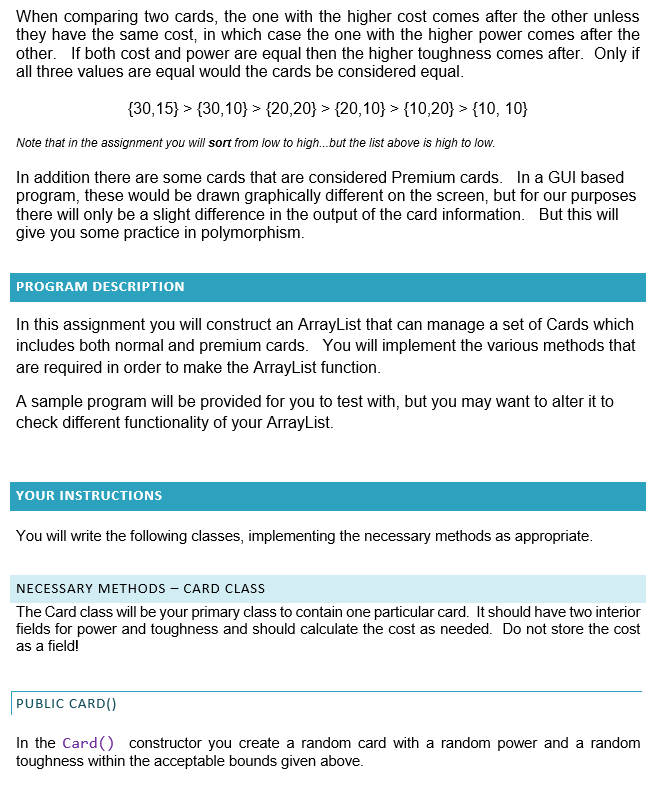
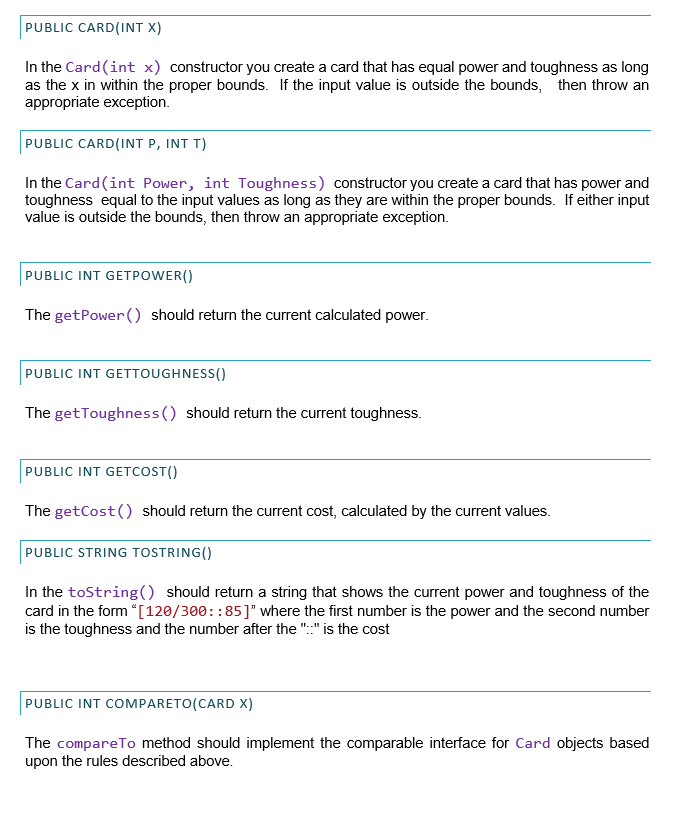
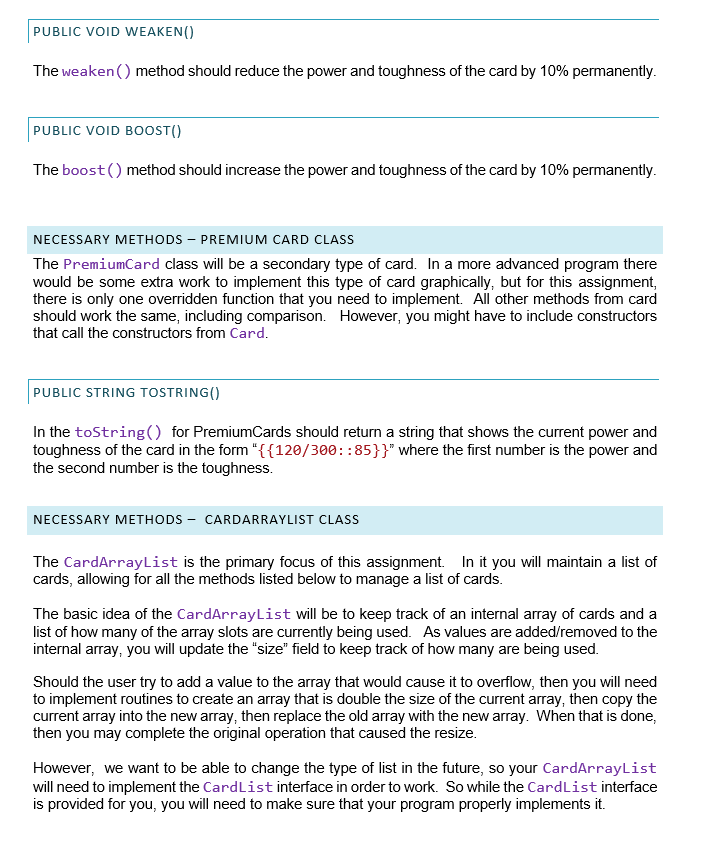
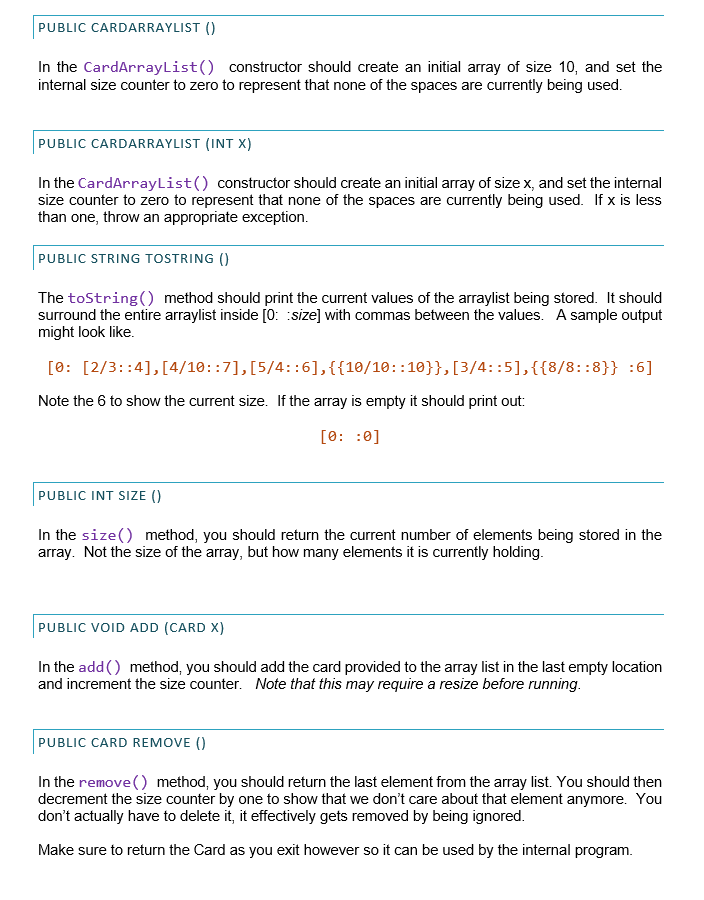
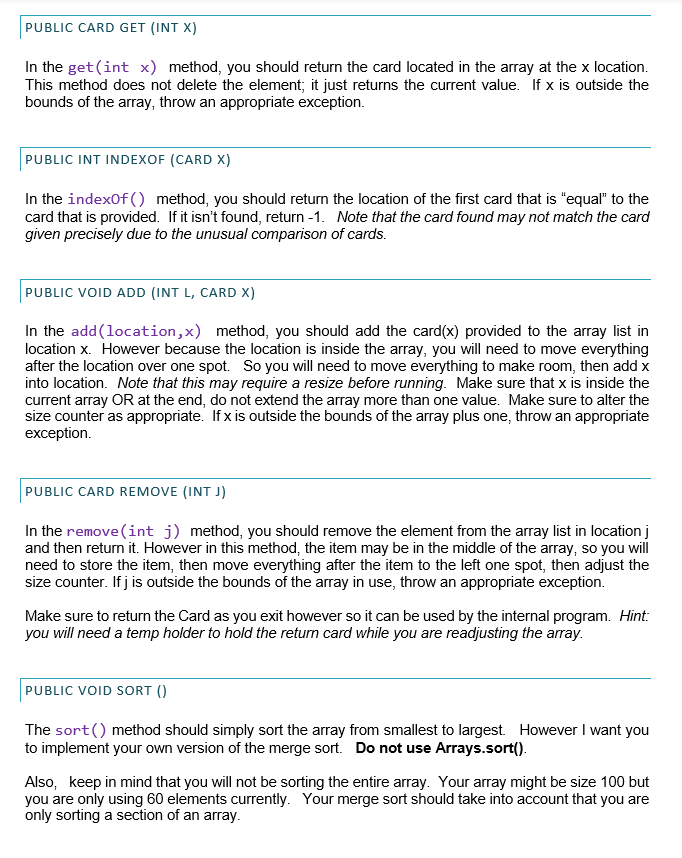
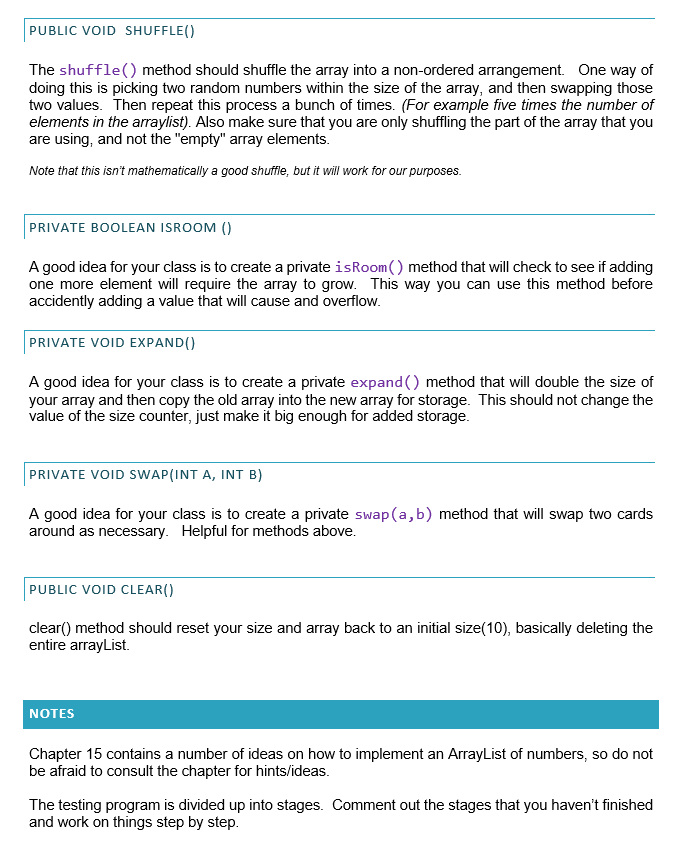
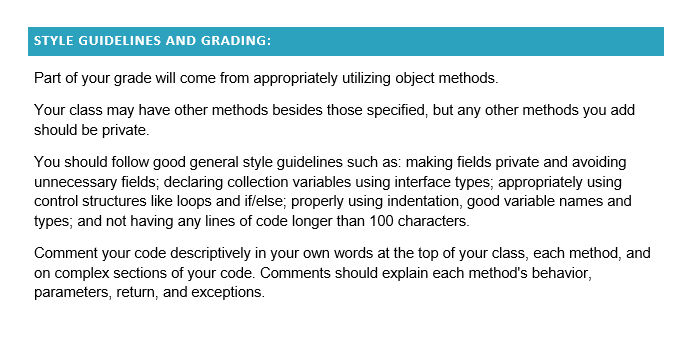
OVERVIEW This program primarily focuses on the implementation of a ArrayList type interface and the necessary methods to implement the ArrayList. It also includes polymorphism and class comparison. INSTRUCTIONS Your deliverable will be to turn in three files. The files will be named Card.java, PremiumCard.java and the last file will be called CardArrayList.java. For this assignment, any use of a data control structure other than a simple Arrary or String will result in no credit. I am aware that this assignment could be done quite simply by the implementation of an ArrayList but the point of the assignment is to do it without the standard implementation to get a feel for how they work under the hood". COLLECTABLE CARD While the primary goal of this assignment will be the implementation and use of a custom ArrayList. The particular implementation we will use will focus on the idea of a simple collectable card game. For our card game, we will assume that every card has two values expressed as integers. Each card will have power and a toughness rating. These numbers need to be a minimum of 1 and a maximum of 1000. Cards then have a calculated cost attribute that comes from the formula below. cost = |(1.2 power +0.75 toughness) cost Rounded up to the nearest integer. When comparing two cards, the one with the higher cost comes after the other unless they have the same cost, in which case the one with the higher power comes after the other. If both cost and power are equal then the higher toughness comes after. Only if all three values are equal would the cards be considered equal. (30,15) > {30,10} > {20,20} > {2010} > {10,20} > {10, 10) Note that in the assignment you will sort from low to high...but the list above is high to low. In addition there are some cards that are considered Premium cards. In a GUI based program, these would be drawn graphically different on the screen, but for our purposes there will only be a slight difference in the output of the card information. But this will give you some practice in polymorphism. PROGRAM DESCRIPTION In this assignment you will construct an ArrayList that can manage a set of Cards which includes both normal and premium cards. You will implement the various methods that are required in order to make the ArrayList function. A sample program will be provided for you to test with, but you may want to alter it to check different functionality of your ArrayList. YOUR INSTRUCTIONS You will write the following classes, implementing the necessary methods as appropriate. NECESSARY METHODS - CARD CLASS The Card class will be your primary class to contain one particular card. It should have two interior fields for power and toughness and should calculate the cost as needed. Do not store the cost as a field! PUBLIC CARDO) In the Card() constructor you create a random card with a random power and a random toughness within the acceptable bounds given above. PUBLIC CARD(INT X) In the Card (int x) constructor you create a card that has equal power and toughness as long as the x in within the proper bounds. If the input value is outside the bounds, then throw an appropriate exception. PUBLIC CARD(INT P, INTT) In the Card (int Power, int Toughness) constructor you create a card that has power and toughness equal to the input values as long as they are within the proper bounds. If either input value is outside the bounds, then throw an appropriate exception. PUBLIC INT GETPOWER() The getPower() should return the current calculated power. PUBLIC INT GETTOUGHNESS() The getToughness() should return the current toughness. PUBLIC INT GETCOST() The getCost() should return the current cost, calculated by the current values. PUBLIC STRING TOSTRING() In the toString() should return a string that shows the current power and toughness of the card in the form "[120/300 :: 85]" where the first number is the power and the second number is the toughness and the number after the ".." is the cost PUBLIC INT COMPARETO(CARD X) The compare to method should implement the comparable interface for Card objects based upon the rules described above. PUBLIC VOID WEAKEN The weaken method should reduce the power and toughness of the card by 10% permanently. PUBLIC VOID BOOST() The boost() method should increase the power and toughness of the card by 10% permanently. NECESSARY METHODS - PREMIUM CARD CLASS The PremiumCard class will be a secondary type of card. In a more advanced program there would be some extra work to implement this type of card graphically, but for this assignment, there is only one overridden function that you need to implement. All other methods from card should work the same, including comparison. However, you might have to include constructors that call the constructors from Card. PUBLIC STRING TOSTRING() In the toString(for PremiumCards should return a string that shows the current power and toughness of the card in the form "{{120/300::85}}" where the first number is the power and the second number is the toughness NECESSARY METHODS - CARDARRAYLIST CLASS The CardArrayList is the primary focus of this assignment. In it you will maintain a list of cards, allowing for all the methods listed below to manage a list of cards. The basic idea of the CardArrayList will be to keep track of an internal array of cards and a list of how many of the array slots are currently being used. As values are added/removed to the internal array, you will update the "size" field to keep track of how many are being used. Should the user try to add a value to the array that would cause it to overflow, then you will need to implement routines to create an array that is double the size of the current array, then copy the current array into the new array, then replace the old array with the new array. When that is done, then you may complete the original operation that caused the resize. However, we want to be able to change the type of list in the future, so your CardArrayList will need to implement the CardList interface in order to work. So while the CardList interface is provided for you, you will need to make sure that your program properly implements it. PUBLIC CARDARRAYLIST () In the CardArrayList() constructor should create an initial array of size 10, and set the internal size counter to zero to represent that none of the spaces are currently being used. PUBLIC CARDARRAYLIST (INT X) In the CardArrayList() constructor should create an initial array of size x, and set the internal size counter to zero to represent that none of the spaces are currently being used. If x is less than one, throw an appropriate exception. PUBLIC STRING TOSTRING() The toString() method should print the current values of the arraylist being stored. It should surround the entire arraylist inside [0: size) with commas between the values. A sample output might look like. [0: [2/3::4],[4/10::7],[5/4::6],{{10/10::10}},[3/4::5},{{8/8::8}} :6] Note the 6 to show the current size. If the array is empty it should print out: [O: : 0] PUBLIC INT SIZE() In the size() method, you should return the current number of elements being stored in the array. Not the size of the array, but how many elements it is currently holding. PUBLIC VOID ADD (CARD X) In the add() method, you should add the card provided to the array list in the last empty location and increment the size counter. Note that this may require a resize before running. PUBLIC CARD REMOVE () In the remove() method, you should return the last element from the array list. You should then decrement the size counter by one to show that we don't care about that element anymore. You don't actually have to delete it, it effectively gets removed by being ignored. Make sure to return the Card as you exit however so it can be used by the internal program. PUBLIC CARD GET (INT X) In the get(int x) method, you should return the card located in the array at the x location. This method does not delete the element; it just returns the current value. If x is outside the bounds of the array, throw an appropriate exception. PUBLIC INT INDEXOF (CARD X) In the indexOf() method, you should return the location of the first card that is "equal" to the card that is provided. If it isn't found, return -1. Note that the card found may not match the card given precisely due to the unusual comparison of cards. PUBLIC VOID ADD (INT L, CARD X) In the add(location,x) method, you should add the card(x) provided to the array list in location x. However because the location is inside the array, you will need to move everything after the location over one spot. So you will need to move everything to make room, then add x into location. Note that this may require a resize before running. Make sure that x is inside the current array OR at the end, do not extend the array more than one value. Make sure to alter the size counter as appropriate. If x is outside the bounds of the array plus one, throw an appropriate exception PUBLIC CARD REMOVE (INT) In the remove(int i) method, you should remove the element from the array list in location and then return it. However in this method, the item may be in the middle of the array, so you will need to store the item, then move everything after the item to the left one spot, then adjust the size counter. Ifj is outside the bounds of the array in use, throw an appropriate exception. Make sure to return the Card as you exit however so it can be used by the internal program. Hint: you will need a temp holder to hold the return card while you are readjusting the array. PUBLIC VOID SORT() The sort() method should simply sort the array from smallest to largest. However I want you to implement your own version of the merge sort. Do not use Arrays.sort(). Also, keep in mind that you will not be sorting the entire array. Your array might be size 100 but you are only using 60 elements currently. Your merge sort should take into account that you are only sorting a section of an array. PUBLIC VOID SHUFFLE() The shuffle method should shuffle the array into a non-ordered arrangement. One way of doing this is picking two random numbers within the size of the array, and then swapping those two values. Then repeat this process a bunch of times. (For example five times the number of elements in the arraylist). Also make sure that you are only shuffling the part of the array that you are using, and not the "empty" array elements. Note that this isn't mathematically a good shuffle, but it will work for our purposes. PRIVATE BOOLEAN ISROOM () A good idea for your class is to create a private isRoom method that will check to see if adding one more element will require the array to grow. This way you can use this method before accidently adding a value that will cause and overflow. PRIVATE VOID EXPAND) A good idea for your class is to create a private expand() method that will double the size of your array and then copy the old array into the new array for storage. This should not change the value of the size counter, just make it big enough for added storage. PRIVATE VOID SWAP(INT A, INT B) A good idea for your class is to create a private swap(a,b) method that will swap two cards around as necessary. Helpful for methods above. PUBLIC VOID CLEAR() clear() method should reset your size and array back to an initial size(10), basically deleting the entire arrayList. NOTES Chapter 15 contains a number of ideas on how to implement an ArrayList of numbers, so do not be afraid to consult the chapter for hints/ideas. The testing program is divided up into stages. Comment out the stages that you haven't finished and work on things step by step. STYLE GUIDELINES AND GRADING: Part of your grade will come from appropriately utilizing object methods. Your class may have other methods besides those specified, but any other methods you add should be private. You should follow good general style guidelines such as: making fields private and avoiding unnecessary fields; declaring collection variables using interface types, appropriately using control structures like loops and if/else; properly using indentation, good variable names and types, and not having any lines of code longer than 100 characters Comment your code descriptively in your own words at the top of your class, each method, and on complex sections of your code. Comments should explain each method's behavior, parameters, return, and exceptions
Step by Step Solution
There are 3 Steps involved in it

Get step-by-step solutions from verified subject matter experts
 Study Help