







Question: OverviewReview the code, looking for the two code blocks where user input is required. Implement a do - while loop in both blocks of code
OverviewReview the code, looking for the two code blocks where user input is required.
Implement a dowhile loop in both blocks of code to ensure that input is valid and any exceptions
are handled.
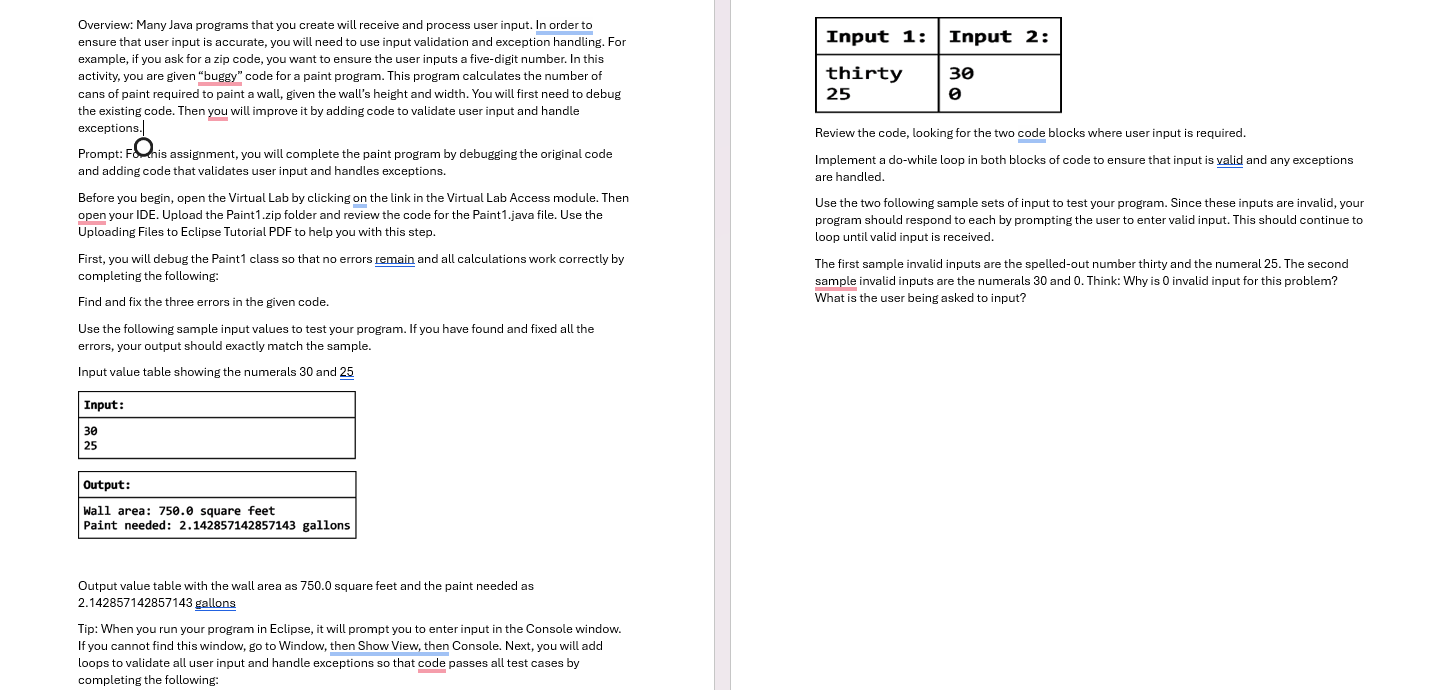
Use the two following sample sets of input to test your program. Since these inputs are invalid, your
program should respond to each by prompting the user to enter valid input. This should continue to
loop until valid input is received.
The first sample invalid inputs are the spelledout number thirty and the numeral The second
sample invalid inputs are the numerals and Think: Why is invalid input for this problem?
What is the user being asked to input?
Many Java programs that you create will receive and process user input. In order to ensure that user input is accurate, you will need to use input validation and exception handling. For example, if you ask for a zip code, you want to ensure the user inputs a fivedigit number. In this activity, you are given buggy code for a paint program. This program calculates the number of cans of paint required to paint a wall, given the walls height and width. You will first need to debug the existing code. Then you will improve it by adding code to validate user input and handle exceptions.
Prompt
For this assignment, you will complete the paint program by debugging the original code and adding code that validates user input and handles exceptions.
Before you begin, open the Virtual Lab by clicking on the link in the Virtual Lab Access module. Then open your IDE. Upload the Paintzip folder and review the code for the Paintjava file. Use the Uploading Files to Eclipse Tutorial PDF to help you with this step.
First, you will debug the Paint class so that no errors remain and all calculations work correctly by completing the following:
Find and fix the three errors in the given code.
Use the following sample input values to test your program. If you have found and fixed all the errors, your output should exactly match the sample.
Input value table showing the numerals and
Output value table with the wall area as square feet and the paint needed as gallons
Tip: When you run your program in Eclipse, it will prompt you to enter input in the Console window. If you cannot find this window, go to Window, then Show View, then Console.
Next, you will add loops to validate all user input and handle exceptions so that code passes all test cases by completing the following:
Review the code, looking for the two code blocks where user input is required.
Implement a dowhile loop in both blocks of code to ensure that input is valid and any exceptions are handled.
Use the two following sample sets of input to test your program. Since these inputs are invalid, your program should respond to each by prompting the user to enter valid input. This should continue to loop until valid input is received.
The first sample invalid inputs are the spelledout number thirty and the numeral The second sample invalid inputs are the numerals and
Think: Why is invalid input for this problem? What is the user being asked to input?
Step by Step Solution
There are 3 Steps involved in it
1 Expert Approved Answer
Step: 1 Unlock

Question Has Been Solved by an Expert!
Get step-by-step solutions from verified subject matter experts
Step: 2 Unlock
Step: 3 Unlock
 Study Help