







Question: P2. Usage of Working Model 2D Software to solve a Truss Problem Download the demo files HoweTruss.wm2d and ChairForces.wm2d as provided within the Working Model
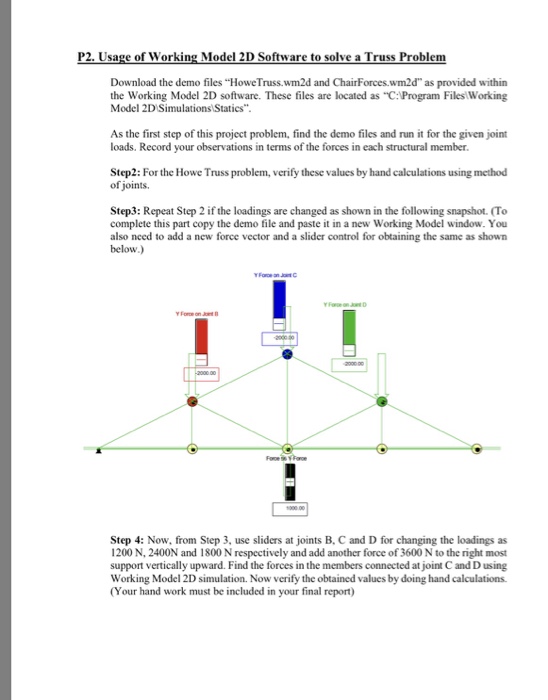
P2. Usage of Working Model 2D Software to solve a Truss Problem Download the demo files "HoweTruss.wm2d and ChairForces.wm2d" as provided within the Working Model 2D software. These files are located as "C:Program Files Working Model 2D Simulations Statics As the first step of this project problem, find the demo files and run it for the given joint loads. Record your observations in terms of the forces in each structural member. Step2: For the Howe Truss problem, verify these values by hand calculations using method of joints. Step3: Repeat Step 2 if the loadings are changed as shown in the following snapshot. (To complete this part copy the demo file and paste it in a new Working Model window. You also nced to add a new force vector and a slider control for obtaining the same as shown below.) Step 4: Now, from Step 3, use sliders at joints B, C and D for changing the loadings as 1200 N, 2400N and 1800 N respectively and add another force of 3600 N to the right most support vertically upward. Find the forces in the members connected at joint C and D using Working Model 2D simulation. Now verify the obtained values by doing hand calculations (Your hand work must be included in your final report)
Step by Step Solution
There are 3 Steps involved in it

Get step-by-step solutions from verified subject matter experts
 Study Help