







Question: (Pacemg Characters into an Integer The left-shift operator can be used to pack four char acter values into a four-byte unsigned int variable. Write a
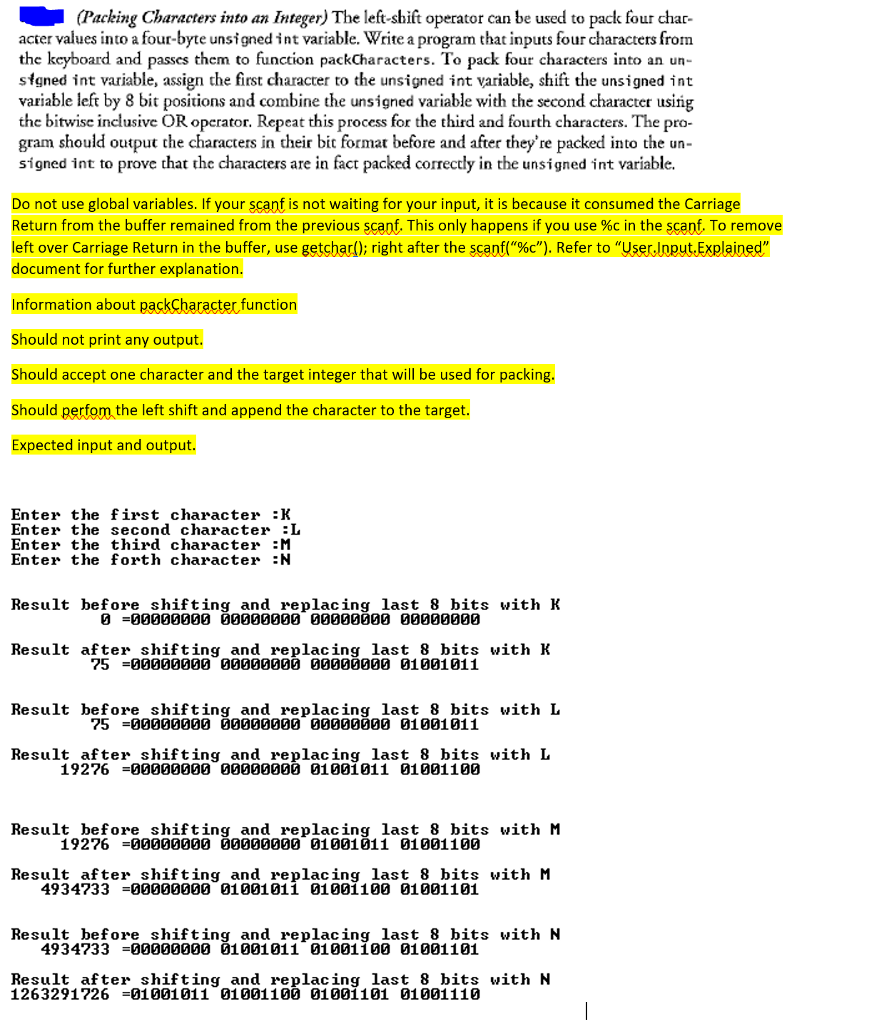
(Pacemg Characters into an Integer The left-shift operator can be used to pack four char acter values into a four-byte unsigned int variable. Write a program that inputs four characters from the keyboard and passes them to function packCharacters. To pack four characters into an un- sfgned int variable, assign the first character to the unsigned int variable, shift the unsigned int variable left by 8 bit positions and combine the unsigned variable with the second character using the bitwise inclusive OR operator. Repeat this process for the third and fourth characters. The pro- gram should output the characters in their bit format before and after they're packed into the un- signed int to prove that the characters are in fact packed correctly in the unsigned int variable. Do not use global variables. If your scant is not waiting for your input, it is because it consumed the Carriage Return from the buffer remained from the previous scant. This only happens if you use %c in the scent. To remove left over Carriage Return in the buffer, use getsbad); right after the SC pf("%c"). Refer to "UserInputExplained, document for further explanation. Information about packCharacter function Should not print any output. Should accept one character and the target integer that will be used for packing Should perfom the left shift and append the character to the target. Expected input and output. Enter the first character :K Enter the second character :L Enter the third character :M Enter the forth character N Result before shifting and replacing last 8 bits with K 0000GG0000000 Gag0a 000000 Result after shifting and replacing last 8 bits with K 75 =00000000 00000000 00000000 01001011 Result before shifting and replacing last 8 bits with L 75 =00000000 00000000 00000000 01001011 Result after shifting and replacing last 8 bits with L 19276 =00000000 00000000 01001011 01001100 Result before shifting and replacing last 8 bits with M 19276-gg00000 0000000 01001011 01001100 Result after shifting and replacing last 8 bits with M 4934733-00000 01001011 01001100 01001101 Result before shifting and replacing last 8 bits with N 4934733 -000000G0 01001011 01001100 01001101 Result after shifting and replacing last 8 bits with N 126329172601001011 01001100 01001101 01001110
Step by Step Solution
There are 3 Steps involved in it

Get step-by-step solutions from verified subject matter experts
 Study Help