







Question: package assignments2017.a3posted; // COMP 250 - Introduction to Computer Science - Fall 2017 // Assignment #3 - Question 1 import java.io.*; import java.util.*; // Performs
package assignments2017.a3posted;
// COMP 250 - Introduction to Computer Science - Fall 2017 // Assignment #3 - Question 1
import java.io.*; import java.util.*;
// Performs lookups and word completion using the WordTree class. // Also provides method to read from a file.
public class TesterA3starter { public static ArrayList
public static void main(String[] args) { ArrayList
/* * You can test your code with the input file below. * For example, if you wish to share your outputs on the discussion board * that you obtained using the given text file, that's fine. * * You will need to put a different pathname in here. */ // String fileName = "C:\\Users\\Michael\\Dropbox\\Eclipse (Yoga)\\250\\src\\assignments2017\\a3\\bodybuilding.txt"; // list = readWordsFromFile(fileName); // String fileName = "//home//ramchalamkr//bodybuilding.txt"; // list = readWordsFromFile(fileName);
// For debugging, we suggest you use a smaller set of words such as the ones shown in the PDF. Collections.addAll(list, "a", "and", "ax", "dog", "door", "dot");
WordTree wordTree = new WordTree(); wordTree.loadWords(list);
System.out.println("list contains " + list.size() + " words");
// Test if the contains() method works, print input and output // // e.g.: try door, an, cat (should return true, false, and false respectively)
System.out.println(); System.out.println("--- Test contains() method. Correct answer shown in brackets. -----" ); System.out.println("WordTree contains 'door' = " + wordTree.contains("door") + " (true)" ); System.out.println("WordTree contains 'and' = " + wordTree.contains("and") + " (true)"); System.out.println("WordTree contains 'cat' = " + wordTree.contains("cat") + " (false)"); System.out.println("WordTree contains 'dog' = " + wordTree.contains("dog") + " (true)"); System.out.println("WordTree contains 'ax' = " + wordTree.contains("ax") + " (true)"); System.out.println("WordTree contains 'dot' = " + wordTree.contains("dot") + " (true)"); System.out.println("WordTree contains 'a' = " + wordTree.contains("a") + " (true)"); System.out.println("WordTree contains 'an' = " + wordTree.contains("an") + " (false)");
/* Test if getPrefix works, print input and output * ex: "door", "any", "cat" should return "door", "an", and "" respectively * */ System.out.println(""); System.out.println("----- Test getPrefix()"); System.out.println("longest prefix of door = " + wordTree.getPrefix("door")); System.out.println("longest prefix of any = " + wordTree.getPrefix("any")); System.out.println("longest prefix of cat = " + wordTree.getPrefix("cat"));
/* Test getListPrefixMatches, print input and output * Try prefixes "a", "do", "c" (should return [a, and, ax], [dog, door, dot], [ ] respectively) */ System.out.println(""); System.out.println("----- Test getListPrefixMatches() i.e. autocomplete "); System.out.println("a = " + wordTree.getListPrefixMatches("a")); System.out.println("do = " + wordTree.getListPrefixMatches("do")); System.out.println("c = " + wordTree.getListPrefixMatches("c"));
} }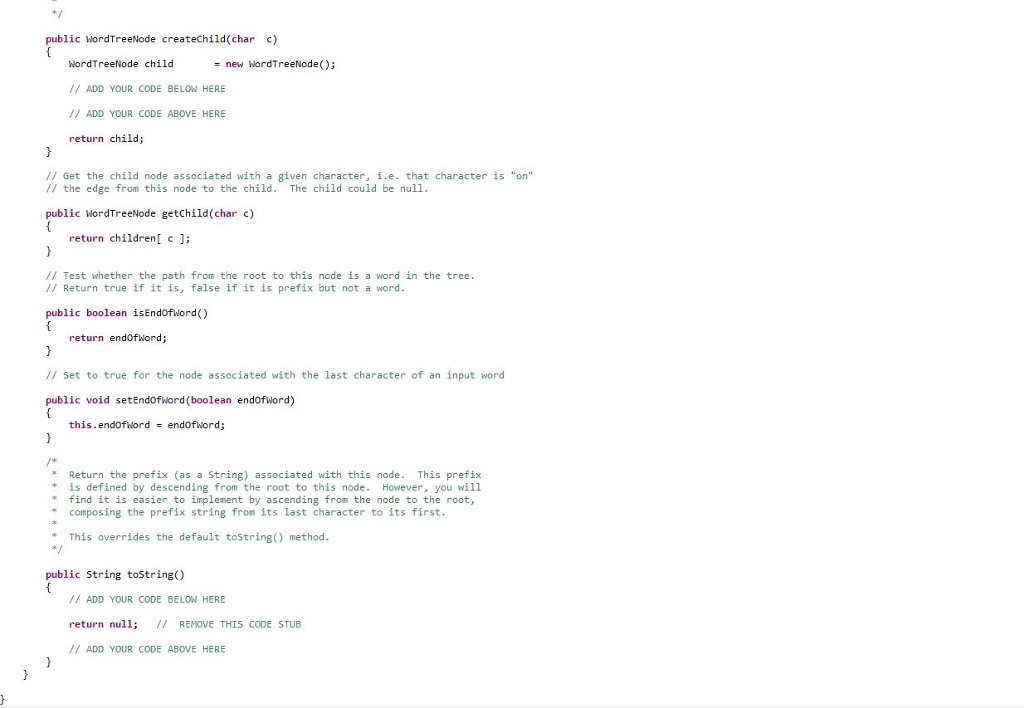
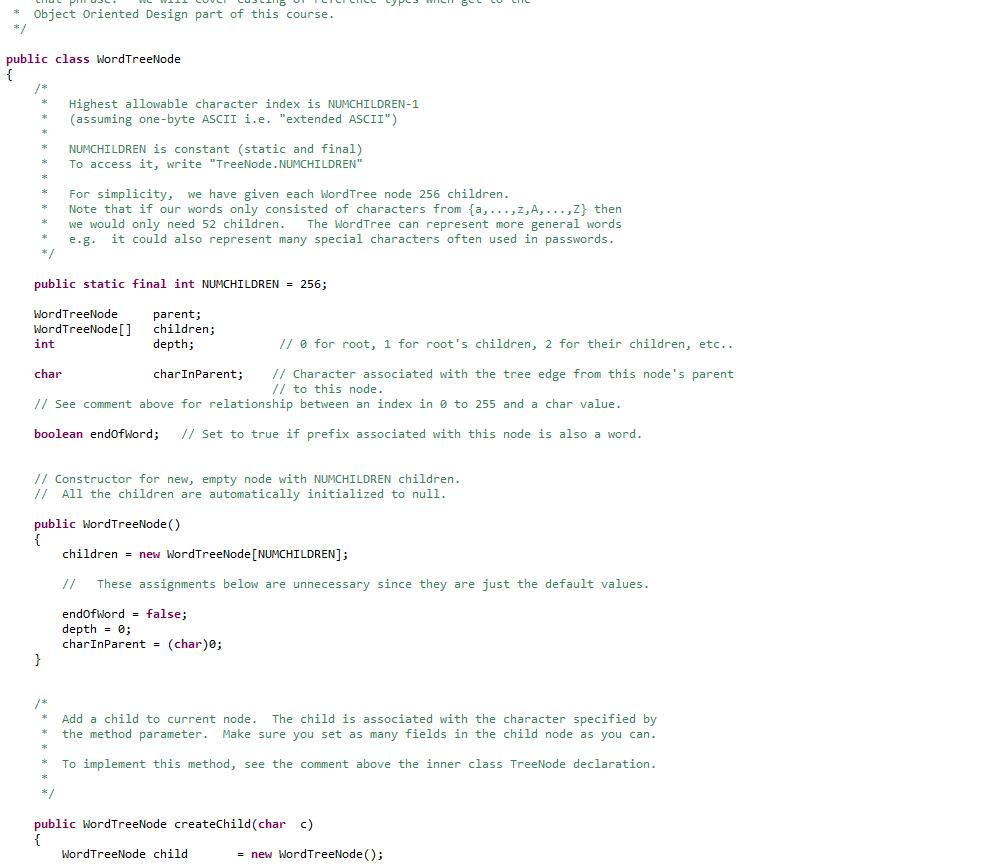
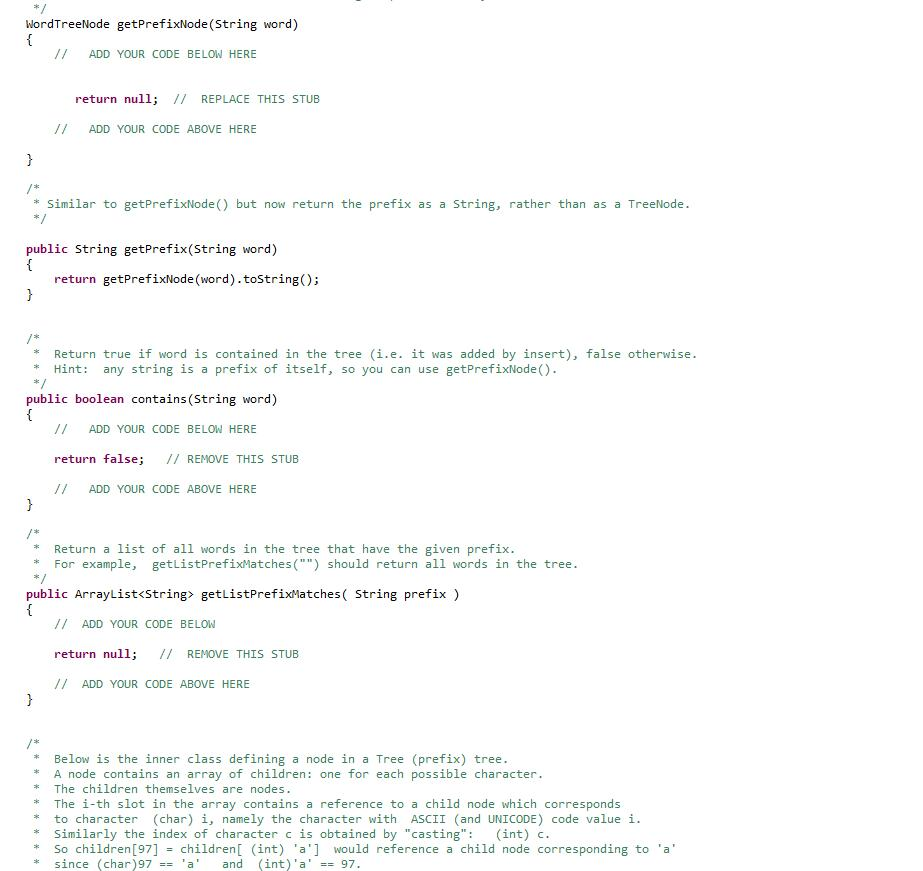
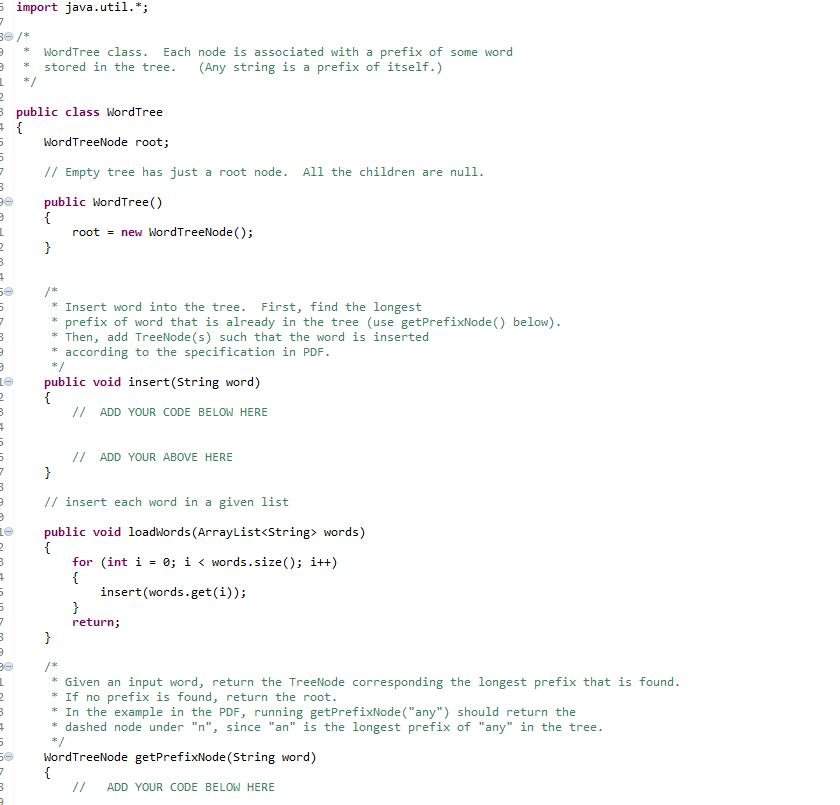
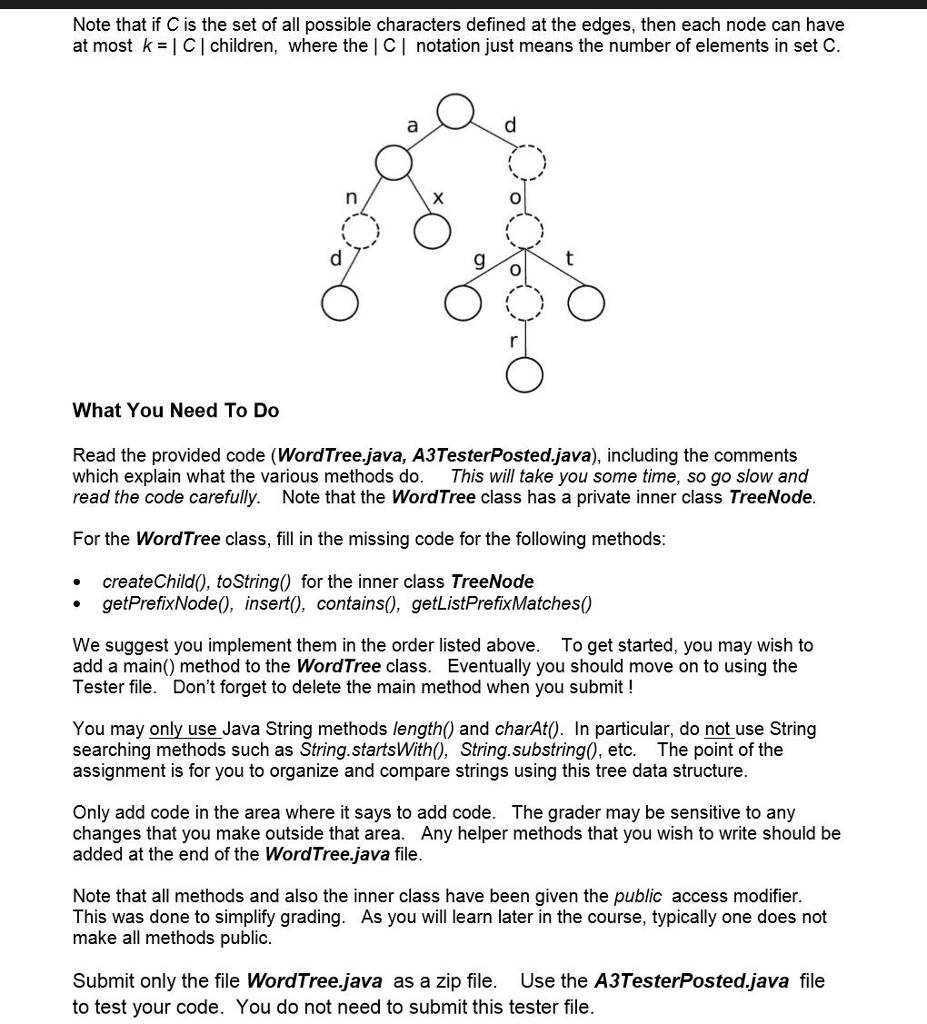
public WordTreeNode createChild(char c) WordTreeNode child / ADD YOUR CODE BELON HERE / ADD YOUR CODE ABOVE HERE return child; new wordTreeNode(); = // Get the child node associated with a given character, i.e. that character is "on // the edge from this node to the child. The child could be null public WordTreeNode getChild (char c) return children c : // Test whether the path from the root to this node is a word in the tree // Return true if it is, false if it is prefix but not a word public boolean isEndofword) return endofword; // Set to true for the node associated with the last character of an input word public void setEndofword(boolean endofword) this .endofword endOfword; Return the prefix (as a String) associated with this node. This prefix * is defined by descending from the root to this node. However, you wil1 find it is easier to implement by ascending from the node to the root, composing the prefix string from its last character to its first. This overrides the default tostring) method public String toString() /I ADD YOUR CODE BELON HERE return null; 7 REMOVE THIS CODE STUB // ADD YOUR CODE ABOVE HERE
Step by Step Solution
There are 3 Steps involved in it

Get step-by-step solutions from verified subject matter experts
 Study Help