







Question: package circularlinkedlist; import java.util.Iterator; public class CircularLinkedList implements Iterable { // Your variables Node head; Node tail; int size; // BE SURE TO KEEP TRACK
package circularlinkedlist; import java.util.Iterator;
public class CircularLinkedList
// Your variables Node
// implement this constructor public CircularLinkedList() { }
// I highly recommend using this helper method // Return Node
return null; }
// attach a node to the end of the list public boolean add(E item) { this.add(size,item); return false;
}
// Cases to handle // out of bounds // adding to empty list // adding to front // adding to "end" // adding anywhere else // REMEMBER TO INCREMENT THE SIZE public void add(int index, E item){
}
// remove must handle the following cases // out of bounds // removing the only thing in the list // removing the first thing in the list (need to adjust the last thing in the list to point to the beginning) // removing the last thing // removing any other node // REMEMBER TO DECREMENT THE SIZE public E remove(int index) { return null; } // Turns your list into a string // Useful for debugging public String toString(){ Node
// returns true if there is a next node // this is always should return true if the list has something in it public boolean hasNext() { // TODO Auto-generated method stub return size != 0; } // advances the iterator to the next item // handles wrapping around back to the head automatically for you public E next() { // TODO Auto-generated method stub prev = nextItem; nextItem = nextItem.next; index = (index + 1) % size; return prev.item; } // removed the last node was visted by the .next() call // for example if we had just created a iterator // the following calls would remove the item at index 1 (the second person in the ring) // next() next() remove() public void remove() { int target; if(nextItem == head) { target = size - 1; } else{ target = index - 1; index--; } CircularLinkedList.this.remove(target); //calls the above class } } // It's easiest if you keep it a singly linked list // SO DON'T CHANGE IT UNLESS YOU WANT TO MAKE IT HARDER private static class Node
}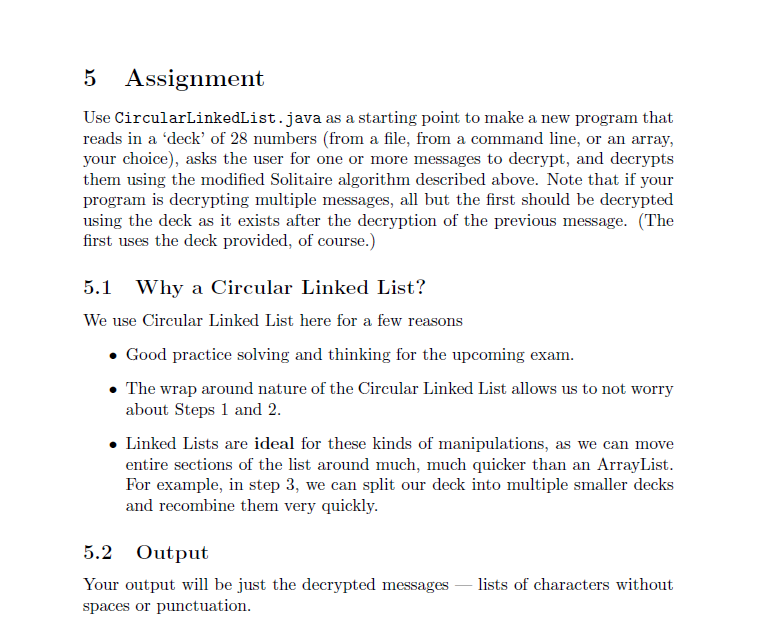
5 Assignment Use CircularLinkedList.java as a starting point to make a new program that reads in a 'deck' of 28 numbers (from a file, from a command line, or an array, your choice), asks the user for one or more messages to decrypt, and decrypts them using the modified Solitaire algorithm described above. Note that if your program is decrypting multiple messages, all but the first should be decrypted using the deck as it exists after the decryption of the previous message. (The first uses the deck provided, of course.) 5.1 Why a Circular Linked List? We use Circular Linked List here for a few reasons Good practice solving and thinking for the upcoming exam. The wrap around nature of the Circular Linked List allows us to not worry about Steps 1 and 2. Linked Lists are ideal for these kinds of manipulations, as we can move entire sections of the list around much, much quicker than an ArrayList. For example, in step 3, we can split our deck into multiple smaller decks and recombine them very quickly. 5.2 Output Your output will be just the decrypted messages lists of characters without spaces or punctuation. 5 Assignment Use CircularLinkedList.java as a starting point to make a new program that reads in a 'deck' of 28 numbers (from a file, from a command line, or an array, your choice), asks the user for one or more messages to decrypt, and decrypts them using the modified Solitaire algorithm described above. Note that if your program is decrypting multiple messages, all but the first should be decrypted using the deck as it exists after the decryption of the previous message. (The first uses the deck provided, of course.) 5.1 Why a Circular Linked List? We use Circular Linked List here for a few reasons Good practice solving and thinking for the upcoming exam. The wrap around nature of the Circular Linked List allows us to not worry about Steps 1 and 2. Linked Lists are ideal for these kinds of manipulations, as we can move entire sections of the list around much, much quicker than an ArrayList. For example, in step 3, we can split our deck into multiple smaller decks and recombine them very quickly. 5.2 Output Your output will be just the decrypted messages lists of characters without spaces or punctuation
Step by Step Solution
There are 3 Steps involved in it

Get step-by-step solutions from verified subject matter experts
 Study Help