







Question: Part 01-Change Directory and Create Folders: 1. Open MS-Dos (Windows OS) or Terminal (Mac). 2. Change directory to desktop. 3. Create the following tree
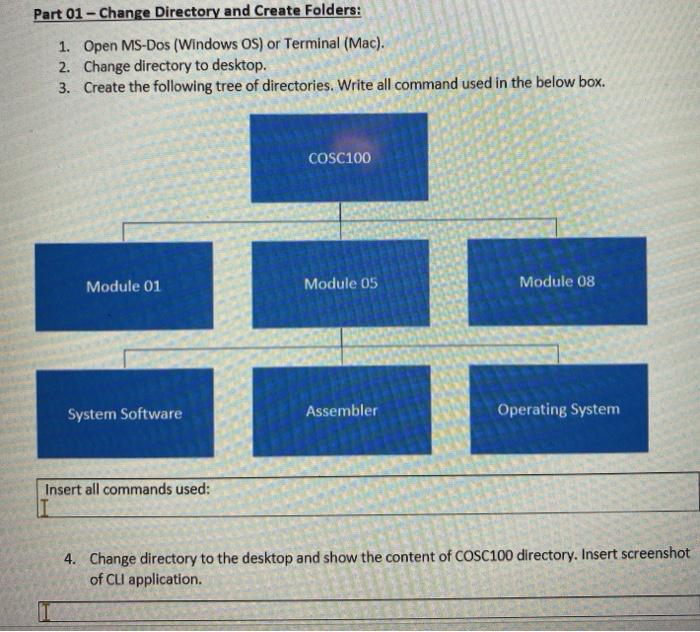
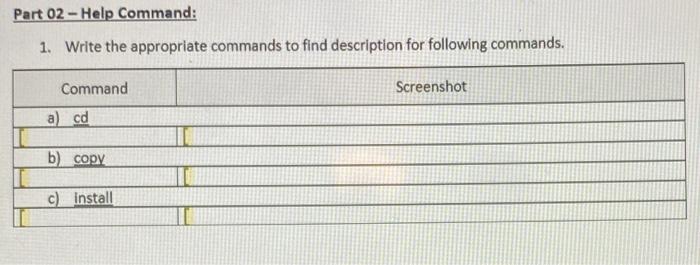
Part 01-Change Directory and Create Folders: 1. Open MS-Dos (Windows OS) or Terminal (Mac). 2. Change directory to desktop. 3. Create the following tree of directories. Write all command used in the below box. Module 01 System Software Insert all commands used: COSC100 Module 05 Assembler Module 08 Operating System 4. Change directory to the desktop and show the content of COSC100 directory. Insert screenshot of CLI application. Part 02-Help Command: 1. Write the appropriate commands to find description for following commands. Command a) cd b) copy c) install Screenshot
Step by Step Solution
3.38 Rating (154 Votes )
There are 3 Steps involved in it
3 The first line shows the present directory is Desktop MD ... View full answer

Get step-by-step solutions from verified subject matter experts
 Study Help